Network Camera User’s Manual
58/63
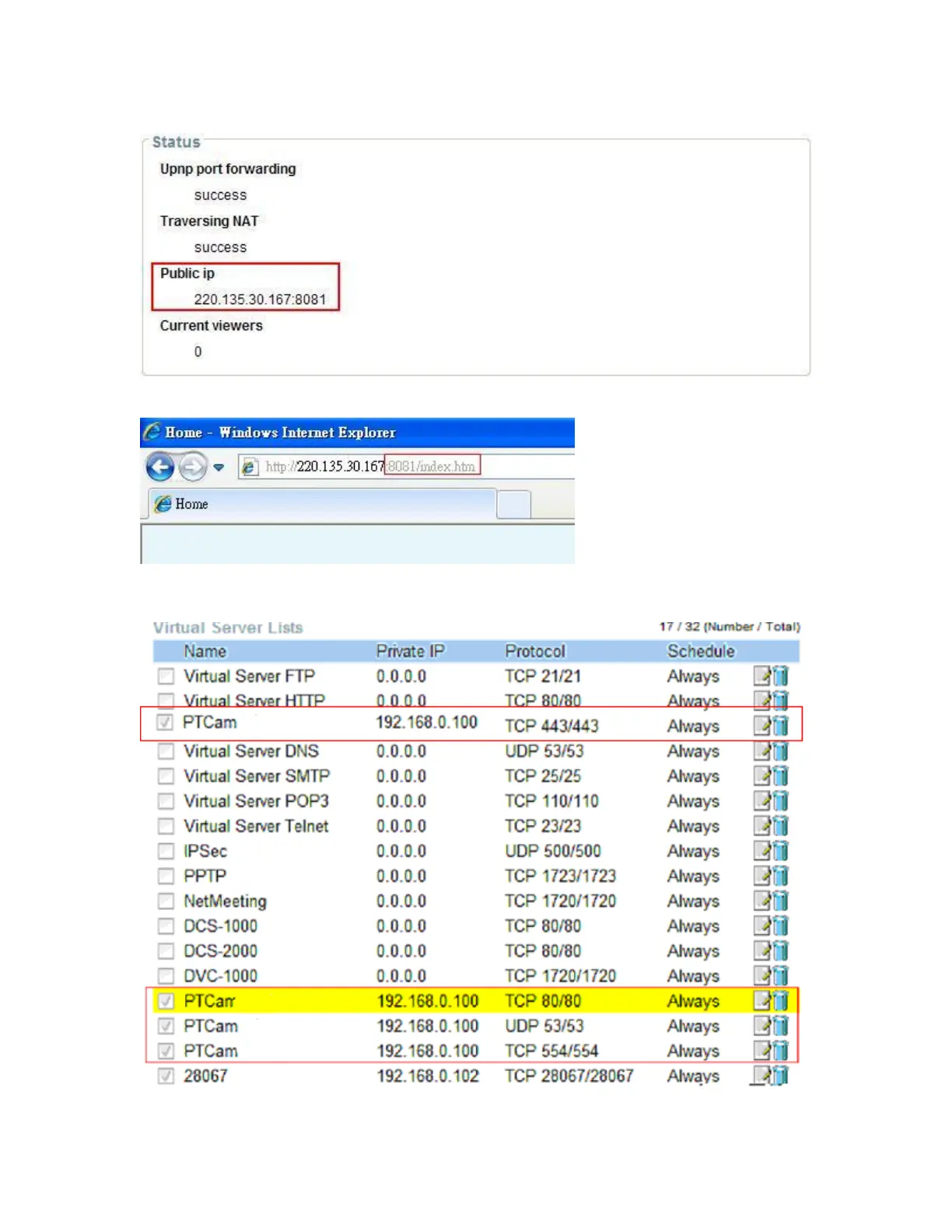
5. Check camera status, we can see the ports had been successfully opened!
6.Type IP address:8081at browser. Then you can see camera through Internet.
(2) By Setting Port Forwarding Manually
1. Select a router. Set the port forwarding as following.
PS. Port 80 is HTTP Port, port 53 is stream port, port 554 is RTSP port. and port















 To Next Page