Wireless LAN Access Point Configuration
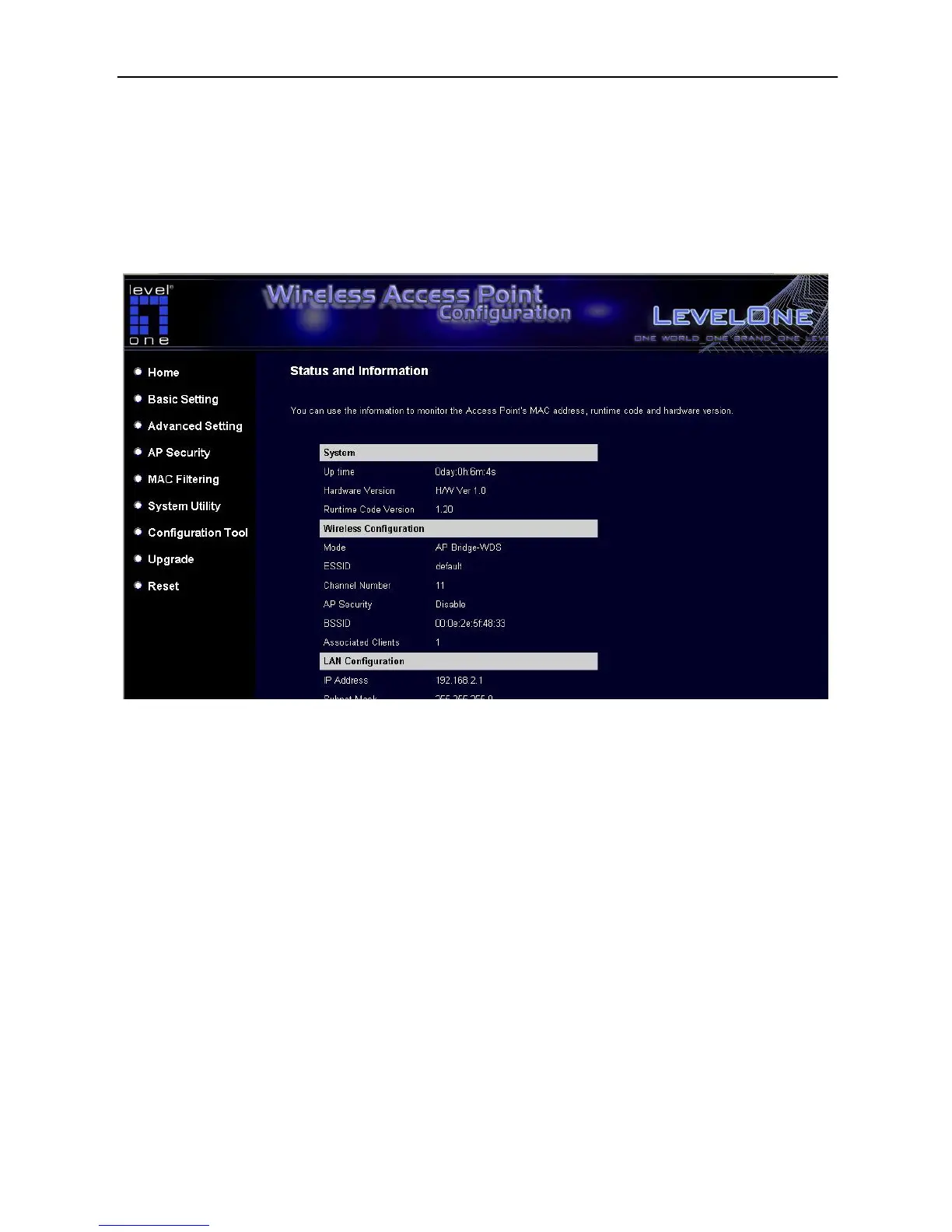
3.2.1 Status and Information
On this screen, user can see the general information of the Access Point including Alias
Name, Firmware Version, ESSID, Channel Number, Status, IP Address, MAC Address,
etc.
3.2.2 Wireless Setting
This Access Point supports AP, Station, Bridge, WDS and Universal Repeater modes.
“AP Mode” provides pure access point function. The simplest way to build up a wireless
LAN is to use “AP Mode”.
“Station Mode” is used to let a network device with only wired Ethernet function to have
wireless LAN communication capability. It provides both Ad Hoc and Infrastructure modes
for the “Station Mode”. With “Station-Ad Hoc mode”, it can let user’s network device join
a wireless LAN with peer-to-peer communication. With “AP-Client mode”, it can let user’s
network device join a wireless LAN through an access point.
11














 To Next Page