Static IP: Allow a device to act as a Static host. If you need Static host and please
entry IP Address.
DHCP: Allow a device to act as a host requesting configuration parameters, such as
an IP address from a DHCP server.
Note: Please check if there is DHCP server in your Network, first.
2. LAN IP Address, Subnet Mask, Gateway, Primary / Secondary DNS: If you
selected the Static IP network type for this device, you have to further specify the LAN
IP Address, Subnet mask, Gateway, and optional Primary / Secondary DNS settings
for well connecting to your local network.
3.1.2 Wireless
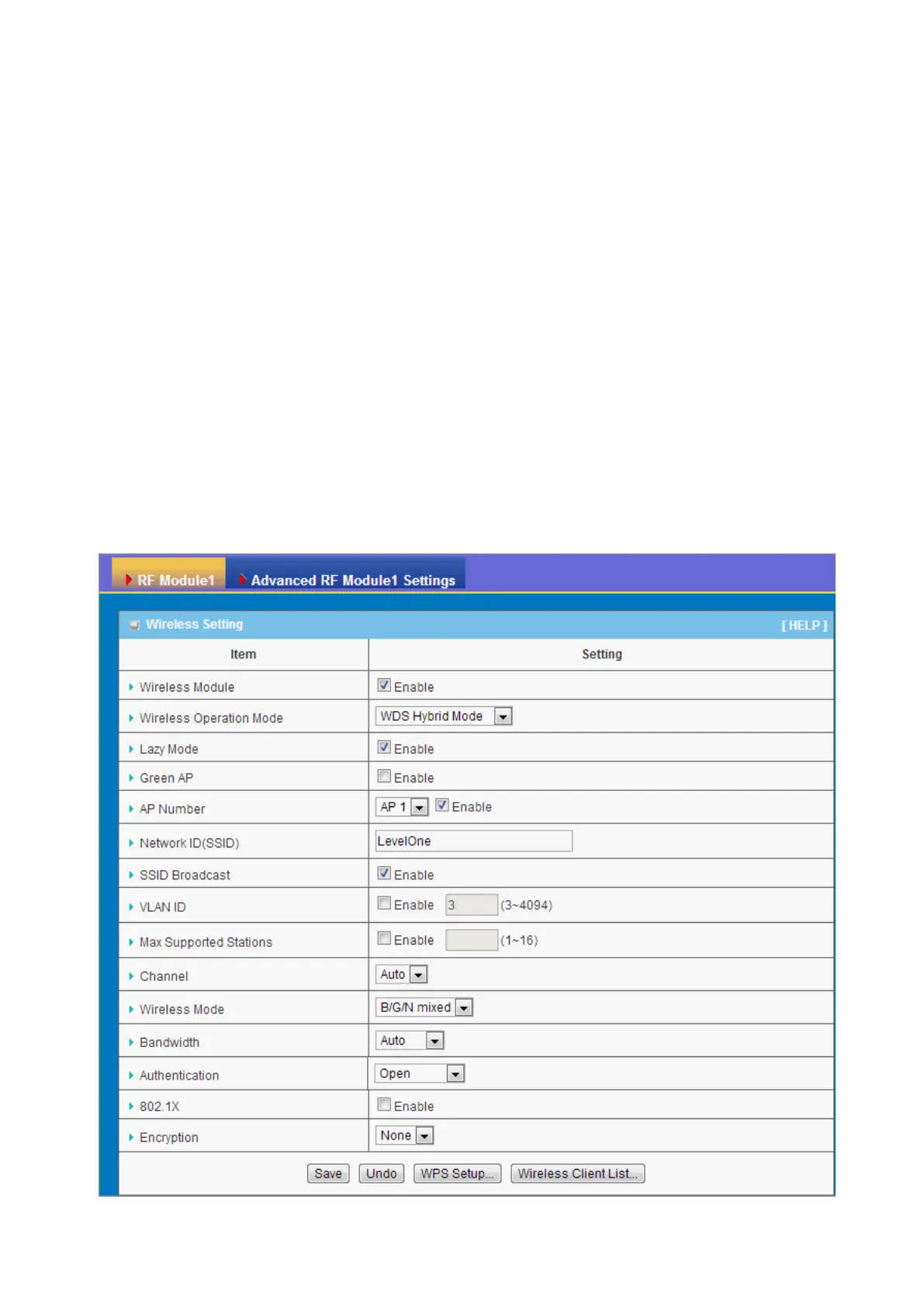
Wireless settings allow you to set the WLAN (wireless LAN) configuration items. When the
wireless configuration is done, your wireless network is ready for supporting your local
WiFi devices such as your laptop PC, wireless printer and some portable devices.















 To Next Page