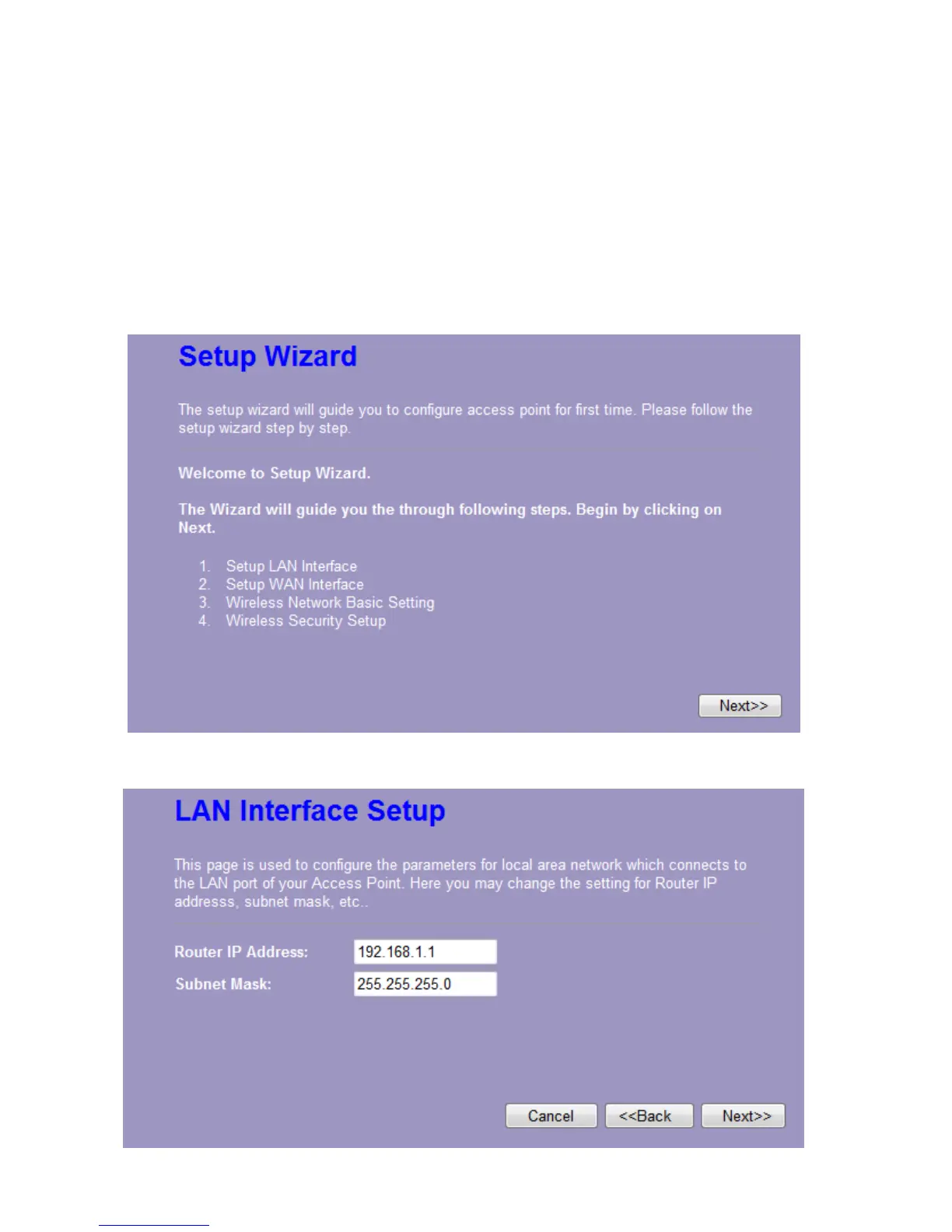
3.3 Setup Wizard
If you are using the router for the first time, please follow the procedures of the setup wizard to
do a step-by-step configuration.
Note: The configurations in AP, Router and Client modes are almost the same. The following
guide mainly introduces this device under the Router mode environment. Users want to do
management in AP/Client mode please refer to the Router mode. The following instruction
makes an overall introduction to the Setup Wizard
1. Click “Setup Wizard” on the left menu link, and then click the “Next” button to proceed.
2. Click “Next” button, the “LAN Interface Setup” pops out.














 To Next Page