3.6 Firewall Settings (Router mode and Client mode Display)
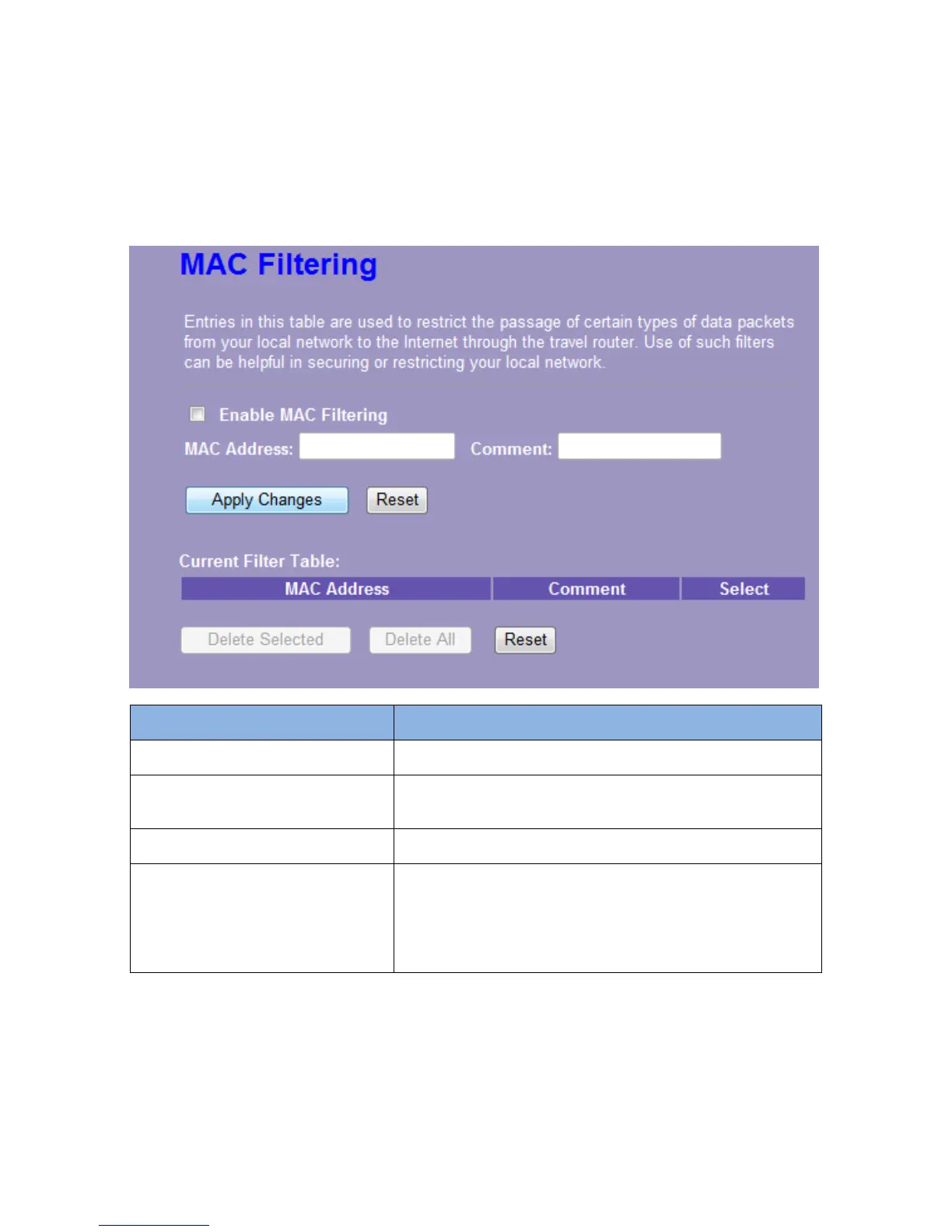
MAC Filtering
The Wireless Router could filter the outgoing packets for security or management consideration.
Items Information
Enable MAC Filtering
Mark to enable the configuration, and clear to disable.
MAC Address
Fill in the MAC address of wireless stations you want to
forbid to access the Internet through the Gateway.
Comment
Input any text to describe this mapping.
Current Filter Table
Lists the MAC Filter Settings you have added before. To
delete the settings on the list, click the check box in the
select item and click the “Delete Selected”. If you want to
delete all the MAC addresses, click “Delete All” to
remove all of them.
Please click on the Apply Changes button or the Reset button at the bottom to save/reset the configurations.














 To Next Page