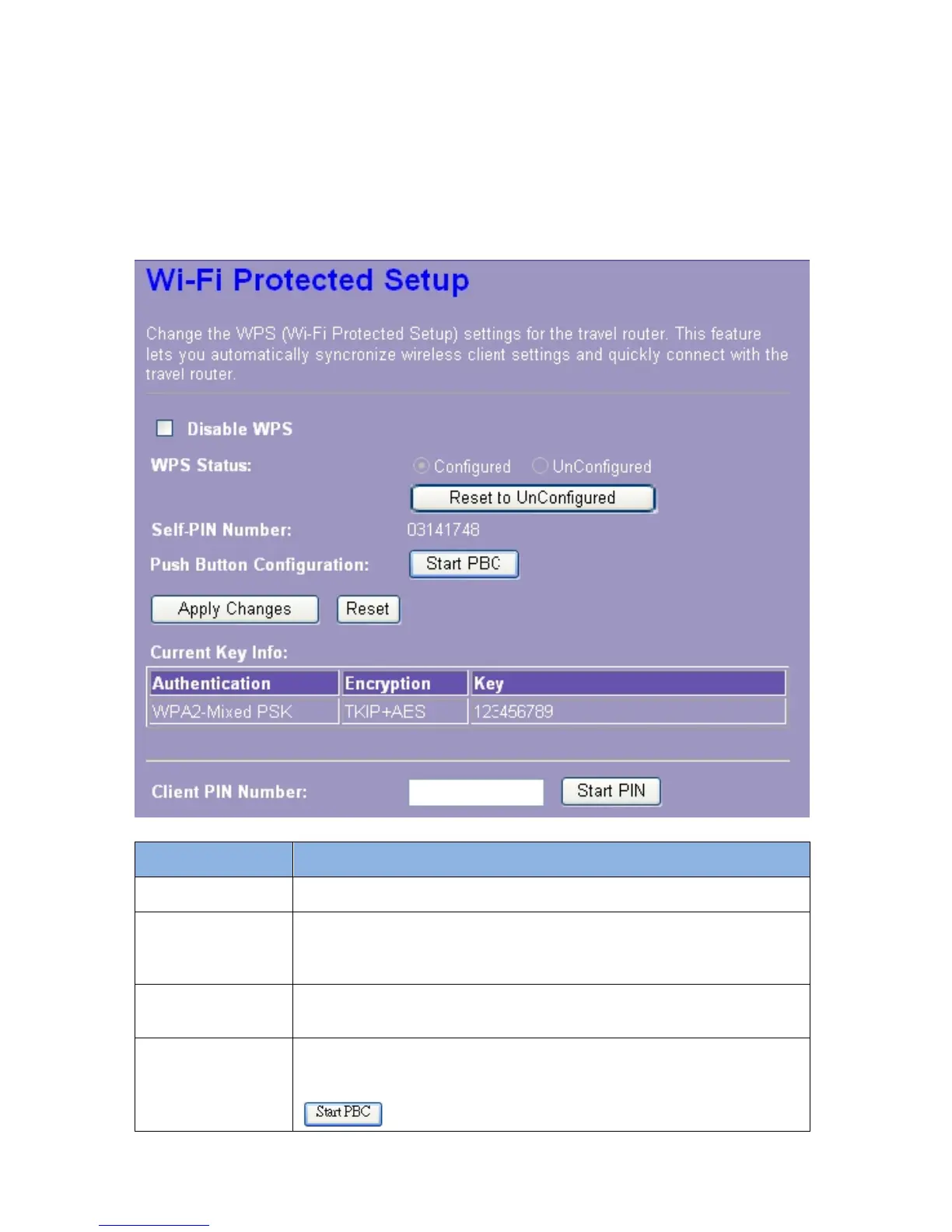
3.4.6 WPS Settings
The primary goal of Wi-Fi Protected Setup (Wi-Fi Simple Configuration) is to simplify the
security setup and management of Wi-Fi networks. This router supports the configuration setup
using PIN configuration method or PBC configuration method through an internal or external
registrar.
Items Information
Disable WPS
Click this checkbox to undo WPS.
WPS Status
You cannot manually select the items here. The WPS Status will
change from “UnConfigured” to “Configured” after you enable WPS
function and setup a wireless security key for this device.
Self-PIN Number
If you use this device as a client, you can use this code when trying
to connect this device to other AP by using the PIN method.
Push Button
Configuration
Push Button Communication (PBC) method uses a simple action of
pushing
a button on both the AP and the new STA to reach the
function of easy setup WPS connection. You can simply click the
button in this GUI page or click the WPS button under














 To Next Page