14
4.1.6 Network Scan
Network Scan is a feature for monitoring previously installed and congured
VerifEye
®
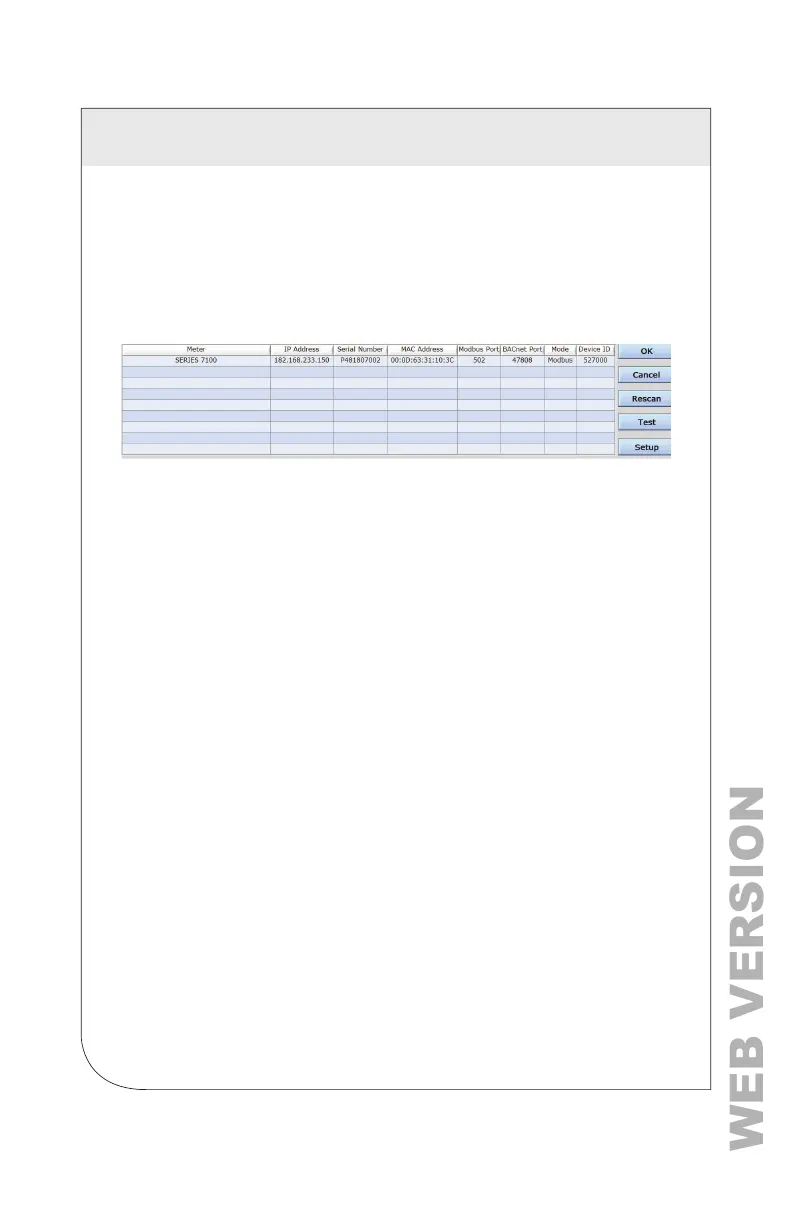
meters over an Ethernet network. Network Scan broadcasts a UDP
discovery packet on the same network as the PC that runs the Power Meter
Viewer Utilities application. Normally, this is performed on a corporate network
running DHCP. Any VerifEye
®
meter that responds is displayed in a table
that includes the system description register, IP address, serial number, and
communication conguration.
Highlight the desired meter, and select OK, Test or Setup. Note that the
effectiveness of this technique is highly dependent on the conguration of
the PC running Power Meter Viewer Utilities (which may have more than one
network card) and the network conguration. Select Rescan to make multiple
attempts to locate a particular meter on busy networks (UDP has no built-in
retry provisions).
4.1.7 Launch Congurator
The nal option in the Power Meter Viewer Utilities Connect to Meter
pop-up window is Launch Congurator. This option allows you to create
a meter setup or alarm table for future use without connecting to a meter.
After prompting the user for a meter model, the Power Meter Viewer Utilities
application launches under a mode with restricted functionality. This mode
operates on les only.
4 METER CONFIGURATION



 To Next Page