58
b) Connect to the 7000/7100 Series meter using the Leviton Power Meter Viewer.
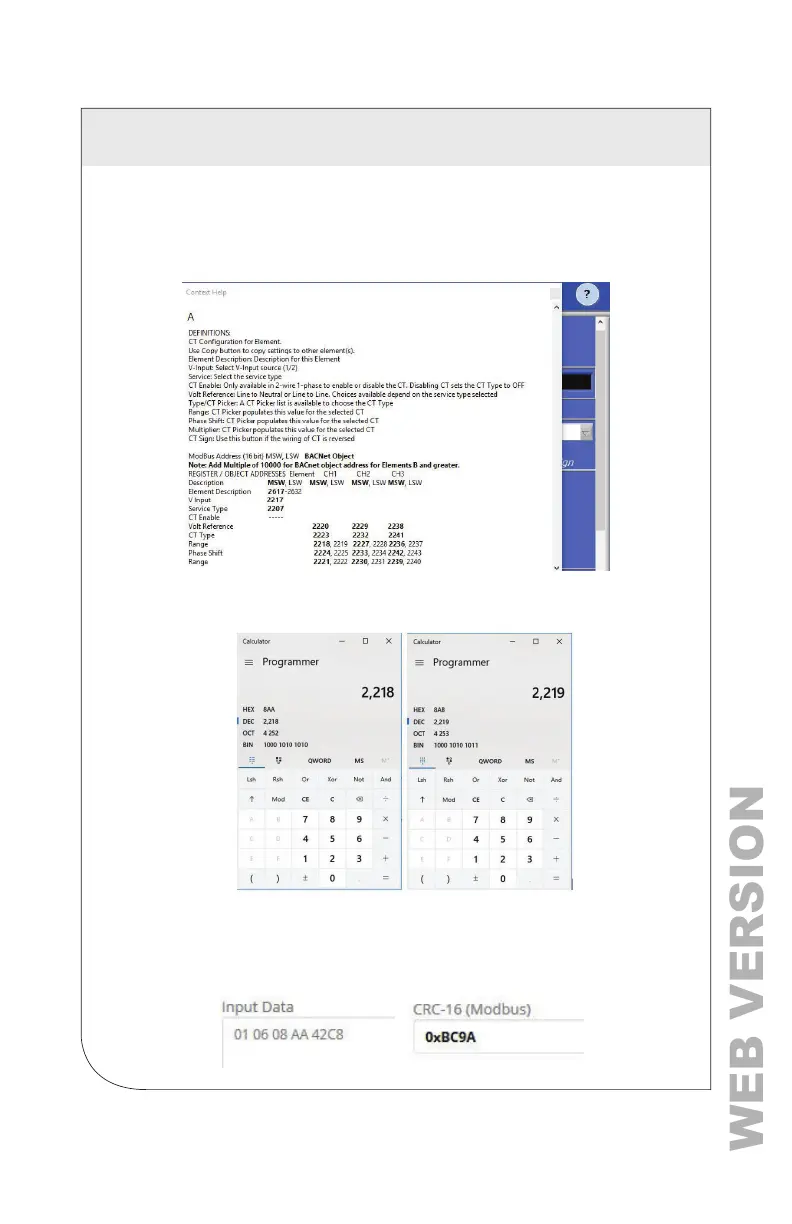
Navigate to the Meter Setup tab and press the ? icon. Hover over the Element
A setup portion of the window. This launches the data exploring tool and
indicates the addresses of the registers controlled or displayed by this window.
The desired control registers are 2218 (MSW) and 2219 (LSW).
Convert the register addresses of interest into hexadecimal notation (if required).
3. Calculate the CRC-16 (Modbus RTU) for the expression. There are several
variations of the CRC-16. Ensure the one you are using is for Modbus. The CRC
is entered LSB rst.
Enter the Entire Expression into a CRC Calculator (a web utility can be helpful).
7 RTU PROGRAMMING AND SCRIPTING



 To Next Page