10
Activating and Operating
Remote Control Guide
REMOVE A SHUTTER FROM A GROUP
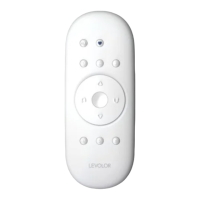
1. Press and hold STOP until the WHITE programming
light starts flashing, then release. This puts the remote
in program mode.
2. Press the desired GROUP number (1, 2, 3, 4, 5 or 6) on
the remote. The BLUE GROUP indicator light above
the GROUP number will flash to show it is selected.
3. With one hand press and continue to hold the
manual control button.
4. While continuing to hold down the manual control
button, press and hold
CLOSE on the remote
until the shutter moves slightly to indicate it has
been removed from the GROUP.
5. Release both buttons.
6. To exit program mode press and hold
STOP until
the lights stop flashing.
CREATING A DUPLICATE OR SECOND REMOTE
1. Remove the back cover from the new remote.
2. Using a paper clip, press and hold the recessed reset
button until the BLUE GROUP indicator lights double
flash followed by a triple flash, making a total of five
flashes. Note there will be a delay between the double
flash and the triple flash. Replace the back cover.
3. Press and hold
STOP on the original remote until
the WHITE programming light starts flashing, then
release. This puts the remote in program mode.
4. With one hand press and hold ALL on the new remote.
5. While continuing to hold down the ALL button press
and release
STOP on the original remote.
6. All of the BLUE GROUP indicator lights on the duplicate
remote will flash twice to indicate all of the information
from the original remote has been copied.
7. To exit program mode press and hold
STOP until
the lights stop flashing.


 To Next Page