11
Additional Programming
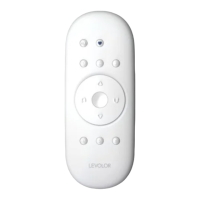
Remote Control Guide
NOTE: Without any additional programming, this remote
will now operate the same set of window coverings and
GROUPS as the original remote OR use the instructions on
page 8 to “Join a shutter to a group” to program the second
remote differently from original, to control a different set of
shutters and/or different GROUPS.
RESET SHUTTER PROGRAMMING
This reset erases all programming stored in the shutter,
including GROUP assignments, preventing any remote from
operating the shutter. Reset shutter program is used during
installation to correct GROUP assignments.
Note: This reset does not affect travel limits.
1. Press and hold the manual control button. Continue
to hold the manual control button until the louvers
move slightly open and close TWO times. This indicates
the shutter programming has been reset.
2. Release the manual control button.
3. Refer to “Join a shutter to a GROUP” on
page 8, to program the shutter to a group.
RESET TRAVEL LIMITS
1. Press and hold the manual control button, located
on the shutter headrail, until the louvers slightly
move open and close ONE time. This indicates that
the limits have been reset.
2. Release the manual control button.
3. The louvers will now move on their own to set
both the top and bottom motor limits. Once this
process is done, the louvers will move briefly in
both directions.
RESET REMOTE
Removes any connections previously programmed between
the remote and any shutters.
• Using a paper clip, BRIEFLY press the remote
reset button.
Previously paired shutter(s) will no longer operate with
this remote.


 To Next Page