9
Activating and Operating
Remote Control Guide
OPERATING SHUTTERS
Once the shutter have been joined to a GROUP or multiple
GROUPS, the remote is ready to operate the shutter(s).
Multiple shutters can be operated at the same time.
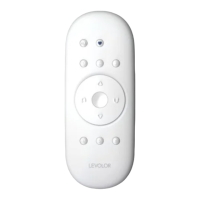
1. To wake up the remote press
STOP. The BLUE
indicator light from the last GROUP(S) selected
will be highlighted and active.
2. Press ALL or GROUP 1, 2, 3, 4, 5 or 6 button(s) to
select specific shutter(s) to operate. The selected
GROUP(S) BLUE indicator light above the number
will light to show they are selected.
3. Multiple GROUP buttons may be selected at the
same time.
4. To deselect a GROUP, press the GROUP button again.
The BLUE indicator light above the GROUP button
will go out.
5. Press
OPEN to tilt open the louvers of the
selected shutter(s).
6. Press
CLOSE to close the louvers of the
selected shutter(s).
7. Press the
RIGHT ARROW to open the louvers.
8. Press the
LEFT ARROW to close the louvers.
9. Press
STOP to stop louver movement anywhere
along its travel path.
10. While the louvers are in motion, press the opposite of
its motion (
OPEN or CLOSE) to reverse direction.
11. Press
♥ FAVORITE and the louvers will move to your
preset FAVORITE position.


 To Next Page