46
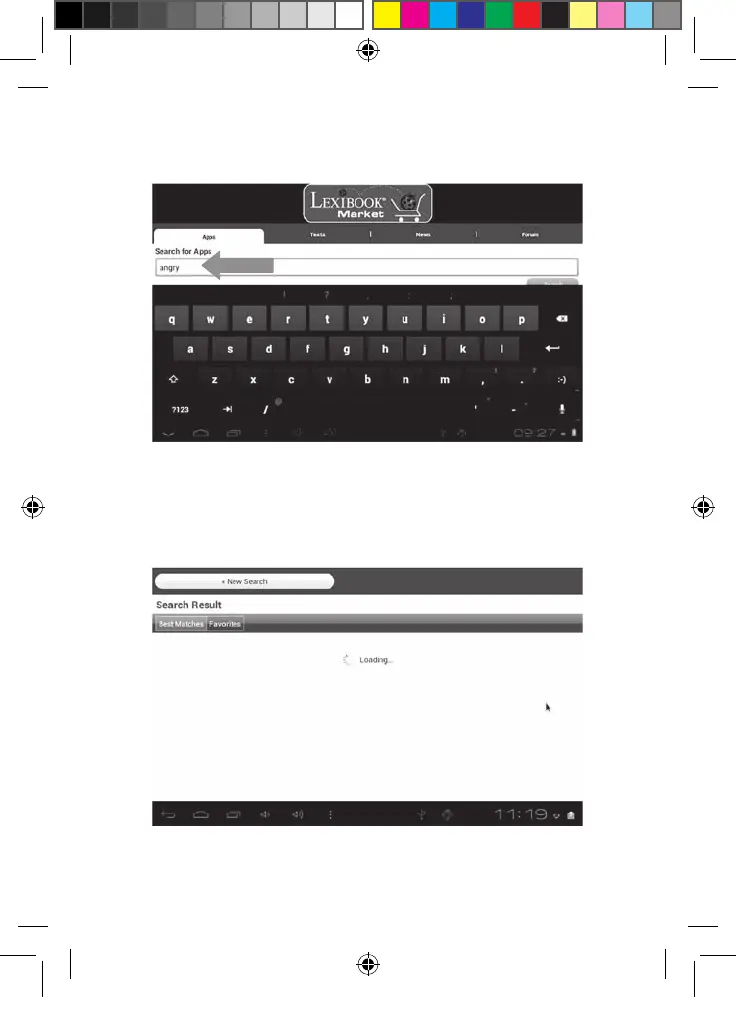
2. Click on the input field of the search box to display the virtual keyboard. Type
in the keyword(s) for your search, and then press "Search" to confirm and
start the search.
• Install an application on the tablet
1. Inside the Lexibook® Market, click on the application you want to download.
2. Please be patient while your application loads.
MFC142EN_09IM1373_11Sept_V12.indd 46 11/09/2013 5:31 PM



 To Next Page