EasyManua.ls Logo

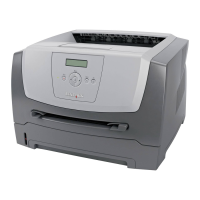
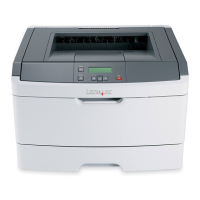
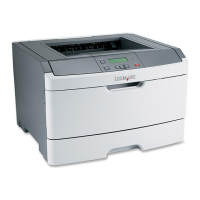
Lexmark E350d - Service Manual

Lexmark E350d
141 pages
Print Icon
To Next Page IconTo Next Page
Loading...
Lexmark™ E350d, E352dn
4512-420
4512-430
Table of contents
Start diagnostics
Safety and notices
•Trademarks
Index
Lexmark and Lexmark with diamond design are
trademarks of Lexmark International, Inc., registered
in the United States and/or other countries.
Edition: September 21, 2006

Table of Contents

Other manuals for Lexmark E350d

Questions and Answers

  • M
    Michael GriffinSep 9, 2025
    Why does my Lexmark E350d print from the wrong tray?
    • E
      Ernest RodriguezSep 9, 2025
      If your Lexmark Printer prints from the wrong tray or on the wrong print media, ensure that the Paper Size and Paper Type specified in the printer driver match the paper size and type in the tray.
  • Z
    ztorresSep 12, 2025
    Why is the entire page white when printing from my Lexmark E350d Printer?
    • C
      Corey Watkins MDSep 12, 2025
      If the entire page is white when printing from your Lexmark Printer, check that the packaging material is removed from the photoconductor kit. Also, check the photoconductor kit and toner cartridge to be sure they are installed correctly, and replace the photoconductor kit.
  • P
    phillipsmichelleSep 14, 2025
    Why does toner smear on my Lexmark E350d?
    • J
      joshua57Sep 14, 2025
      If toner smears or print comes off the page on your Lexmark Printer, and if you are printing on an uneven print surface, change the Paper Weight and Paper Texture settings in the Paper menu. Also, verify the print media is within the printer specifications.
  • J
    john65Sep 15, 2025
    How to fix jagged characters on Lexmark E350d?
    • L
      laura94Sep 16, 2025
      To fix characters with jagged or uneven edges on your Lexmark Printer: * Change the Print Resolution setting in the Quality menu to 600 dpi, 1200 dpi, or 2400 Image Q. * Enable Enhance Fine Lines. * If you are using downloaded fonts, verify the fonts are supported by the printer, the host computer, and the application.

Summary

Notices and Safety Information

Safety Information

General safety precautions for operation, maintenance, and servicing.

General Information

Diagnostics Information

Messages and Error Codes

List and explanation of printer messages and error codes.

Symptom Tables

Tables correlating symptoms to potential causes and troubleshooting actions.

Service Checks

Procedures for checking specific printer components and voltages.

Diagnostic Aids

Repair Information

Handling ESD-Sensitive Parts

Precautions for handling parts sensitive to electrostatic discharge.

Controller Card Removal

Procedure for removing the controller card.

Fuser Removal

Step-by-step instructions for removing the fuser assembly.

Locations and Connections

Controller Card Connector Pin Values

Pinout details for controller card connectors.

Lexmark E350d Specifications

General IconGeneral
ColorNo
Duplex printingYes
Print technologyLaser
Time to first page (black, normal)6.5 s
Print speed (black, normal quality, A4/US Letter)33 ppm
Processor frequency366 MHz
Maximum internal memory160 MB
Sound power level (standby)20 dB
Sound pressure level (printing)52 dB
Total input capacity250 sheets
Maximum input capacity800 sheets
Envelopes sizes7 3/4, 9, 10, B5, C5, DL
Media weight (tray 1)80 gsm
Paper tray media typesEnvelopes, Labels, Plain paper, Transparencies
Non-ISO print media sizesExecutive (184 x 267mm), Folio (media size), Letter (media size), Statement (140 x 216mm), Legal (media size)
ISO A-series sizes (A0...A9)A4, A5, A6
Maximum ISO A-series paper sizeA4
Compatible operating systemsApple Mac OS X Apple Mac OS 9.x Red Flag Linux Desktop 4.0, 5.0 Linpus Linux Desktop 9.2, 9.3 Red Hat Enterprise Linux WS 3.0, 4.0, 5.0 SUSE Linux Enterprise Server 8.0, 9.0, 10.0 SUSE Linux Professional 9.1, 9.2, 9.3 Debian GNU/Linux 3.1, 4.0 Linspire Linux 5.0 SUSE Linux 10.0, 10.1, 10.2 Microsoft Windows 2000 Microsoft Windows NT (4.00/4.00 Server) Microsoft Windows Me Microsoft Windows XP Microsoft Windows Server 2003 Microsoft Windows 98 Microsoft Windows XP x64 Microsoft Windows Server 2003 running Terminal Server Microsoft Windows 2000 Server running Terminal Services Microsoft Windows Server 2003 x64 Microsoft Windows Vista
Maximum duty cycle80000 pages per month
Recommended duty cycle740 pages per month
Operating altitude0 - 2500 m
Operating temperature (T-T)16 - 32 °C
Operating relative humidity (H-H)8 - 80 %
CertificationFCC Class B, UL 60950-1, U.S. FDA, IEC 320-1, CSA, ICES Class B, Energy Star, CE Class B, CB IEC 60950-1, IEC 60825-1, GS (TÜV), SEMKO, UL AR, CS, TÜV Rh, N Mark, ACA C-tick Class B, CCC Class B, BSMI Class B, MIC, EK Mark, PSB
Weight and Dimensions IconWeight and Dimensions
Dimensions (WxDxH)259.5 x 396 x 359 mm

Related product manuals