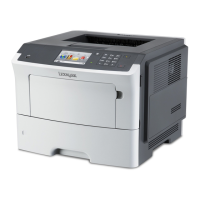
EasyManua.ls Logo

Lexmark M3150dn - User Manual

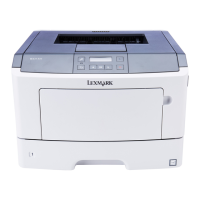
Lexmark M3150dn
196 pages
Print Icon
To Next Page IconTo Next Page
Loading...
M3150dn
User's Guide
December 2012 www.lexmark.com
Machine type(s):
4514
Model(s):
638

Table of Contents

Questions and Answers

  • V
    Vincent LyonsSep 4, 2025
    What to do if my Lexmark Printer displays 'Replace unsupported cartridge'?
    • K
      kirbymatthewSep 4, 2025
      If your Lexmark printer displays a 'Replace unsupported cartridge' message, remove the current toner cartridge and install a supported one to clear the message and continue printing.
  • J
    Joseph HowardSep 5, 2025
    What to do if my Lexmark M3150dn displays 'Replace unsupported imaging unit'?
    • E
      Elizabeth KaneSep 5, 2025
      If your Lexmark printer displays a 'Replace unsupported imaging unit' message, remove the current imaging unit and install a supported one to clear the message and continue printing.
  • K
    Kelly MartinSep 5, 2025
    What to do if my Lexmark M3150dn Printer displays 'Defective flash detected'?
    • X
      xsmithSep 5, 2025
      If your Lexmark printer displays a 'Defective flash detected' message, replace the defective flash memory card. Alternatively, from the printer control panel, press to ignore the message and continue printing.
  • M
    Mario BrownSep 6, 2025
    What to do if my Lexmark M3150dn displays 'Reload paper from standard output bin'?
    • M
      Mark JohnsonSep 6, 2025
      If your Lexmark printer displays a 'Reload paper from standard output bin' message, remove the paper stack from the standard bin.
  • B
    Betty StantonSep 6, 2025
    What to do if my Lexmark Printer displays 'Cartridge very low, [x] estimated pages remain'?
    • A
      Amber JonesSep 6, 2025
      You may need to replace a toner cartridge very soon. If necessary, press on the printer control panel to clear the message and continue printing.
  • D
    Darrell HendersonSep 7, 2025
    What to do if my Lexmark M3150dn Printer displays 'Imaging unit very low, [x] estimated pages remain'?
    • K
      Karen KelleySep 7, 2025
      You may need to replace the imaging unit very soon. If necessary, press on the printer control panel to clear the message and continue printing.
  • S
    Shelby BranchSep 7, 2025
    What to do if my Lexmark M3150dn Printer says 'Memory full [38]'?
    • M
      Mr. Kenneth MeyerSep 7, 2025
      If your Lexmark printer displays a 'Memory full [38]' error, try the following: * Press on the printer control panel to clear the message. * Decrease the resolution setting. * Consider installing additional printer memory.

Summary

Safety Information

Laser Hazard Precautions

Warns about laser radiation exposure from controls or adjustments.

Printer Moving Safety Guidelines

Provides steps to avoid injury or damage when moving the printer.

Electrical Safety Warnings

Advises unplugging power and disconnecting cables for safety.

Learning About the Printer

Additional Printer Setup

Installing Printer Options

Covers internal options, controller board access, optional cards, memory, and hardware.

Network Setup and Verification

Guides on Ethernet/wireless setup and verifying network connection.

Loading Paper and Specialty Media

Paper Loading Procedures

Covers setting paper size/type, universal settings, standard bin, trays, and multipurpose feeder.

Printing

Printing Documents

Details the steps for printing a document from Windows and Macintosh.

Managing Held Print Jobs

Covers printing confidential, repeat, reserve, and verify jobs.

Understanding Printer Menus

Saving Money and the Environment

Saving Energy Features

Covers energy-saving features like Eco-mode, Sleep mode, Hibernate mode, and Quiet mode.

Securing the Printer

Maintaining the Printer

Replacing Printer Supplies

Details the steps for replacing the toner cartridge and imaging unit.

Managing the Printer

Printer Control Panel Security

Details creating a PIN to restrict access to printer control panel menus.

Clearing Jams

Preventing Paper Jams

Provides guidance on proper paper loading and handling to prevent jams.

Clearing Jams from Printer Areas

Provides specific instructions for clearing jams from various printer locations.

Troubleshooting

Printer Not Responding or Display Issues

Addresses common issues like the printer not responding or a blank display.

Printer Option and Tray Problems

Covers issues with internal options not being detected and tray malfunctions.

Paper Feed and Jam Issues

Discusses frequent paper jams, clearing jams, and persistent jam messages.

Notices

Lexmark M3150dn Specifications

General IconGeneral
BrandLexmark
ModelM3150dn
CategoryPrinter
LanguageEnglish

Related product manuals