EasyManua.ls Logo

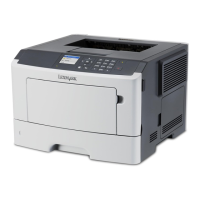
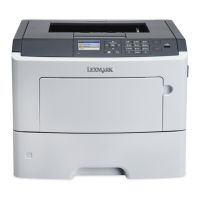
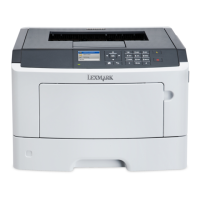
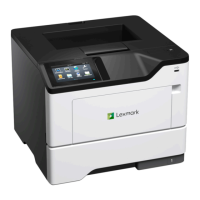
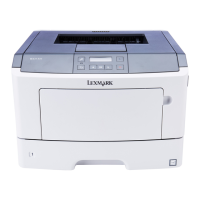
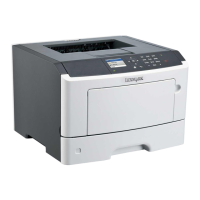
Lexmark MS510dtn - User Manual

Lexmark MS510dtn
111 pages
Print Icon
To Next Page IconTo Next Page
Loading...
MS310d/dn, MS312dn, MS315dn,
MS410d/dn, MS415dn, MS510dn,
MS610dn/dtn/de/dte, MX310dn,
MX410de, MX510de,
MX511de/dhe, MX610de,
MX611de/dhe
Technical Reference
May 2014 www.lexmark.com

Table of Contents

Other manuals for Lexmark MS510dtn

Questions and Answers

  • J
    John KnightSep 1, 2025
    What to do if Lexmark Printer displays 'Imaging unit low'?
    • K
      Kelsey HillSep 1, 2025
      If your Lexmark printer shows an 'Imaging unit low' message, you may need to order a new imaging unit. If you want to continue printing, select Continue on the printer control panel to clear the message.
  • C
    castrokimberlySep 13, 2025
    What to do if Lexmark Printer displays 'Error reading USB hub. Remove hub.'?
    • M
      Mary McmillanSep 13, 2025
      If your Lexmark printer displays an 'Error reading USB hub. Remove hub.' message, an unsupported USB hub has been inserted. Remove the USB hub, and then install a supported one.
  • M
    Megan HillAug 31, 2025
    How do I resolve a 'Reinstall missing or unresponsive cartridge' error on my Lexmark MS510dtn?
    • R
      Regina BrockAug 31, 2025
      First, check if the toner cartridge is missing and install it if it is. If the cartridge is already installed, remove it and then reinstall it. If the issue persists, replace the toner cartridge.
  • R
    Richard WoodSep 15, 2025
    What does 'Too many flash options installed' mean on Lexmark MS510dtn Printer and how to fix it?
    • M
      Michael JacobsSep 16, 2025
      If your Lexmark printer displays a 'Too many flash options installed' message: 1. Turn off the printer. 2. Unplug the power cord from the electrical outlet. 3. Remove the extra flash memory. 4. Connect the power cord to a properly grounded electrical outlet. 5. Turn the printer back on.
  • S
    Shannon FloresSep 15, 2025
    What to do if Lexmark MS510dtn displays 'Imaging unit very low, [x] estimated pages remain'?
    • B
      Betty GomezSep 15, 2025
      If your Lexmark printer displays an 'Imaging unit very low, [x] estimated pages remain' message, you may need to replace the imaging unit very soon. If necessary, select Continue on the printer control panel to clear the message and continue printing.
  • M
    Matthew ParkerSep 23, 2025
    What to do if Lexmark MS510dtn Printer displays 'Maintenance kit very low, [x] estimated pages remain'?
    • G
      George GreeneSep 23, 2025
      You may need to replace the maintenance kit very soon. If necessary, select Continue on the printer control panel to clear the message and continue printing.
  • D
    Dennis SimsAug 27, 2025
    How to resolve 'Insert Tray [x]' message on Lexmark MS510dtn Printer?
    • A
      Abigail HortonAug 28, 2025
      If your Lexmark printer displays an 'Insert Tray [x]' message, insert the indicated tray into the printer.
  • X
    xcarrollAug 27, 2025
    What does 'Memory full' mean on Lexmark MS510dtn Printer and how to fix it?
    • K
      Keith PierceAug 27, 2025
      If your Lexmark printer displays a 'Memory full' message, select Cancel job on the printer control panel to clear the message. Alternatively, install additional printer memory.
  • M
    Matthew MackAug 26, 2025
    What to do if Lexmark MS510dtn Printer displays 'Remove paper from standard output bin'?
    • K
      Kevin CollinsAug 26, 2025
      If your Lexmark printer shows 'Remove paper from standard output bin', remove the paper stack from the standard bin. The printer should automatically detect the removal and resume printing. If the message persists, select Continue on the printer control panel.
  • M
    Melissa LopezAug 25, 2025
    How to resolve 'Cartridge nearly low' message on Lexmark Printer?
    • G
      Gabrielle MccormickAug 26, 2025
      When your Lexmark printer shows a 'Cartridge nearly low' message, you can select Continue on the printer control panel to clear the message and continue printing, if necessary.

Lexmark MS510dtn Specifications

General IconGeneral
Printer TypeLaser
Print Resolution1200 x 1200 dpi
Monthly Duty Cycle100, 000 pages
ConnectivityUSB, Ethernet
Operating System CompatibilityWindows, Mac, Linux
Duplex PrintingYes
Standard Memory256 MB
Duty Cycle (Monthly)100, 000 pages
Maximum Paper Size8.5 x 14 inches
Network ConnectivityEthernet
Mobile PrintingYes
Additional Paper Tray Capacity550 sheets

Related product manuals