EasyManua.ls Logo

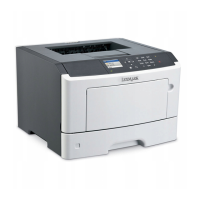
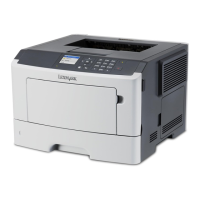
Lexmark MS310 - User Manual

Lexmark MS310
205 pages
Print Icon
To Next Page IconTo Next Page
Loading...
MS310 Series
User's Guide
August 2012 www.lexmark.com
Machine type(s):
4514
Model(s):
220, 230

Table of Contents

Other manuals for Lexmark MS310

Questions and Answers

  • Q
    qwatkinsAug 20, 2025
    What to do if my Lexmark MS310 shows 'Replace cartridge, 0 estimated pages remain [88.xy]'?
    • J
      Joshua WilkersonAug 20, 2025
      If your Lexmark Printer displays the message 'Replace cartridge, 0 estimated pages remain [88.xy]', it means the toner cartridge needs to be replaced. Install a new toner cartridge. Alternatively, you can press twice quickly to see the supplemental light sequence.
  • Z
    Zachary LawsonAug 22, 2025
    What to do if my Lexmark MS310 says 'Cartridge very low [88.xy]'?
    • J
      James GeorgeAug 22, 2025
      If your Lexmark printer displays the message 'Cartridge very low [88.xy]', it means that you should replace the toner cartridge very soon. Alternatively, you can press on the printer control panel to continue printing.
  • D
    Daniel BurnettAug 25, 2025
    What to do if Lexmark MS310 says 'Reinstall missing or unresponsive cartridge [31.xy]'?
    • J
      Joseph PotterAug 25, 2025
      If your Lexmark printer displays the message 'Reinstall missing or unresponsive cartridge [31.xy]', you should remove the toner cartridge and then reinstall it. If the problem persists, remove the old toner cartridge and install a new one.
  • B
    brandonpadillaAug 26, 2025
    How to fix Lexmark Printer communication error messages?
    • M
      Melinda MasonAug 26, 2025
      To address communication error messages on your Lexmark Printer, try the following: first, press the on the printer control panel to continue printing. If that doesn't work, unplug the router, wait 30 seconds, and plug it back in. As another option, turn off the printer, wait 10 seconds, and then turn it back on.
  • A
    Angela BryanAug 28, 2025
    How to resolve Lexmark MS310 Printer 'Cartridge, imaging unit mismatch [41.xy]' error?
    • E
      ekellyAug 28, 2025
      To fix the 'Cartridge, imaging unit mismatch [41.xy]' error on your Lexmark Printer, check if the toner cartridge and imaging unit are both MICR or non-MICR supplies. If they don't match, change either the toner cartridge or the imaging unit so that both are either MICR or non-MICR.
  • C
    candace22Aug 30, 2025
    What to do if Lexmark MS310 displays 'Replace imaging unit, 0 estimated pages remain [84.xy]'?
    • D
      Daniel WatsonAug 30, 2025
      If your Lexmark Printer displays the message 'Replace imaging unit, 0 estimated pages remain [84.xy]', it means the imaging unit needs to be replaced. Install a new imaging unit.
  • R
    Roberta MorrowSep 1, 2025
    What to do if Lexmark Printer says 'Reinstall missing or unresponsive imaging unit [31.xy]'?
    • Q
      qfrazierSep 1, 2025
      If your Lexmark printer displays the message 'Reinstall missing or unresponsive imaging unit [31.xy]', you should remove the imaging unit and then reinstall it. If the problem persists, remove the old imaging unit and install a new one.
  • G
    Gregory GonzalezSep 3, 2025
    What does 'Replace unsupported cartridge [32.xy]' mean on my Lexmark MS310 Printer and how to fix it?
    • D
      Diana NewmanSep 3, 2025
      The message 'Replace unsupported cartridge [32.xy]' on your Lexmark Printer indicates that the installed toner cartridge is not supported. Remove the unsupported toner cartridge, and then install a supported one.
  • K
    Kimberly LittleSep 5, 2025
    What does 'Replace unsupported imaging unit [32.xy]' mean on my Lexmark MS310 Printer and how to fix it?
    • E
      eperezSep 5, 2025
      The message 'Replace unsupported imaging unit [32.xy]' on your Lexmark Printer indicates that the installed imaging unit is not supported. Remove the unsupported imaging unit, and then install a supported one.
  • C
    Cathy MooreSep 7, 2025
    What does 'Replace cartridge, printer region mismatch [42.xy]' mean on my Lexmark Printer?
    • J
      Joseph KnightSep 7, 2025
      The 'Replace cartridge, printer region mismatch [42.xy]' message on your Lexmark Printer indicates that the installed toner cartridge does not match the printer's region. Install a toner cartridge that matches the region number of the printer. Alternatively, you can press twice quickly to see the supplemental light sequence.

Summary

Safety Information

Safety Precautions

Essential warnings and guidelines to prevent injury and damage during printer use.

Learning About the Printer

Additional Printer Setup

Setting Up Printer Software and Drivers

Procedures for installing and configuring the printer's software on your computer.

Loading Paper and Specialty Media

Paper Loading Procedures

Step-by-step instructions for loading paper into trays and the multipurpose feeder.

Printing Operations

Understanding Printer Menus

Securing the Printer

Maintaining the Printer

Ordering and Replacing Supplies

Guidance on ordering and replacing consumables like toner and imaging units.

Clearing Jams

Clearing Specific Jam Locations

Step-by-step instructions for clearing jams from various areas like front door, rear door, and trays.

Troubleshooting Printer Messages

Understanding Control Panel Light Sequences

Interpreting printer control panel lights to diagnose issues.

Toner Cartridge and Imaging Unit Messages

Troubleshooting common messages related to toner and imaging units.

Paper Loading and Handling Error Messages

Resolving errors related to incorrect paper loading or settings.

Printer Communication and Memory Errors

Troubleshooting network, memory, and software-related errors.

Print Quality Problems

Diagnosing and fixing issues like blank pages, clipped images, and streaks.

Solving Common Printer Problems

Step-by-step solutions for basic printer issues like unresponsiveness.

Contacting Customer Support

Information on how to get technical assistance from Lexmark.

Lexmark MS310 Specifications

General IconGeneral
Print TechnologyMonochrome Laser
Print Speed (Black)Up to 35 ppm
Print Resolution1200 x 1200 dpi
Monthly Duty CycleUp to 50, 000 pages
Standard Memory128 MB
Processor Speed800 MHz
Paper Input Capacity250 sheets
Operating Systems SupportedWindows, Mac, Linux
ConnectivityEthernet
Maximum Paper Capacity850 sheets

Videos

How to Replace Pickup Roller on Lexmark MS310

How to Refill Lexmark MS310

Related product manuals