EasyManua.ls Logo

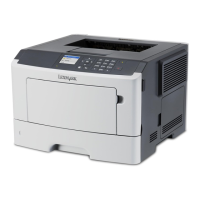
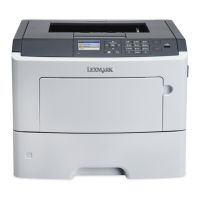
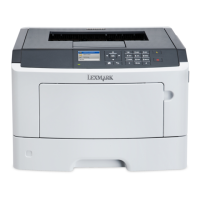
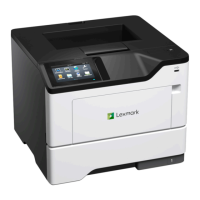
Lexmark MS510dtn - User Manual

Lexmark MS510dtn
111 pages
Print Icon
To Next Page IconTo Next Page
Loading...
MS310d/dn, MS312dn, MS315dn,
MS410d/dn, MS415dn, MS510dn,
MS610dn/dtn/de/dte, MX310dn,
MX410de, MX510de,
MX511de/dhe, MX610de,
MX611de/dhe
Technical Reference
May 2014 www.lexmark.com

Table of Contents

Other manuals for Lexmark MS510dtn

Questions and Answers

  • M
    Melissa LopezAug 25, 2025
    How to resolve 'Cartridge nearly low' message on Lexmark Printer?
    • G
      Gabrielle MccormickAug 26, 2025
      When your Lexmark printer shows a 'Cartridge nearly low' message, you can select Continue on the printer control panel to clear the message and continue printing, if necessary.
  • M
    Matthew MackAug 26, 2025
    What to do if Lexmark MS510dtn Printer displays 'Remove paper from standard output bin'?
    • K
      Kevin CollinsAug 26, 2025
      If your Lexmark printer shows 'Remove paper from standard output bin', remove the paper stack from the standard bin. The printer should automatically detect the removal and resume printing. If the message persists, select Continue on the printer control panel.
  • X
    xcarrollAug 27, 2025
    What does 'Memory full' mean on Lexmark MS510dtn Printer and how to fix it?
    • K
      Keith PierceAug 27, 2025
      If your Lexmark printer displays a 'Memory full' message, select Cancel job on the printer control panel to clear the message. Alternatively, install additional printer memory.
  • D
    Dennis SimsAug 27, 2025
    How to resolve 'Insert Tray [x]' message on Lexmark MS510dtn Printer?
    • A
      Abigail HortonAug 28, 2025
      If your Lexmark printer displays an 'Insert Tray [x]' message, insert the indicated tray into the printer.
  • S
    Stephanie MillerAug 28, 2025
    What to do if Lexmark MS510dtn says 'Load [paper source] with [custom string] [paper orientation]'?
    • S
      Stephanie WilsonAug 28, 2025
      If your Lexmark printer displays a 'Load [paper source] with [custom string] [paper orientation]' message, load the tray or feeder with the correct size and type of paper. Alternatively, select Finished loading paper on the printer control panel to use the tray that has the correct size or type of paper. You can also cancel the current job.
  • K
    kevin46Aug 29, 2025
    How to fix 'Cartridge, imaging unit mismatch' error on Lexmark MS510dtn?
    • L
      Leah TaylorAug 29, 2025
      If your Lexmark printer displays a 'Cartridge, imaging unit mismatch' error, check if both the toner cartridge and imaging unit are MICR (Magnetic Ink Character Recognition) or non-MICR supplies. You can also change either the toner cartridge or imaging unit to ensure both are either MICR or non-MICR supplies.
  • D
    Deborah BeckAug 30, 2025
    What to do if Lexmark MS510dtn Printer displays 'Change [paper source] to [custom type name] load [orientation]'?
    • S
      starkjenniferAug 30, 2025
      If your Lexmark printer displays a 'Change [paper source] to [custom type name] load [orientation]' message, load the correct paper size and type in the tray. Also, verify the paper size and type settings are specified in the Paper menu on the printer control panel, and then select Finished changing paper. Alternatively, cancel the print job.
  • K
    Kristen MaldonadoAug 23, 2025
    How to fix 'Cartridge low' error on Lexmark MS510dtn Printer?
    • Z
      Zachary RobbinsAug 23, 2025
      If your Lexmark printer displays a 'Cartridge low' error, you may need to order a new toner cartridge. If you want to continue printing, select Continue on the printer control panel to clear the message.
  • G
    gomezmichaelSep 1, 2025
    How do I resolve a 'Reinstall missing or unresponsive imaging unit' error on my Lexmark MS510dtn Printer?
    • T
      Tyler WardSep 1, 2025
      First, check if the imaging unit is missing and install it if it is. If the imaging unit is already installed, remove it and then reinstall it. If the issue persists, replace the imaging unit.
  • J
    John KnightSep 1, 2025
    What to do if Lexmark Printer displays 'Imaging unit low'?
    • K
      Kelsey HillSep 1, 2025
      If your Lexmark printer shows an 'Imaging unit low' message, you may need to order a new imaging unit. If you want to continue printing, select Continue on the printer control panel to clear the message.

Lexmark MS510dtn Specifications

General IconGeneral
Printer TypeLaser
Print Resolution1200 x 1200 dpi
Monthly Duty Cycle100, 000 pages
ConnectivityUSB, Ethernet
Operating System CompatibilityWindows, Mac, Linux
Duplex PrintingYes
Standard Memory256 MB
Duty Cycle (Monthly)100, 000 pages
Maximum Paper Size8.5 x 14 inches
Network ConnectivityEthernet
Mobile PrintingYes
Additional Paper Tray Capacity550 sheets

Related product manuals