EasyManua.ls Logo

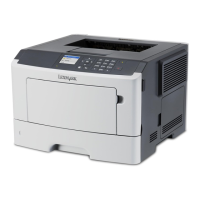
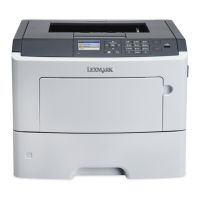
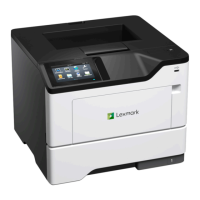
Lexmark MS510dtn - User Manual

Lexmark MS510dtn
111 pages
Print Icon
To Next Page IconTo Next Page
Loading...
MS310d/dn, MS312dn, MS315dn,
MS410d/dn, MS415dn, MS510dn,
MS610dn/dtn/de/dte, MX310dn,
MX410de, MX510de,
MX511de/dhe, MX610de,
MX611de/dhe
Technical Reference
May 2014 www.lexmark.com

Table of Contents

Other manuals for Lexmark MS510dtn

Questions and Answers

  • T
    Tracy GonzalesSep 2, 2025
    How to resolve 'Imaging unit nearly low' message on Lexmark Printer?
    • H
      Heather AndersonSep 3, 2025
      When your Lexmark printer shows an 'Imaging unit nearly low' message, you can select Continue on the printer control panel to clear the message and continue printing, if necessary.
  • M
    Marvin TorresSep 3, 2025
    What to do if Lexmark Printer displays 'Complex page, some data may not have printed'?
    • C
      Christopher PetersonSep 3, 2025
      If your Lexmark printer displays a 'Complex page, some data may not have printed' message, you can select Continue on the printer control panel to ignore the message and continue printing. Alternatively, cancel the current print job or install additional printer memory.
  • S
    steve92Sep 4, 2025
    What does 'Insufficient memory to collate job' mean on Lexmark MS510dtn Printer and how can I fix it?
    • J
      Joshua WrightSep 4, 2025
      If your Lexmark printer displays an 'Insufficient memory to collate job' message, select Continue on the printer control panel to print the part of the job already stored and begin collating the rest of the print job. Alternatively, cancel the current print job.
  • J
    Jeffery ToddSep 5, 2025
    How to resolve 'Not enough free space in flash memory for resources' error on Lexmark Printer?
    • M
      mary54Sep 5, 2025
      If your Lexmark printer displays a 'Not enough free space in flash memory for resources' message, you can select Continue on the printer control panel to clear the message and continue printing. Alternatively, delete fonts, macros, and other data stored in the flash memory or upgrade to a larger capacity flash memory card.
  • R
    Richard MurraySep 6, 2025
    Why does my Lexmark MS510dtn Printer say 'Replace cartridge, printer region mismatch'?
    • A
      amy80Sep 6, 2025
      If your Lexmark printer displays a 'Replace cartridge, printer region mismatch' message, install a toner cartridge that matches the region number of the printer. The x and y values must match for printing to continue.
  • A
    Ashley RoseSep 6, 2025
    How to resolve 'Serial option [x] error' on Lexmark MS510dtn Printer?
    • S
      stephaniecoxSep 6, 2025
      If your Lexmark printer displays a 'Serial option [x] error' message, make sure that the serial cable is properly connected and is the correct one. Also, ensure that the serial interface parameters are set correctly on both the printer and computer. You can also select Continue on the printer control panel to continue printing, or turn the printer off and then back on.

Lexmark MS510dtn Specifications

General IconGeneral
Printer TypeLaser
Print Resolution1200 x 1200 dpi
Monthly Duty Cycle100, 000 pages
ConnectivityUSB, Ethernet
Operating System CompatibilityWindows, Mac, Linux
Duplex PrintingYes
Standard Memory256 MB
Duty Cycle (Monthly)100, 000 pages
Maximum Paper Size8.5 x 14 inches
Network ConnectivityEthernet
Mobile PrintingYes
Additional Paper Tray Capacity550 sheets

Related product manuals