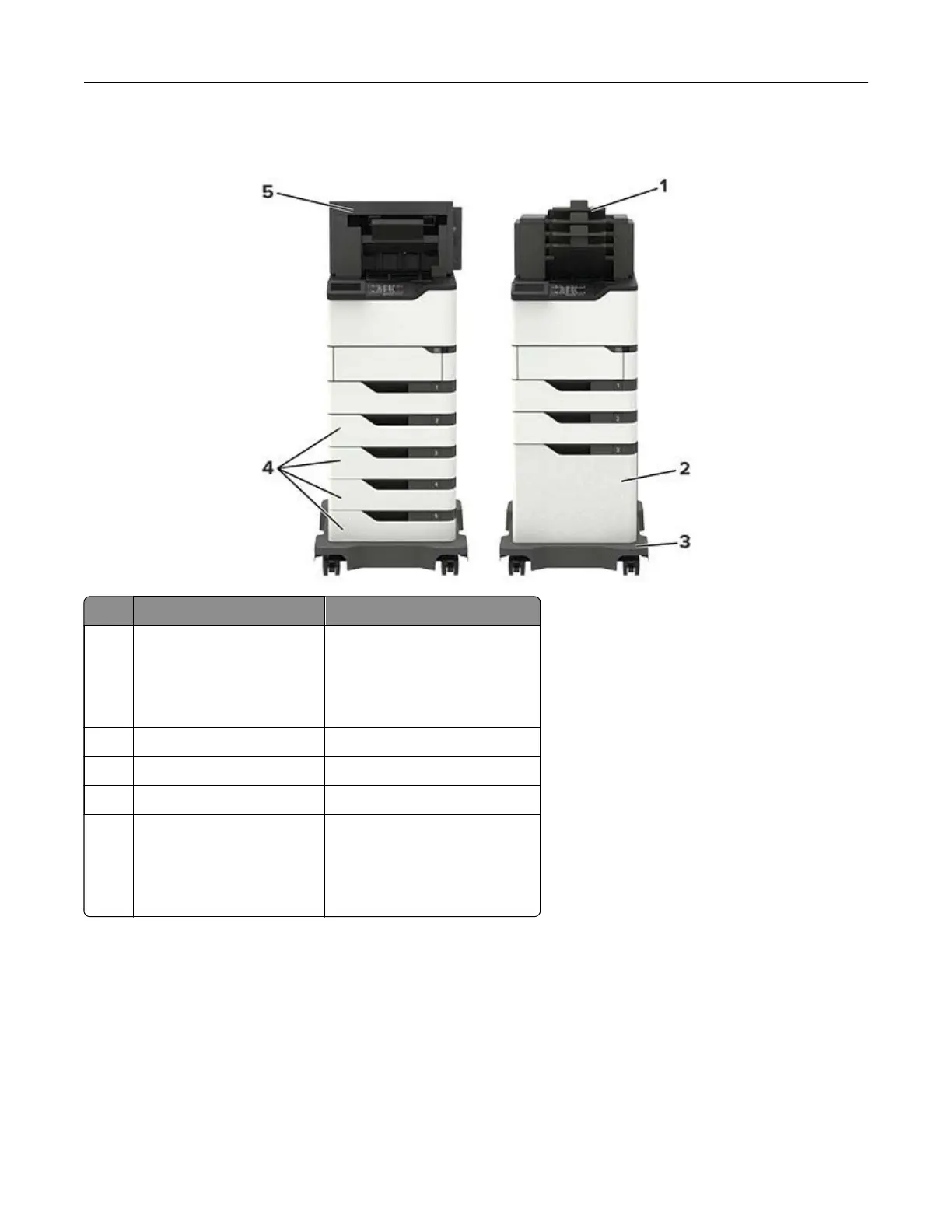
Fully‑configured model
Hardware option Alternative hardware option
1 4‑bin mailbox
• Output expander
• High‑capacity output
• Staple finisher
• Staple, hole punch
finisher
2 Optional 2100‑sheet tray None
3 Caster base None
4 Optional 550‑sheet tray Optional 250‑sheet tray
5 Staple, hole punch finisher
• Output expander
• High‑capacity output
• 4‑bin mailbox
• Staple finisher
The staple, hole punch finisher must not be combined with any other output options.
In a configuration with two or more optional finishers:
• The staple finisher must always be on top.
• The high‑capacity output expander must always be at the bottom.
• The output expander is the only option that can be placed on top of the high‑capacity output expander.
• The output expander and mailbox may be installed in any order.
Learning about the printer 11






 To Next Page