EasyManua.ls Logo

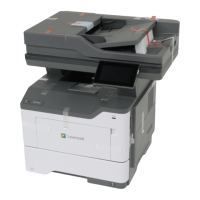
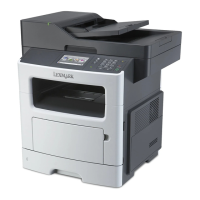
Lexmark MX517 - User Manual

Lexmark MX517
321 pages
Print Icon
To Next Page IconTo Next Page
Loading...
MX410, MX417, MX510, MX511,
MX517
User's Guide
June 2017 www.lexmark.com
Machine type(s):
7015
Model(s):
470, 630, 670, 675

Table of Contents

Other manuals for Lexmark MX517

Questions and Answers

  • T
    Tracey RitterAug 29, 2025
    How to fix reinstall missing or unresponsive cartridge on Lexmark MX517 All in One Printer?
    • S
      Shelby ConnerAug 29, 2025
      To resolve the 'Reinstall missing or unresponsive cartridge' message on your Lexmark All in One Printer, check if the toner cartridge is missing and install it if it is. If the toner cartridge is already installed, remove and reinstall the unresponsive toner cartridge.
  • K
    Keith PowellSep 5, 2025
    How to fix load [paper source] with [paper type] [paper size] [paper orientation] on Lexmark All in One Printer?
    • C
      Charles MoranSep 5, 2025
      To resolve the 'Load [paper source]' message on your Lexmark All in One Printer, load the tray or feeder with the correct size and type of paper. To use the tray that has the correct size or type of paper, select 'Finished loading paper' on the printer control panel. If you have a non-touch-screen printer, press the confirmation button. Alternatively, cancel the current job.
  • G
    Gabriel JohnsonAug 28, 2025
    What to do if Lexmark All in One Printer says maintenance kit nearly low?
    • L
      Lisa MurrayAug 28, 2025
      If your Lexmark All in One Printer displays the message 'Maintenance kit nearly low', select 'Continue' to clear the message and continue printing. For non-touch-screen printer models, press to confirm.
  • W
    Walter WestSep 23, 2025
    How to fix too many flash options installed on Lexmark MX517?
    • D
      Dr. Ryan CastilloSep 23, 2025
      To resolve the 'Too many flash options installed' message on your Lexmark All in One Printer, turn off the printer, unplug the power cord from the electrical outlet, remove the extra flash memory, connect the power cord to a properly grounded electrical outlet, and then turn the printer back on.
  • C
    Christy ClarkSep 6, 2025
    How to fix load [paper source] with [custom type name] [paper orientation] on Lexmark MX517 All in One Printer?
    • A
      Alicia PalmerSep 6, 2025
      To resolve the 'Load [paper source]' message on your Lexmark All in One Printer, load the tray or feeder with the correct size and type of paper. To use the tray that has the correct size or type of paper, select 'Finished loading paper' on the printer control panel. If you have a non-touch-screen printer, press the confirmation button. Alternatively, cancel the current job.
  • N
    Natalie GregorySep 9, 2025
    What to do if Lexmark MX517 All in One Printer disk is full?
    • J
      Joseph ReedSep 9, 2025
      To address the 'Disk full' error on your Lexmark All in One Printer, select 'Continue' to clear the message and continue printing. If you have a non-touch-screen printer model, press the confirmation button. You can also delete fonts, macros, and other data stored on the printer's hard disk, or install a printer hard disk with a larger capacity.
  • X
    xcarrollSep 13, 2025
    What to do if Lexmark MX517 All in One Printer says insufficient memory, some held jobs were deleted?
    • E
      Eric BryanSep 13, 2025
      To resolve the 'Insufficient memory, some Held Jobs were deleted' message on your Lexmark All in One Printer, select 'Continue' to clear the message. If you have a non-touch-screen printer model, press the confirmation button.
  • K
    Kevin VelasquezSep 23, 2025
    What to do if Lexmark All in One Printer says supply needed to complete job?
    • W
      William HendersonSep 23, 2025
      To resolve the 'Supply needed to complete job' message on your Lexmark All in One Printer, install the missing supply to complete the job. Alternatively, cancel the current job.
  • B
    bridget36Aug 26, 2025
    How to clear jammed originals from the scanner on Lexmark All in One Printer?
    • C
      cory67Aug 26, 2025
      To resolve a scanner jam on your Lexmark All in One Printer, remove the jammed paper from the scanner.
  • B
    Bruce DuranAug 25, 2025
    How to clear scanner jam on Lexmark MX517 All in One Printer?
    • T
      Tony McleanAug 26, 2025
      To resolve a scanner jam on your Lexmark All in One Printer, remove all originals from the scanner.

Lexmark MX517 Specifications

General IconGeneral
BrandLexmark
ModelMX517
CategoryAll in One Printer
LanguageEnglish

Related product manuals