EasyManua.ls Logo

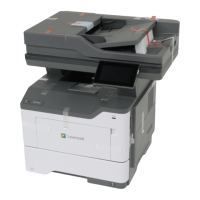
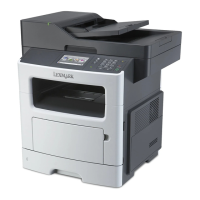
Lexmark MX517 - User Manual

Lexmark MX517
321 pages
Print Icon
To Next Page IconTo Next Page
Loading...
MX410, MX417, MX510, MX511,
MX517
User's Guide
June 2017 www.lexmark.com
Machine type(s):
7015
Model(s):
470, 630, 670, 675

Table of Contents

Other manuals for Lexmark MX517

Questions and Answers

  • T
    Timothy FullerSep 23, 2025
    What to do if Lexmark MX517 All in One Printer says unformatted flash detected?
    • B
      Brandon Edwards DDSSep 23, 2025
      To resolve the 'Unformatted flash detected' message on your Lexmark All in One Printer, select 'Continue' from the printer control to stop the defragmentation and continue printing. You can also format the flash memory.
  • S
    Sean WellsAug 31, 2025
    How to fix replace missing imaging unit on Lexmark MX517?
    • G
      gwatkinsAug 31, 2025
      To resolve the 'Replace missing imaging unit' message on your Lexmark All in One Printer, install the missing imaging unit.
  • G
    George BellAug 25, 2025
    What to do if Lexmark All in One Printer says cartridge nearly low?
    • P
      Paula SmithAug 25, 2025
      If your Lexmark All in One Printer indicates 'Cartridge nearly low', select 'Continue' on the printer control panel to clear the message and continue printing. For printer models without a touch screen, press the confirmation button.
  • B
    Bruce DuranAug 25, 2025
    How to clear scanner jam on Lexmark MX517 All in One Printer?
    • T
      Tony McleanAug 26, 2025
      To resolve a scanner jam on your Lexmark All in One Printer, remove all originals from the scanner.
  • B
    bridget36Aug 26, 2025
    How to clear jammed originals from the scanner on Lexmark All in One Printer?
    • C
      cory67Aug 26, 2025
      To resolve a scanner jam on your Lexmark All in One Printer, remove the jammed paper from the scanner.
  • L
    Lori NguyenAug 26, 2025
    What to do if Lexmark MX517 All in One Printer says imaging unit nearly low?
    • J
      jessica19Aug 26, 2025
      If your Lexmark All in One Printer displays 'Imaging unit nearly low', select 'Continue' on the printer control panel to clear the message and proceed with printing. If you have a non-touch-screen printer, press the confirmation button.
  • R
    rmeyerAug 27, 2025
    How to fix Lexmark MX517 All in One Printer imaging unit low?
    • L
      Linda GrayAug 27, 2025
      If your Lexmark All in One Printer displays 'Imaging unit low', you may need to order a new imaging unit. Select 'Continue' on the printer control panel to clear the message and continue printing. If you have a non-touch-screen printer, press the corresponding button to confirm.
  • J
    Jacqueline HoganAug 27, 2025
    How to fix Lexmark MX517 fax memory full?
    • S
      Susan ClarkAug 27, 2025
      To address a 'Fax memory full' error on your Lexmark All in One Printer, touch 'Continue' on the control panel to clear the message and cancel the fax job. Alternatively, try reducing the fax resolution or the number of pages.
  • N
    Nicole BaileyAug 27, 2025
    What to do if Lexmark MX517 All in One Printer says fax partition inoperative?
    • J
      Jacob SmithAug 27, 2025
      To resolve the 'Fax partition inoperative' message on your Lexmark All in One Printer, select 'Continue' on the printer control panel to clear the message. If you have a non-touch-screen printer model, press the confirmation button. You can also try turning the printer off and then back on.
  • M
    Matthew OrtegaAug 28, 2025
    What to do if Lexmark All in One Printer says maintenance kit low?
    • A
      Alan TurnerAug 28, 2025
      If your Lexmark All in One Printer displays the message 'Maintenance kit low', you may need to order a maintenance kit. If necessary, select 'Continue' to clear the message and continue printing. For non-touch-screen printer models, press to confirm.

Lexmark MX517 Specifications

General IconGeneral
BrandLexmark
ModelMX517
CategoryAll in One Printer
LanguageEnglish

Related product manuals