EasyManua.ls Logo

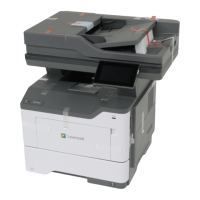
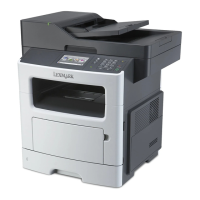
Lexmark MX517 - User Manual

Lexmark MX517
321 pages
Print Icon
To Next Page IconTo Next Page
Loading...
MX410, MX417, MX510, MX511,
MX517
User's Guide
June 2017 www.lexmark.com
Machine type(s):
7015
Model(s):
470, 630, 670, 675

Table of Contents

Other manuals for Lexmark MX517

Questions and Answers

  • M
    Mr. Kevin StewartSep 2, 2025
    What to do if Lexmark MX517 says incorrect paper size?
    • V
      Valerie GreerSep 2, 2025
      To resolve the 'Incorrect paper size' error on your Lexmark All in One Printer, load the correct paper size into the paper source. You can also select 'Continue' on the printer control panel to print from a different paper source, or verify that the length and width guides of the paper source are correctly adjusted and the paper is properly loaded. Also, ensure that the correct paper size and type are specified in the Printing Preferences, Print dialog, or the Paper menu on the printer control panel. If Multipurpose Feeder Size is set to Universal, make sure the paper is large enough for the data being printed. Alternatively, cancel the print job.
  • F
    frankhowardSep 2, 2025
    How to fix Lexmark MX517 memory full?
    • J
      James LewisSep 3, 2025
      To address the 'Memory full' error on your Lexmark All in One Printer, select 'Cancel job' on the printer control panel to clear the message. If you have a non-touch-screen printer, press the confirmation button. Alternatively, install additional printer memory.
  • L
    lowejuanSep 3, 2025
    How to fix load multipurpose feeder with [paper type] [paper size] [orientation] on Lexmark All in One Printer?
    • J
      Joshua DunnSep 3, 2025
      To resolve the 'Load multipurpose feeder' message on your Lexmark All in One Printer, load the correct paper size and type into the multipurpose feeder. Depending on your printer model, either touch 'Continue' or press the confirmation button to clear the message and continue printing. Alternatively, cancel the current job.
  • T
    Timothy PerezSep 3, 2025
    How to fix load multipurpose feeder with [paper size] [orientation] on Lexmark MX517?
    • A
      Andrew JohnsonSep 4, 2025
      To resolve the 'Load multipurpose feeder' message on your Lexmark All in One Printer, load the correct paper size and type into the multipurpose feeder. Depending on your printer model, either touch 'Continue' or press the confirmation button to clear the message and continue printing. Alternatively, cancel the current job.
  • R
    Randy SantosSep 4, 2025
    How to fix load multipurpose feeder with [custom type name] [orientation] on Lexmark All in One Printer?
    • D
      David DavisSep 4, 2025
      To resolve the 'Load multipurpose feeder' message on your Lexmark All in One Printer, load the correct paper size and type into the multipurpose feeder. Depending on your printer model, either touch 'Continue' or press the confirmation button to clear the message and continue printing. Alternatively, cancel the current job.
  • M
    Miguel ChenSep 4, 2025
    How to fix load multipurpose feeder with [custom string] [orientation] on Lexmark MX517?
    • L
      Laura NorrisSep 5, 2025
      To resolve the 'Load multipurpose feeder' message on your Lexmark All in One Printer, load the correct paper size and type into the multipurpose feeder. Depending on your printer model, either touch 'Continue' or press the confirmation button to clear the message and continue printing. Alternatively, cancel the current job.
  • K
    Keith PowellSep 5, 2025
    How to fix load [paper source] with [paper type] [paper size] [paper orientation] on Lexmark All in One Printer?
    • C
      Charles MoranSep 5, 2025
      To resolve the 'Load [paper source]' message on your Lexmark All in One Printer, load the tray or feeder with the correct size and type of paper. To use the tray that has the correct size or type of paper, select 'Finished loading paper' on the printer control panel. If you have a non-touch-screen printer, press the confirmation button. Alternatively, cancel the current job.
  • M
    maria15Sep 5, 2025
    How to fix load [paper source] with [paper size] [paper orientation] on Lexmark All in One Printer?
    • H
      hhardySep 6, 2025
      To resolve the 'Load [paper source]' message on your Lexmark All in One Printer, load the tray or feeder with the correct size of paper. To use the tray or feeder that has the correct size of paper, select 'Finished loading paper' on the printer control panel. If you have a non-touch-screen printer, press the confirmation button. Alternatively, cancel the current job.
  • C
    Christy ClarkSep 6, 2025
    How to fix load [paper source] with [custom type name] [paper orientation] on Lexmark MX517 All in One Printer?
    • A
      Alicia PalmerSep 6, 2025
      To resolve the 'Load [paper source]' message on your Lexmark All in One Printer, load the tray or feeder with the correct size and type of paper. To use the tray that has the correct size or type of paper, select 'Finished loading paper' on the printer control panel. If you have a non-touch-screen printer, press the confirmation button. Alternatively, cancel the current job.
  • R
    Robert TownsendSep 6, 2025
    How to fix load [paper source] with [custom string] [paper orientation] on Lexmark MX517 All in One Printer?
    • E
      Emily MendozaSep 7, 2025
      To resolve the 'Load [paper source]' message on your Lexmark All in One Printer, load the tray or feeder with the correct size and type of paper. To use the tray that has the correct size or type of paper, select 'Finished loading paper' on the printer control panel. If you have a non-touch-screen printer, press the confirmation button. Alternatively, cancel the current job.

Lexmark MX517 Specifications

General IconGeneral
BrandLexmark
ModelMX517
CategoryAll in One Printer
LanguageEnglish

Related product manuals