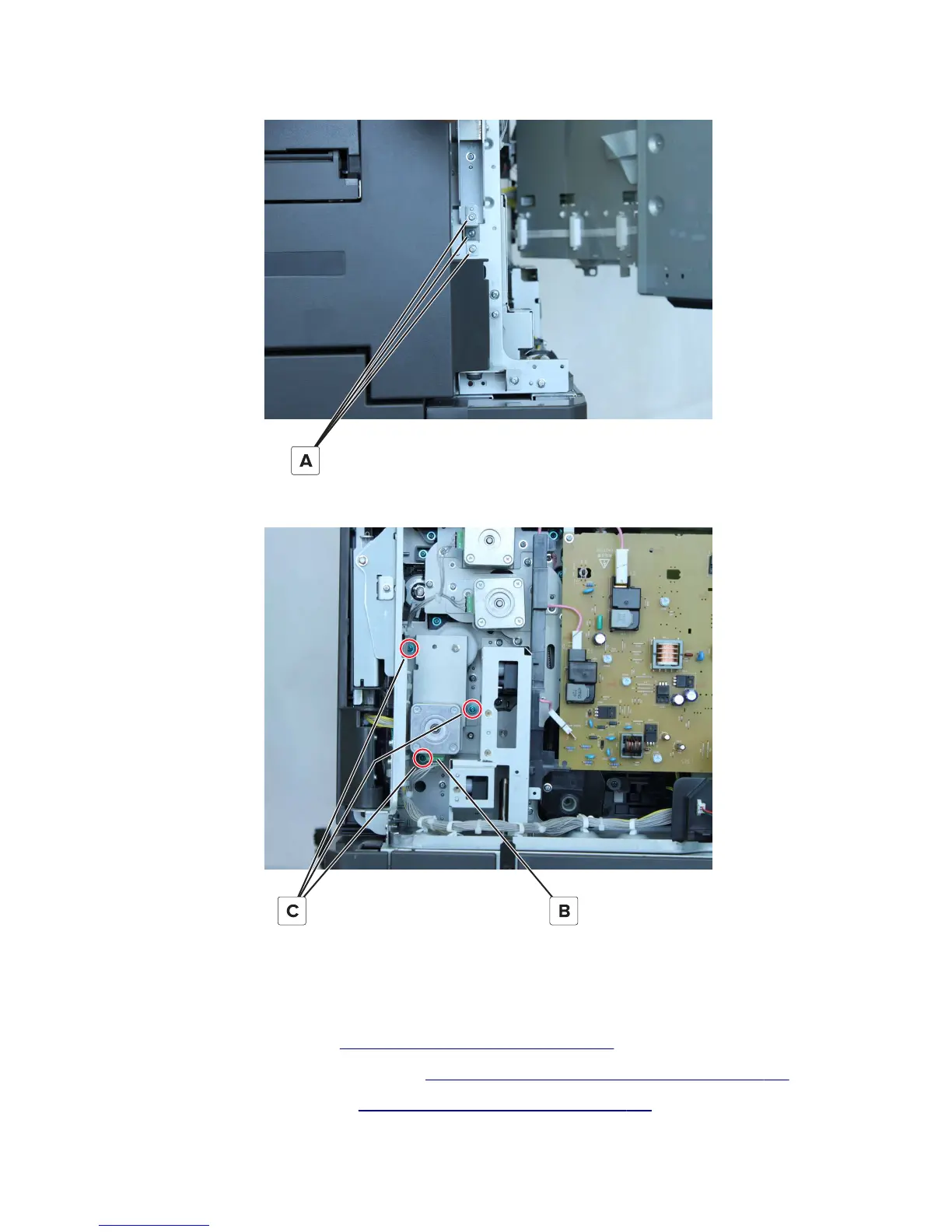
7 From the right, remove the three screws (A), and then remove the bracket.
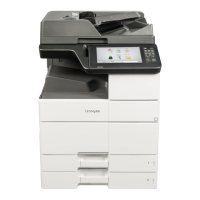
8 From the rear, disconnect the cable (B), and then remove the three screws (C).
9 Remove the assembly.
Motor (tray 2 transport) removal
1 Remove the port access door. See “Port access door removal” on page 278.
2 Remove the controller board access cover. See “Controller board access cover removal” on page 345.
3 Remove the engine board cover. See “Engine board cover removal” on page 346.
7421
Repair information
374


 To Next Page