346
5-1. Lexus Display Audio system
ES350_300h_OM_OM33A60U_(U)
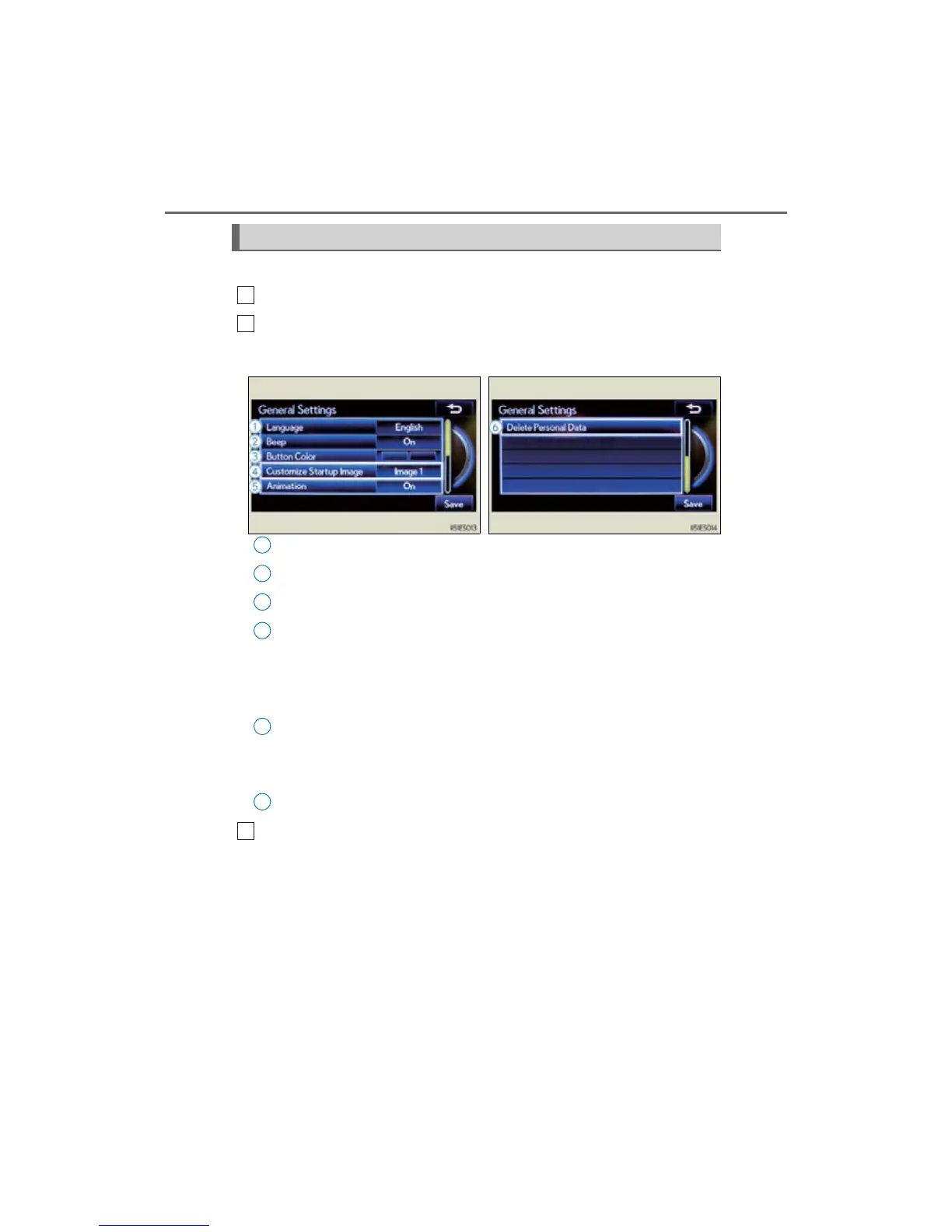
This screen is used for various settings.
Display the “Setup” screen. (P. 345)
Select “General” on the “Setup” screen.
Select language (P. 347)
Beep on/off
Select button color
Customize Startup Image
The initial screen displayed when the “START STOP ENGINE” <“POWER”>
switch is turned to ACCESSORY or IGNITION ON <ON> mode can be
changed to image 1, or image 2 which displays the vehicle screen.
Animation on/off
The animation effect for audio source selection screen, screen transitions, etc.
can be set to “On” or “Off”.
Personal data can be deleted. (P. 347)
When you complete settings, select “Save”.
General settings
1
2
Page 1 Page 2
1
2
3
4
5
6
3



 To Next Page