468
ES350_300h_OM_OM33A60U_(U)
5-3. Using the Lexus Display Audio system
● When the phonebook is empty
You can transfer the phone numbers in your Bluetooth
®
phone to the
system.
Operation methods differ between PBAP compatible and PBAP
incompatible Bluetooth
®
phones. If your cellular phone does not sup-
port either PBAP or OPP service, you cannot transfer contacts.
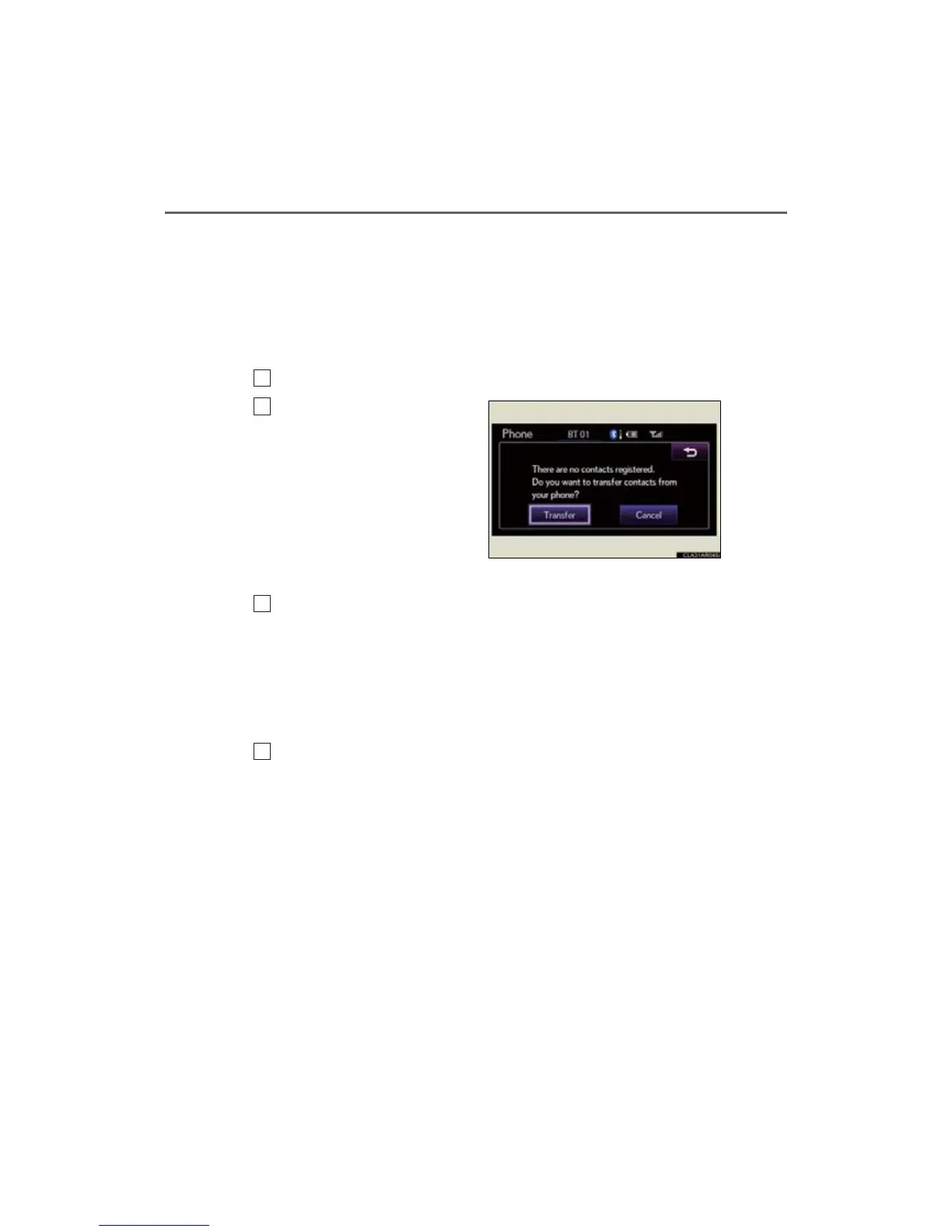
Select “Contacts” on the “Phone” screen.
If the phonebook is empty, a
message will be displayed.
For PBAP compatible Bluetooth
®
phone
Select “Yes” if you want to transfer new contacts from a cellular
phone.
Select “No” if you want to cancel transferring the contacts.
Depending on the type of phone, phone operations may be neces-
sary when transferring contacts by PBAP.
For PBAP incompatible and OPP compatible Bluetooth
®
phone
Select “Transfer” if you want to transfer new contacts from a cellular
phone.
Select “Cancel” if you want to cancel transferring the contacts.
You need to operate your phone to transfer new contacts.
1
2
3
3



 To Next Page