Screen Display
Up to 5 Data pages can be created and customized to show different data fields.
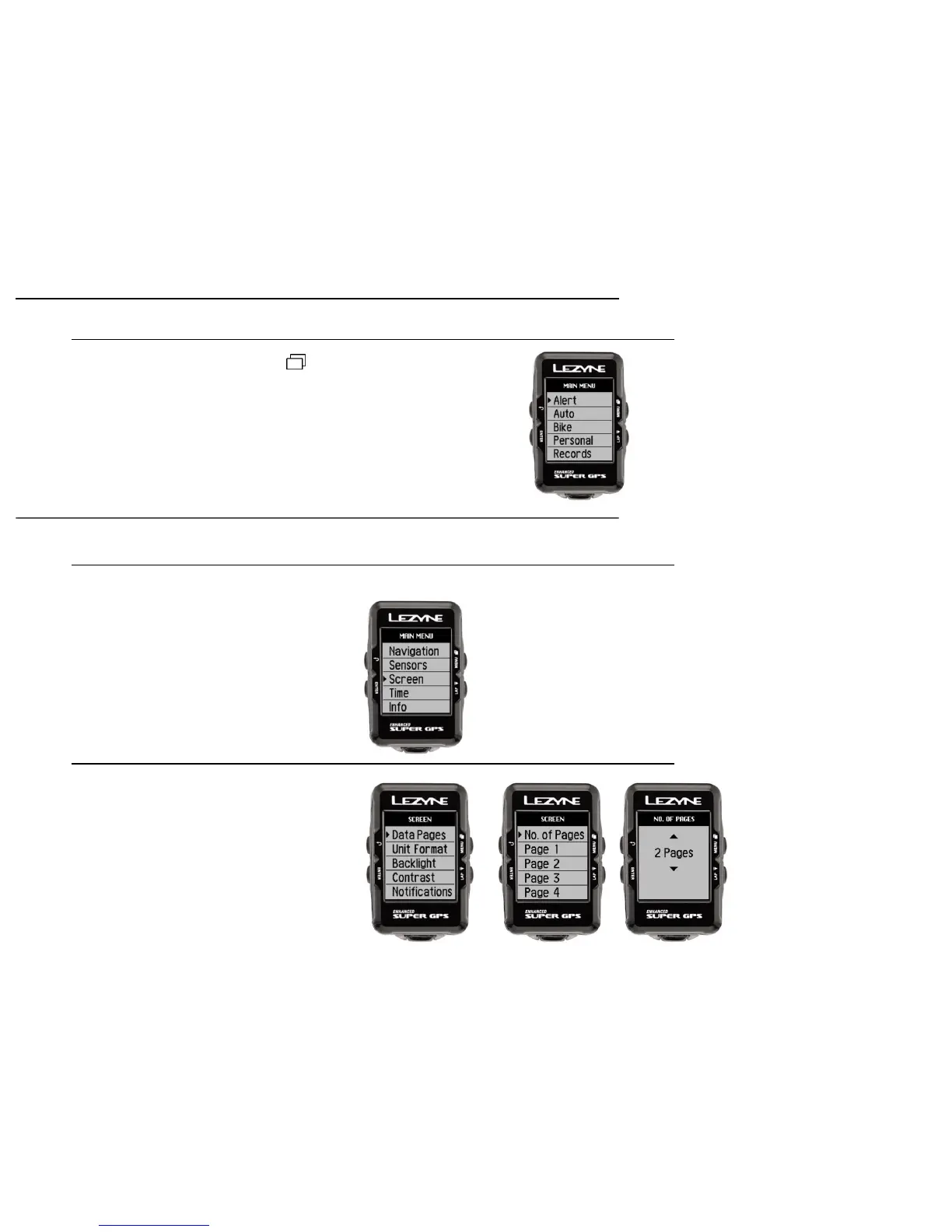
Access the Screen menu
1. When in the Menu screen scroll
to Screen and press the
left ENTER button,
Menu Options
11
Menu Screen
Hold the top right button to enter the MENU screen
Menu options include:
Data Pages
Data Pages
1. Press the ENTER button and you
can set up how many pages you
want to see
Screen Setup
• Alert
• Auto
• Bike
• Personal
• Records
• Personal
• Records
• Phone
• Navigation
• Sensors
• Screen
• Time
• Info
• Strava*
*only appears if segments have
been saved on the device



 To Next Page