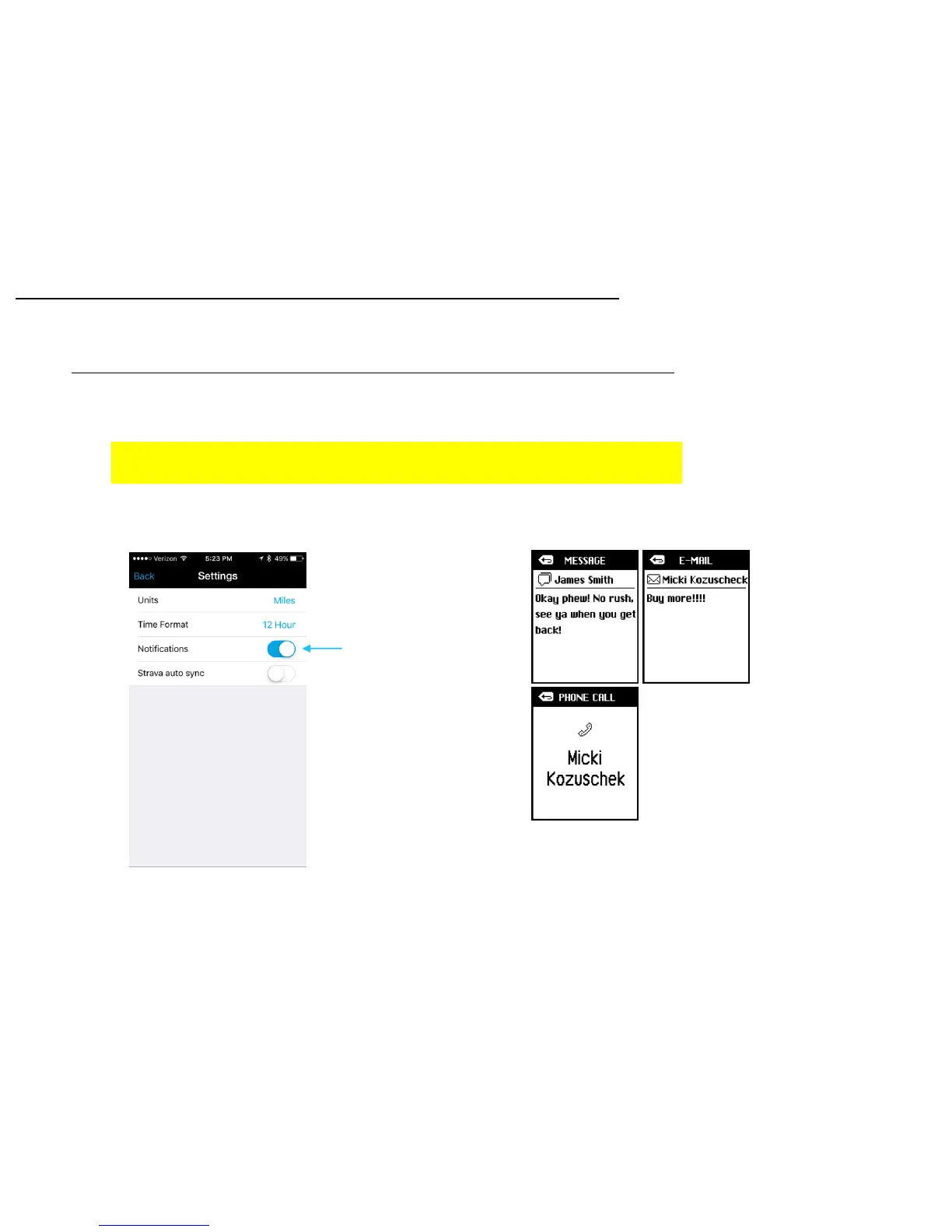
Notifications Set up
When the Lezyne GPS devices are paired with the Lezyne GPS Ally App v2 they can
display Text, Email, and Call Notifications.
* To enable this feature you must first make sure your phone notifications are turned
on for Text and Email. See your phones manufacture instructions for details.
1. In Lezyne GPS Ally App v2, go to the Settings tab and turn on Notifications.
Phone Pairing
18
Notifications Setting



 To Next Page