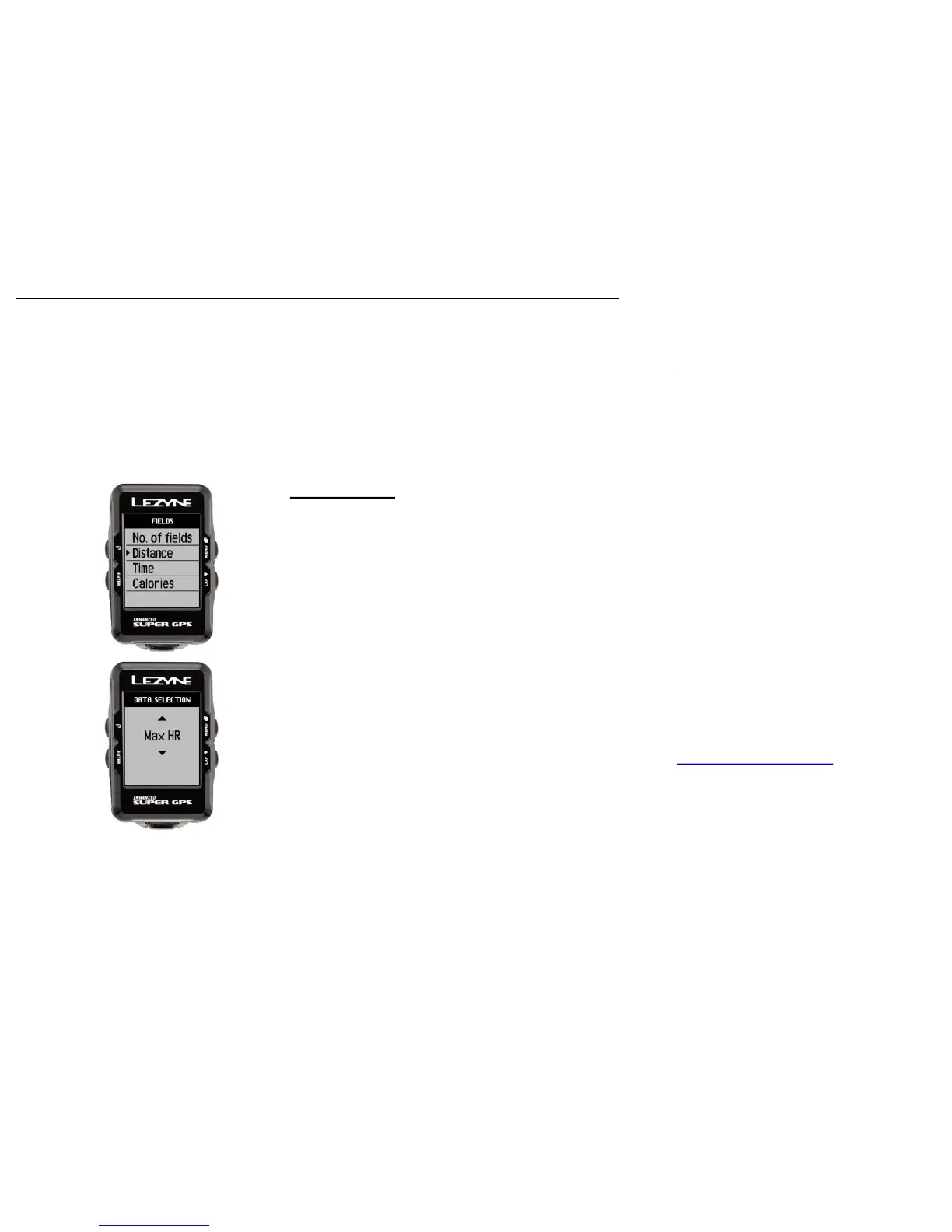
Data Selection Display
In Fields you can choose what data metrics to display on each data line.
Move Up or Down to the line you want to change and Press ENTER.
Scroll Up or Down to make the change and Press ENTER.
Screen Set up
13
Adjustable Data
Distance
Speed
Avg Speed
Max Speed
Trip 1
Trip 2
Odometer
Time
Clock
Elevation
Grade
Ascent
Descent
Temperature
Calories
*Heart Rate
*Avg Heart Rate
*Max Heart Rate
*Cadence
*Avg Cadence
*Power
*Avg Power
*3s Power
*10s Power
*Power Balance
*Left/Right Smoothness
*Left/Right Torque Efficiency
Lap Distance
Lap Speed
*Lap Power
*Lap Heart Rate
*Lap Cadence
Lap Time
**Di2 Shifting
*eTap Shifting
*Separate ANT+™ or Bluetooth® device required to see these metrics
**Special Shimano™ Dfly adapter required for Di2 Systems
Data Definitions Found Here



 To Next Page