In the Lezyne GPS Root website or in the Lezyne GPS Ally App v2, you can sync your
activites to Strava, the popular social network. Strava.com
Activites can be set to Sync automatically when uploaded or one at a time
While in the Ally App set your account to sync with Strava simply by login through the
Settings tab in the Ally App and GPS Root website.
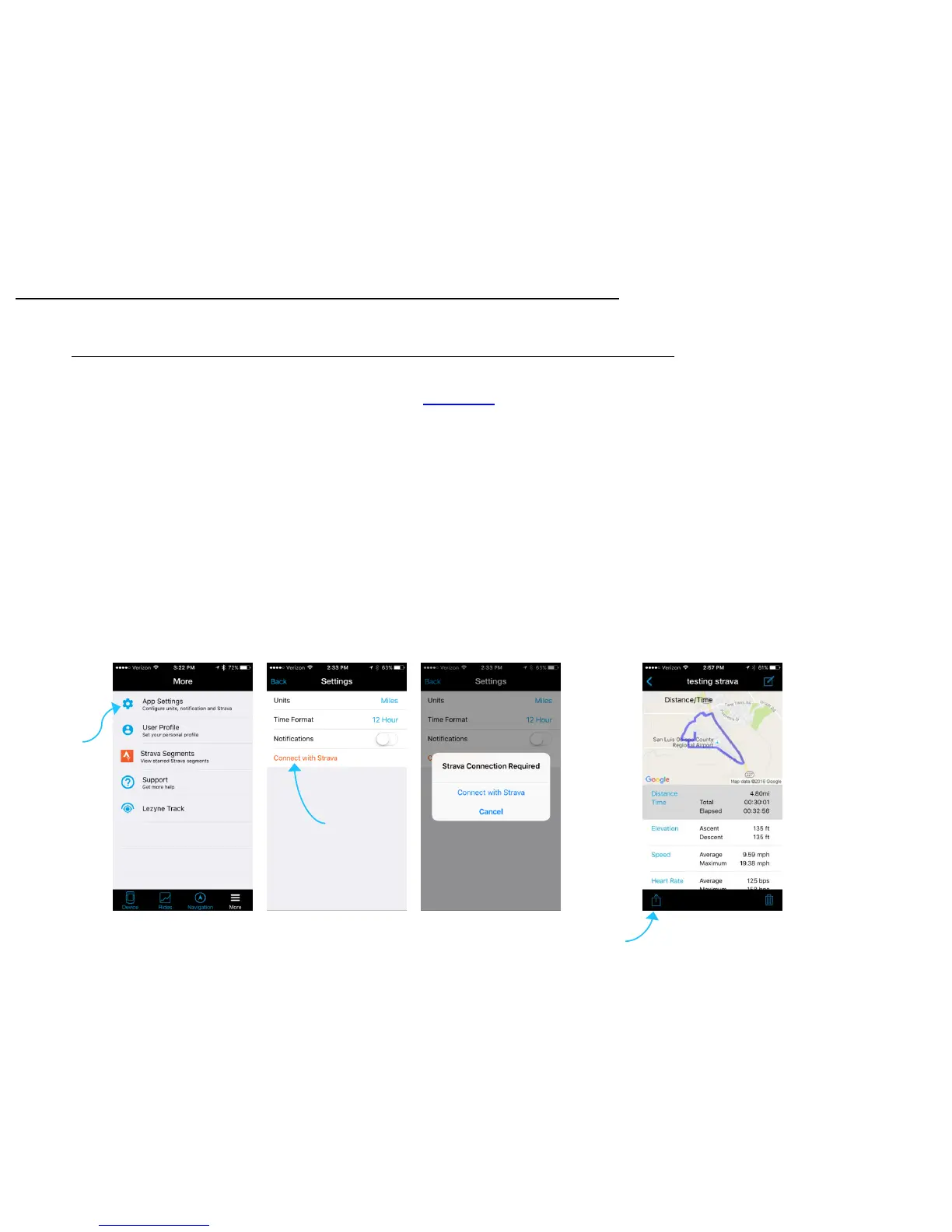
Lezyne GPS Ally App v2 Sync
1. Go into the App Settings in the More tab.
2. Tap on Connect with Strava.
3. You’ll have to have a Strava account in order to sync with the Ally App.
4. Log into you’re Strava account to confirm.
5. Once the connection is made you can now set the Ally App to auto sync your
activities as they are uploaded or you can sync them one at a time.
Strava Sync Set up
Strava Sync
23
Tap to Enter
Settings
Tap to
Connect
When Viewing Rides
Tap to Share
on Strava



 To Next Page