EasyManua.ls Logo

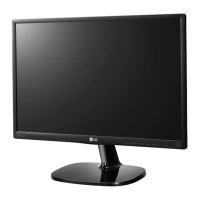
LG 24MK430H-B - User Manual

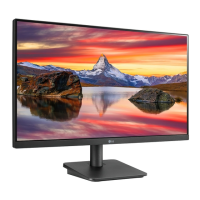
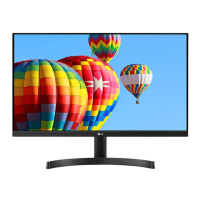
LG 24MK430H-B
32 pages
Print Icon
To Next Page IconTo Next Page
Loading...
www.lg.com
Please read this manual carefully before operating
your set and retain it for future reference.
*LG LED Monitors are LCD Monitors with LED Backlighting.
LED LCD MONITOR MODEL
22MK4 series
20MK4 series
24MK4 series
27MK4 series
22MN430H
24MN430H
OWNER'S MANUAL
LED LCD Monitor
(LED Monitor*)

Questions and Answers

  • C
    Cheryl ReyesJul 29, 2025
    What to do if no image appears on my LG 24MK430H-B?
    • J
      James ScottJul 29, 2025
      First, ensure the power cord is properly connected to the power outlet. If that's not the issue, the signal cable between the PC and the monitor might be missing or disconnected; check the cable and reconnect it, then check your PC status. Also, this issue might appear if the signal from the PC (video card) is out of horizontal or vertical frequency range of the display. Consult the 'Specifications' section of this manual and configure your display again.
  • A
    Ashley JonesAug 9, 2025
    What to do if the display image is incorrect on my LG Monitor?
    • D
      Daniel TorresAug 9, 2025
      First, check if the signal cable is properly connected and use a screwdriver to fasten it if necessary. Also, make sure the video card is properly inserted in the slot. Ensure that the color setting is higher than 24 bits (true color) at Control Panel ? Settings. If the screen is set to interlace mode, change it to the recommended resolution.
  • D
    deborahriveraAug 18, 2025
    How to fix 'Unrecognized monitor, Plug&Play (VESA DDC) monitor found' message on LG Monitor?
    • S
      Shawn HortonAug 18, 2025
      Be sure to install the display driver from the LG website. Also, make sure to check if the video card supports Plug&Play function.

Summary

ASSEMBLING AND PREPARING

Safe Monitor Handling

Monitor Setup and Installation

Table Mounting Guide

Wall Mounting Instructions

Using the Monitor Set

Connecting to a PC

Instructions for connecting the monitor to a computer for display output.

D-SUB Connection

Details on connecting the monitor using the D-SUB analog video interface.

HDMI Connection

Details on connecting the monitor using the HDMI digital video and audio interface.

Customizing Monitor Settings

Accessing the Main Menu

Instructions on how to access and navigate the on-screen display (OSD) menu.

Main Menu Features Overview

Describes the main menu items like Settings, Input, and Power Off for monitor configuration.

Adjusting Quick Settings

Details on adjusting screen settings like brightness, contrast, and volume.

Troubleshooting Common Issues

Resolving No Image Errors

Steps to diagnose and fix issues when the display shows no image.

OSD Control Access Problems

Solutions for when OSD controls are locked or inaccessible.

Incorrect Display Image Issues

Troubleshooting steps for abnormal colors or blinking screen.

Unrecognized Monitor Message

Guidance for resolving 'Unrecognized monitor' or Plug&Play detection errors.

Screen Flickering Solutions

Steps to address and resolve screen flickering problems.

Monitor Specifications

20 MK4 Series Specifications

Detailed technical specifications for the LG 20MK4 series monitor.

Display Timing Modes

LG 24MK430H-B Specifications

General IconGeneral
3DNo
DDC/CIYes
Color gamut72 %
Pixel pitch0.2745 x 0.2745 mm
Screen shapeFlat
Display diagonal23.8 \
Display technologyLED
Native aspect ratio16:9
Supported video modes1080p
Contrast ratio (typical)1000:1
Display number of colors16.78 million colors
Display brightness (typical)250 cd/m²
Supported graphics resolutions1920 x 1080 (HD 1080)
Dynamic contrast ratio marketing nameMega Contrast
CertificationUL, FCC-B, CE, ErP, TUV, VCCI
Product colorBlack
Market positioning-
HDMI version1.4
DisplayPorts quantity0
Headphone connectivity3.5 mm
Tilt angle range-5 - 20 °
Panel mounting interface75 x 75 mm
Package typeBox
Package depth124.5 mm
Package width688.3 mm
Package height391.2 mm
Package weight4218 g
Cables includedAC, HDMI
AC input voltage100 - 240 V
AC input frequency50 - 60 Hz
Energy efficiency scaleA to G
Power consumption (standby)- W
Harmonized System (HS) code85285210
Weight and Dimensions IconWeight and Dimensions
Depth (with stand)185.4 mm
Height (with stand)421.6 mm
Weight (with stand)3084 g
Depth (without stand)38.1 mm
Width (without stand)556.26 mm
Height (without stand)330.2 mm
Weight (without stand)2812 g

Related product manuals