9
ENG
ENGLISH
ASSEMBLING AND PREPARING
Toprotectthescreenfromscratches,cover
thesurfacewithasoftcloth.
CAUTION
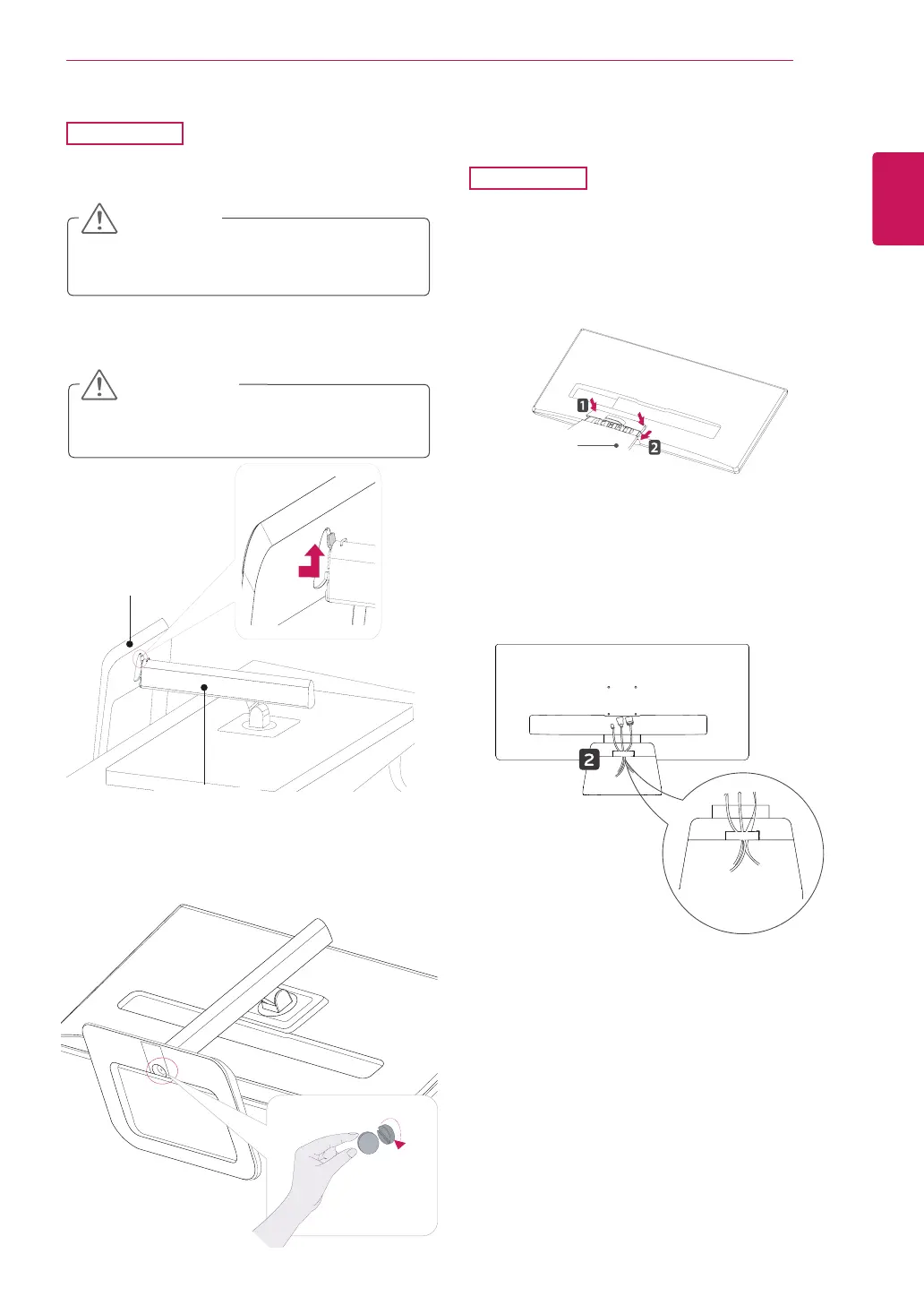
1
Placethescreenfacedown.
29UB65
Using the cable holder
3
Fixbyturningthescrewtotherightwithacoin.
2
Insertthe
stand base
intothehookofthe
stand body
.
Itmayhurtyourfootoffthestand,sobe
careful.
CAUTION
29UM65
1
First,asshownintheillustration,pushthe
cableholderonthestandbody,Second,Fix
thecableholdertostandbody.
2
Putthecablesintothecableholder.
Stand Base
Stand Body
Stand Body


 To Next Page