20
Connecting to External Devices
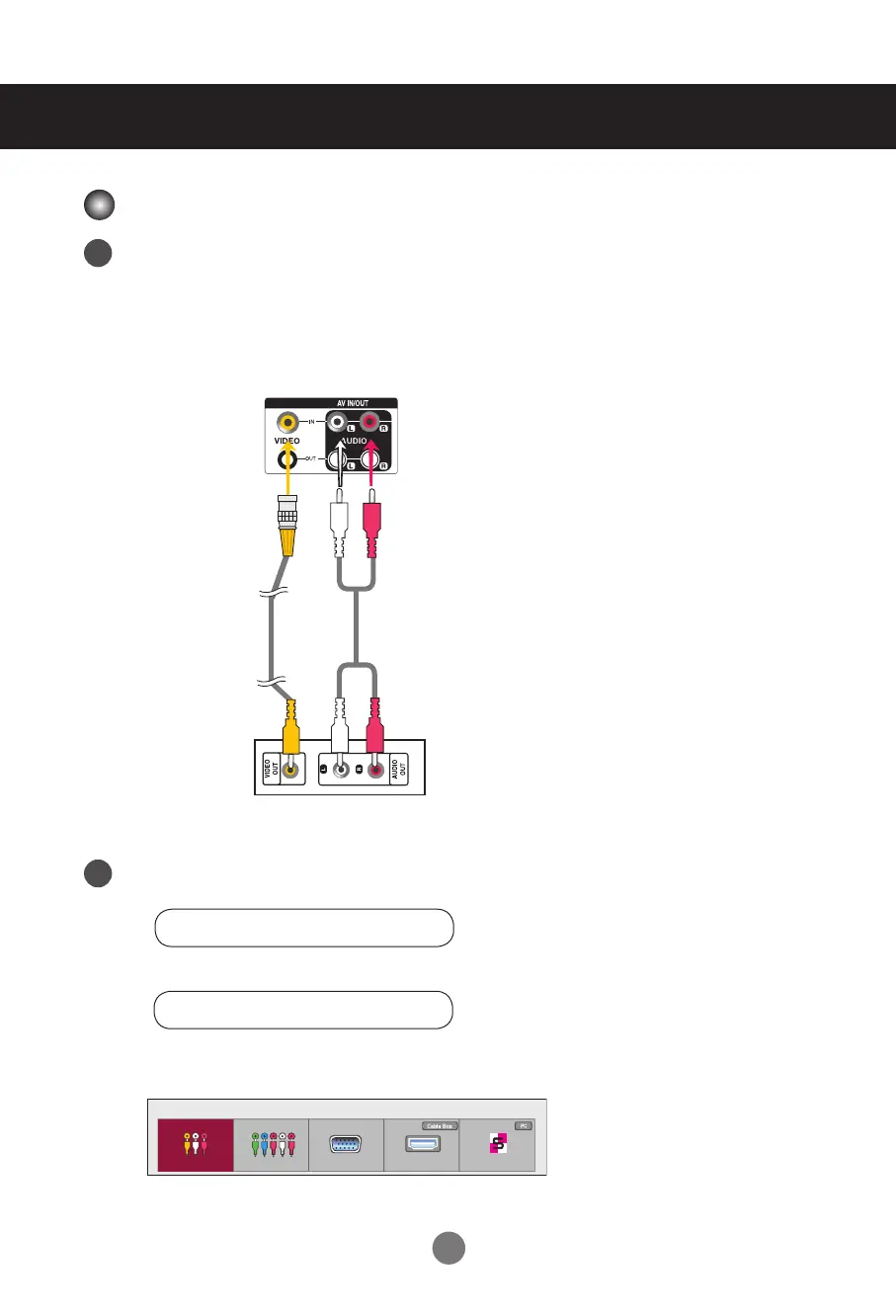
Connecting with a BNC Cable
• Select AV.
Connect the video cable as shown below and then connect the power cord.
(See page 14)
Connecting with a BNC Cable
• Connect the input terminal with a proper color match.
BNC Cable
(not included)
Set
VCR/DVD Receiver
Select an input signal.
Press INPUT on the remote control to select the input signal.
Or, press INPUT on the bottom of the set.
Audio Cable
(not included)
Video Input
INPUT → < > → OK
INPUT → ◄ ► → AUTO/SET
1
2
Input List
AV Component RGB HDMI/DVI SuperSign



 To Next Page