39
User Menus
USB Options
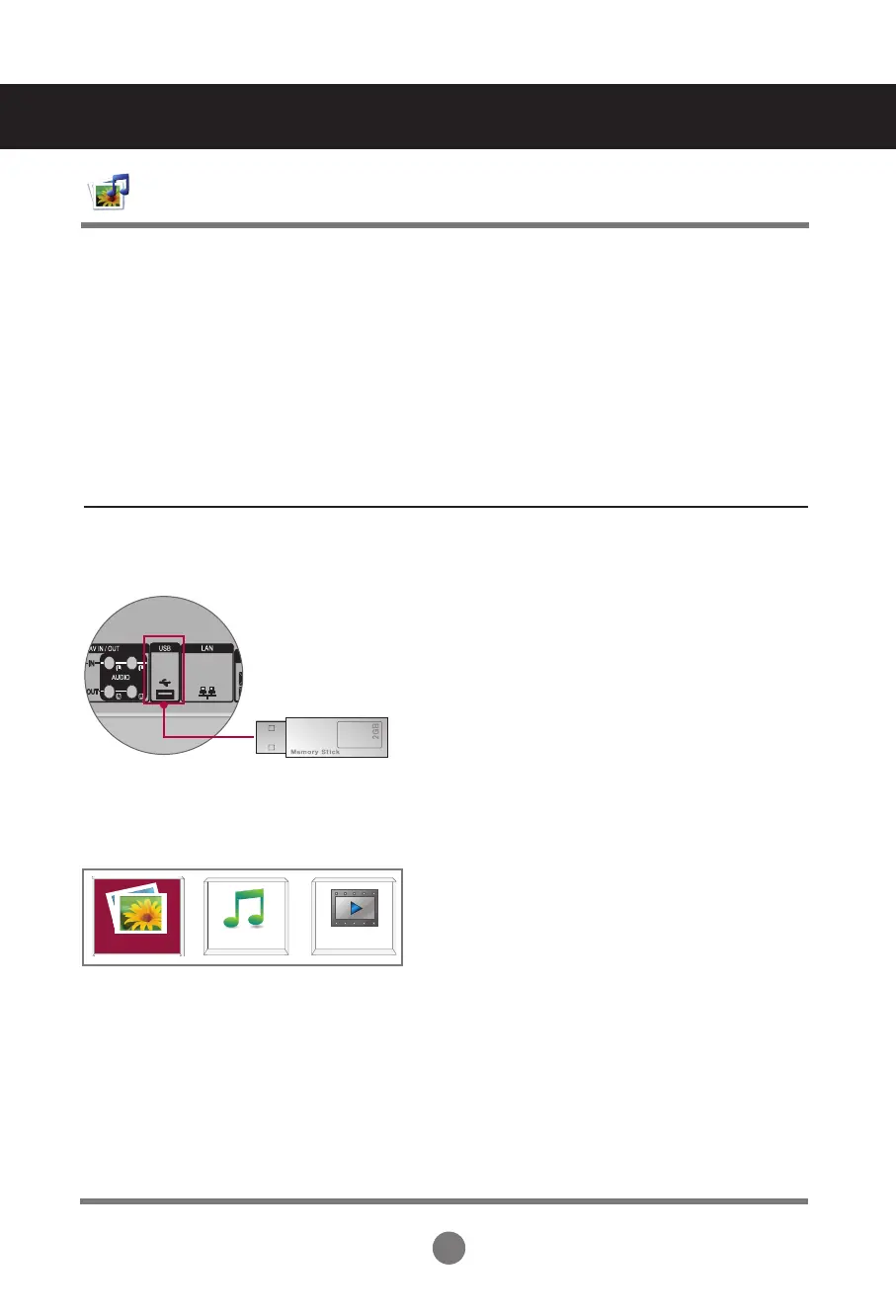
Connecting USB Devices
When you connect a USB device, this pop-up menu is displayed, automatically.
The pop-up menu will not be displayed while the OSD, EPG or Schedule list is displayed.
When the pop-up menu appears, you can select Music List, Photo List or Movie List in the
MY MEDIA menu.
You cannot add a new folder or delete an existing folder on the USB device while it is
connected to the set.
Select Photo List, Music List or Movie List.
Connect the USB device to the USB jack on the set.
PHOTO LIST
MUSIC LIST
MOVIE LIST
2.
1.
USB 메메메 메메



 To Next Page