49
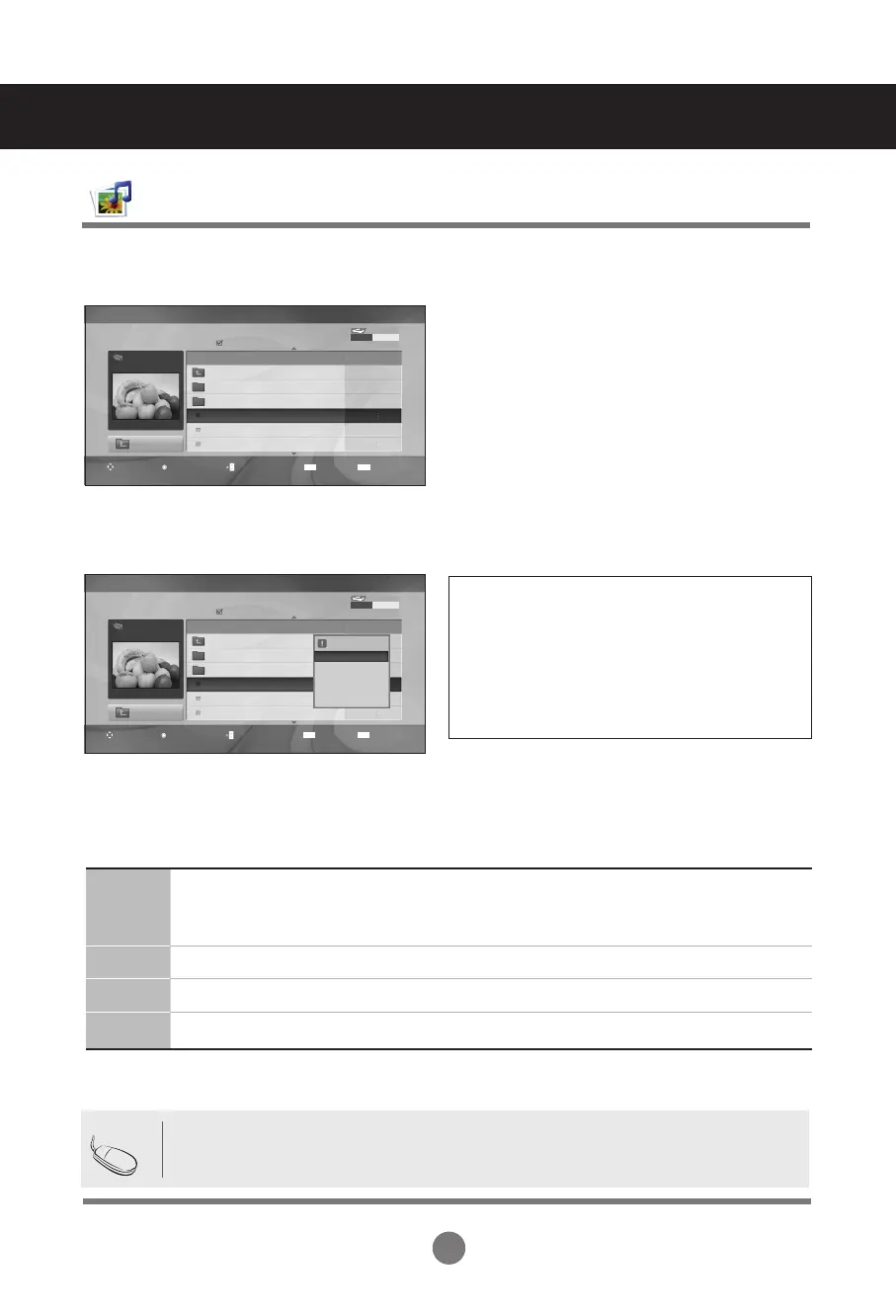
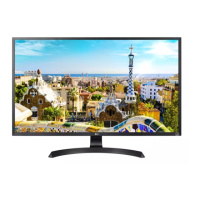
Movie Selection and Pop-Up Menu
➩
Play: Plays the selected movie. DivXplay is
executed while the screen changes.
Mark All: Marks all movies in the folder.
Unmark All : Deselect all marked movies.
Delete: Deletes the selected movie.
Close: Closes the pop-up menu.
User Menus
USB Options
• If a file is not supported, an error message is displayed.
Note
Page 2/3
Movie
M002
640x480, 720KB
Up Folder
Title Duration
Up Folder
Favorite Music
M001
M002
M001
M001
01:34:15
01:35:30
01:30:20
No Marked
Movie List
USB Device
Free Space 150 MB
Option
Mark
Navigation
Page Change
Exit
MARK
EXIT
Page 2/3
Movie
M002
640x480, 720KB
Up Folder
Title Duration
Up Folder
Favorite Music
M001
M002
M001
M001
01:34:15
01:35:30
01:30:20
No Marked
1366x768, 125KB
Play
Mark All
Delete
Close
Movie List
USB Device
Free Space 150 MB
Option
Mark
Navigation
Page Change
Exit
MARK
EXIT
Using the remote control
◄◄ / ►►
When playing, repeatedly, press REW (◄◄) to speed up ◄◄(x2) -> ◄◄◄ (x4) -> ◄◄◄◄(x8) ->
◄◄◄◄◄(x16) ->◄◄◄◄◄◄(x32). Repeatedly, press FF (►►) to speed up ►►(x2)-> ►►► (x4) ->
►►►► (x8) -> ►►►►►(x16) -> ►►►►►►(x32). Pressing these buttons repeatedly increases the
fast forward/reverse speed.
I I During playback, press Pause (II) and the still screen is displayed.
■ During playback, stops the screen.
► Press Play(►) to return to normal playback.



 To Next Page