ENGLISH
13
ASSEMBLING AND PREPARING
y
Unplug the power cord before moving or installing
the monitor to avoid electric shock.
y
Installing the monitor on the ceiling or on a slanted
wall may result in the monitor falling off, which
could lead to injury. Use an authorized LG wall
mount and contact the local dealer or qualified
personnel.
y
Applying excessive force when tightening screws
may cause damage to the monitor. Damage caused
in this way will not be covered by the product war-
ranty.
y
Use the wall mounting bracket and screws that
conform to VESA standards. Damage caused by the
use or misuse of inappropriate components will not
be covered by the product warranty.
y
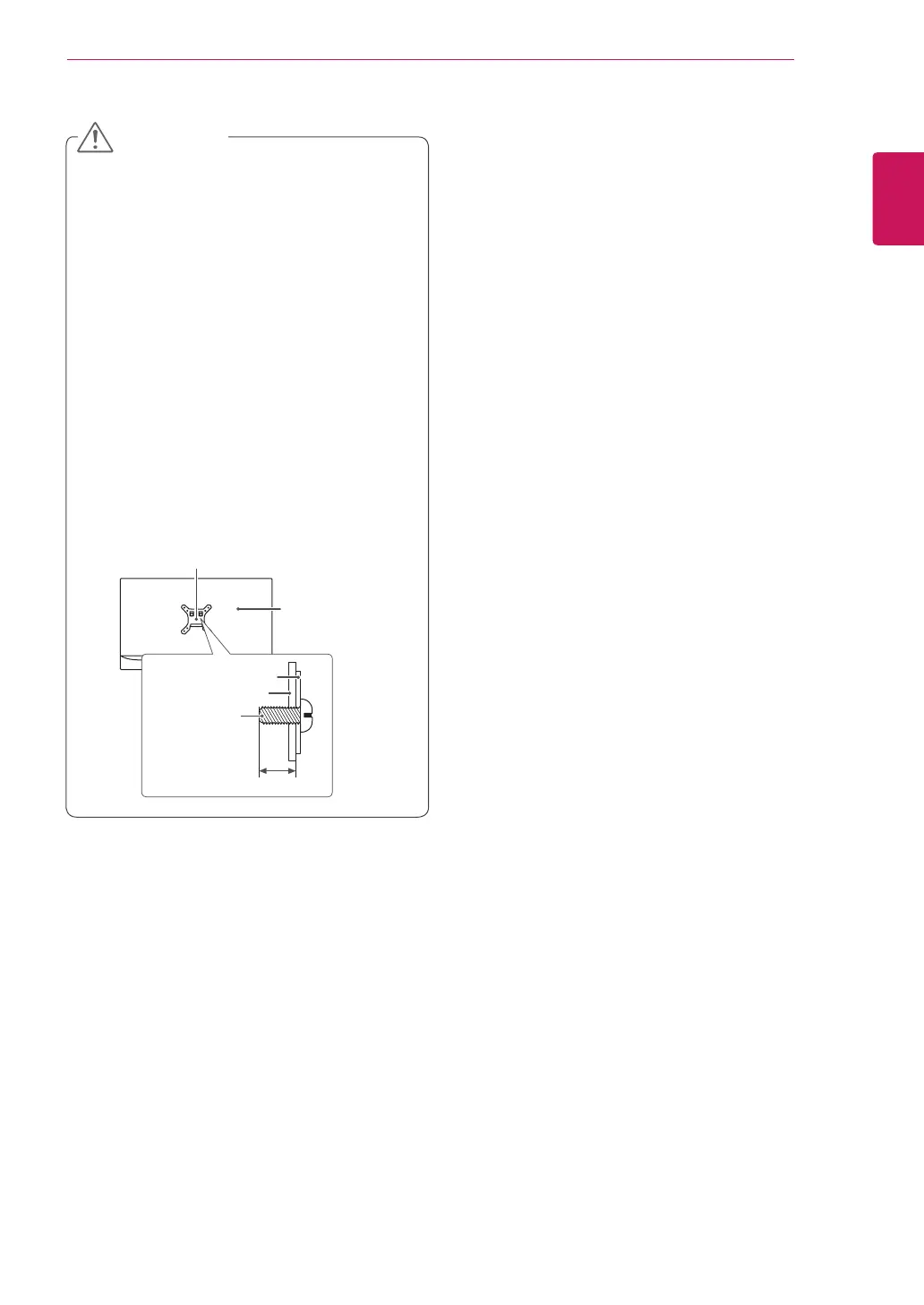
When measured from the back of the monitor, the
length of each installed screw must be 8 mm
(/ of an inch) or less.
Wall Mount Plate
Back of the Monitor
Screw Dimensions
M4 x L10
Wall Mount Plate
Back of the Monitor
Max 8 mm (/ of an inch
CAUTION


 To Next Page