EasyManua.ls Logo

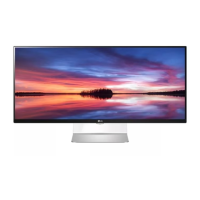
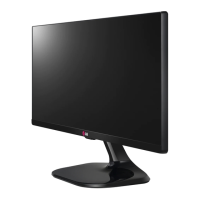
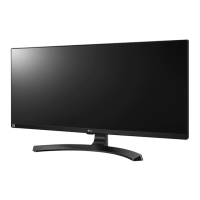
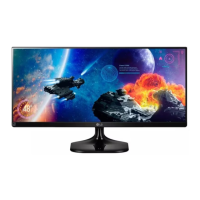
LG 34UM94 - User Manual

LG 34UM94
38 pages
Print Icon
To Next Page IconTo Next Page
Loading...
www.lg.com
IPS LED MONITOR
LED MONITOR
*
OWNER'S MANUAL
Please read the safety information carefully
before using the product.
34UM94
34UM95
34UM95C
* LG LED Monitors are LCD Monitors with LED Backlighting.

Other manuals for LG 34UM94

Questions and Answers

  • S
    Steven MendozaAug 10, 2025
    How to fix an LG Monitor when nothing is displayed on the screen?
    • M
      mccanntammyAug 11, 2025
      If nothing is displayed on your LG Monitor screen, first ensure the power cord is properly connected to the outlet. Then, check the power cable connection and press the power button. Also, verify that the connected input is enabled via the Menu settings. If the monitor is in sleep mode, try moving the mouse or pressing a key. Confirm that your computer is turned on. If the signals from your PC are out of the monitor's frequency range, consult the Product Specification section of the manual to set the correct frequency. Finally, check the cable and try reconnecting it.
  • S
    Sonya StevensAug 16, 2025
    Why is my LG Monitor screen display unstable and shaky?
    • D
      David JohnsonAug 17, 2025
      If your LG Monitor screen display is unstable, shaky, or images leave shadow trails, and the resolution is set to HDMI 1080i 60/50 Hz (interlaced), the screen may be flickering. Change the resolution to 1080p or the recommended resolution to resolve this issue.
  • B
    Brittany WardAug 23, 2025
    Why does the screen retain an image on my LG Monitor?
    • A
      Amy HayesAug 23, 2025
      Displaying a still image for a prolonged time may cause damage to the screen of your LG Monitor, resulting in the retention of the image. To extend the lifetime of the monitor, use a screensaver.
  • M
    Matthew WigginsAug 29, 2025
    Why is the display color abnormal on my LG 34UM94 Monitor?
    • L
      Lynn Brown MDAug 29, 2025
      If the display color on your LG Monitor is abnormal, first set the color to 24 bit (true color) or higher by navigating to Control Panel > Display > Settings > Color Quality in Windows. Next, check if the signal cable is properly connected. If not, reconnect the cable or reinsert the PC's video card. Note that pixilated spots (red, green, blue, white, or black) may appear; this is not an error related to the monitor's performance.
  • R
    Ricardo BurtonSep 3, 2025
    What to do if the 'OSD Locked' message is displayed on my LG Monitor?
    • S
      Susan PrattSep 3, 2025
      If the 'OSD Locked' message is displayed on your LG Monitor, navigate to Menu > Settings and set OSD Lock to Off.

LG 34UM94 Specifications

General IconGeneral
BrandLG
Model34UM94
CategoryMonitor
LanguageEnglish

Related product manuals