42 Plasma TV
Operation
TV Guide On Screen
TV Guide On Screen
TM
TM
System
System
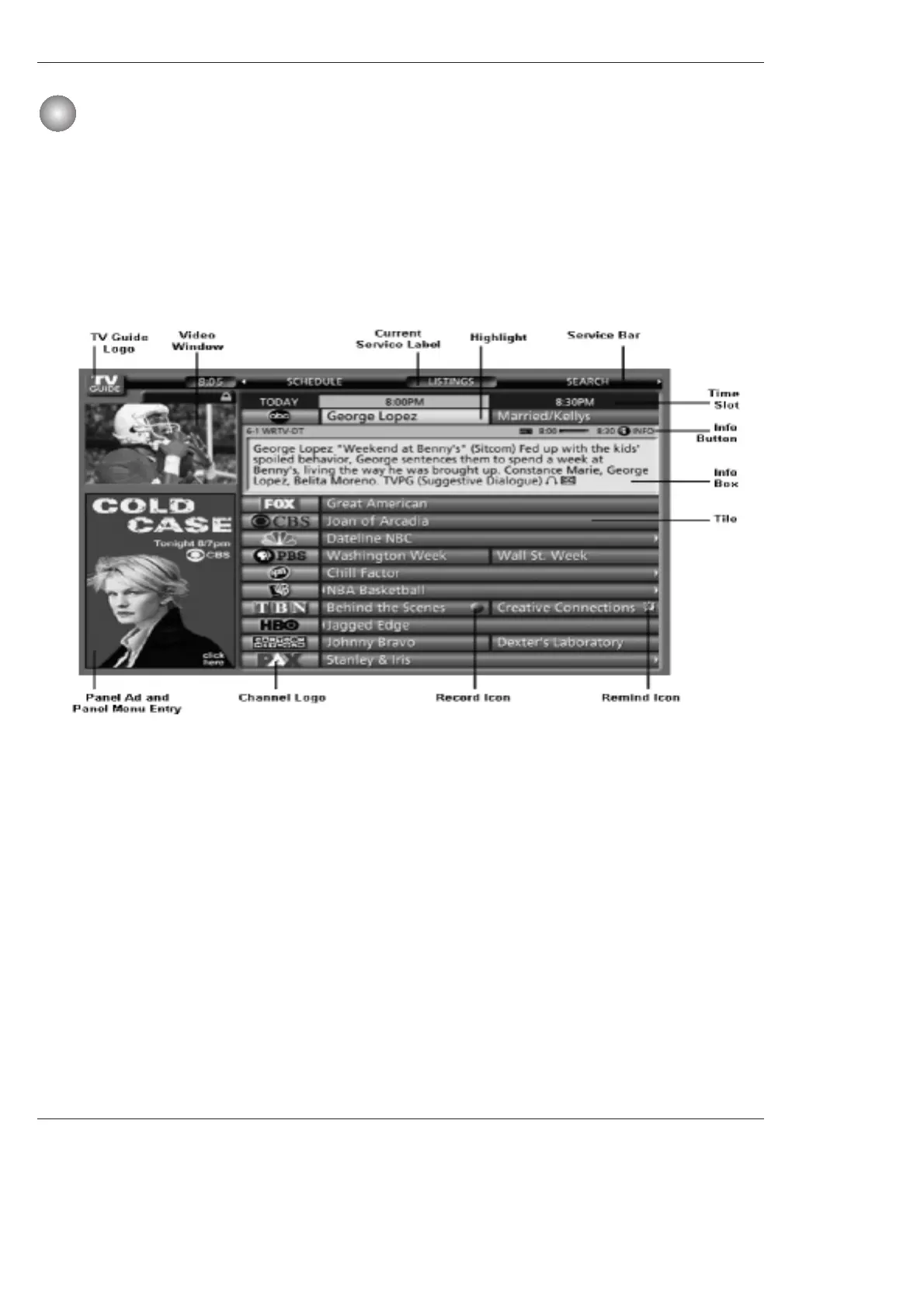
•Video Window - displays TV video while the TV Guide On Screen system is displayed
•Service Bar - provides access to the 4 main Guide Services
•Current Service Label - indented to indicate current Service displayed
•Tile - displays show title
•Highlight - indicates an active tile
•INFO Box - provides information for a highlighted item
•INFO Button - indicates you can cycle through the various Info Box sizes
•Channel Logo - identifies network
•Record/Remind Icons - indicates a show is set to Record or set as a Reminder
•Panel Ad - location where show- or product-specific information appears (and also where Panel Menu appears)
Screen Components
- The screens displayed in the TV Guide On Screen system share many of the same compo-
nents, as shown in the following figure:



 To Next Page