Owner’s Manual 89
Operation
4 : 3
16 : 9
The original aspect ratio of the video is 4:3
The original aspect ratio of the video is 16:9(wide)
The video resolution is 720x480i
The video resolution is 720x480p
The video resolution is 1280x720p
The video resolution is 1920x1080i
Multilingual : The program contains two or more audio
services. Press the SAP button to select wanted
Audio.
Caption: => The program contains one or more cap-
tion services. Press the CC button to select wanted
Closed caption.
The program contains V-Chip information. Refer to the
<LOCK Menu>.
D (Dialogue), L (Language), S (Sex), V (Violence), FV
(Fantasy Violence)
480i
480p
720p
1080i
CC
Operation: • Watching TV/DTV/CATV/CADTV
• Watching Video, Front Video
• Watching IEEE 1394
• In Component1, Component2, RGB,
HDMI/DVI modes, INFO button is not
working.
Function: • Show the present screen information.
• On Watching with the upper Input signal,
press the INFO button.
• Press the INFO button or EXIT button to
exit.
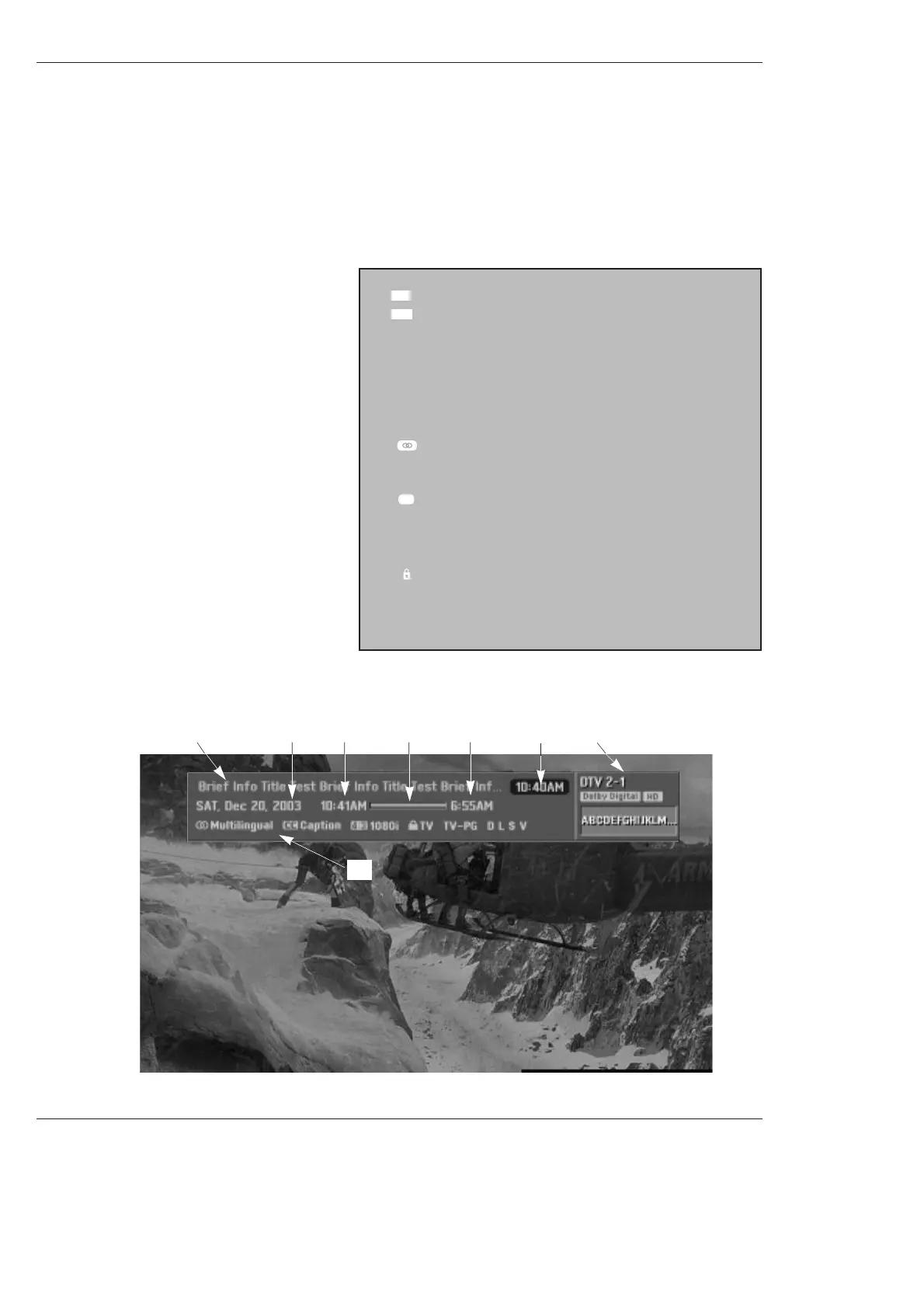
A: Banner information
B: Program title
C: Day of week, Month, Year
D: Program start time
E: Program progress bar
F: Program finish time
G: Present time
H: Additional information. Refer to the icon
explanation on the right.
- Brief Info shows the present screen information.
- Press the INFO button to show the Brief Info on the screen.
- INFO button does not work in Component1, Component2, RGB, and HDMI/DVI modes.
- Press the INFO button or EXIT button to exit.
Brief Info.
B
C
D
E
A
F
H
G



 To Next Page