Getting Started with Your Phone
Getting Started with Your Phone
15
The Battery
The phone comes with a rechargeable battery. Keep the battery charged while not in use in order to maximize
talk and standby time. The battery charge level is shown at the top of the LCD screen.
Installing the Battery
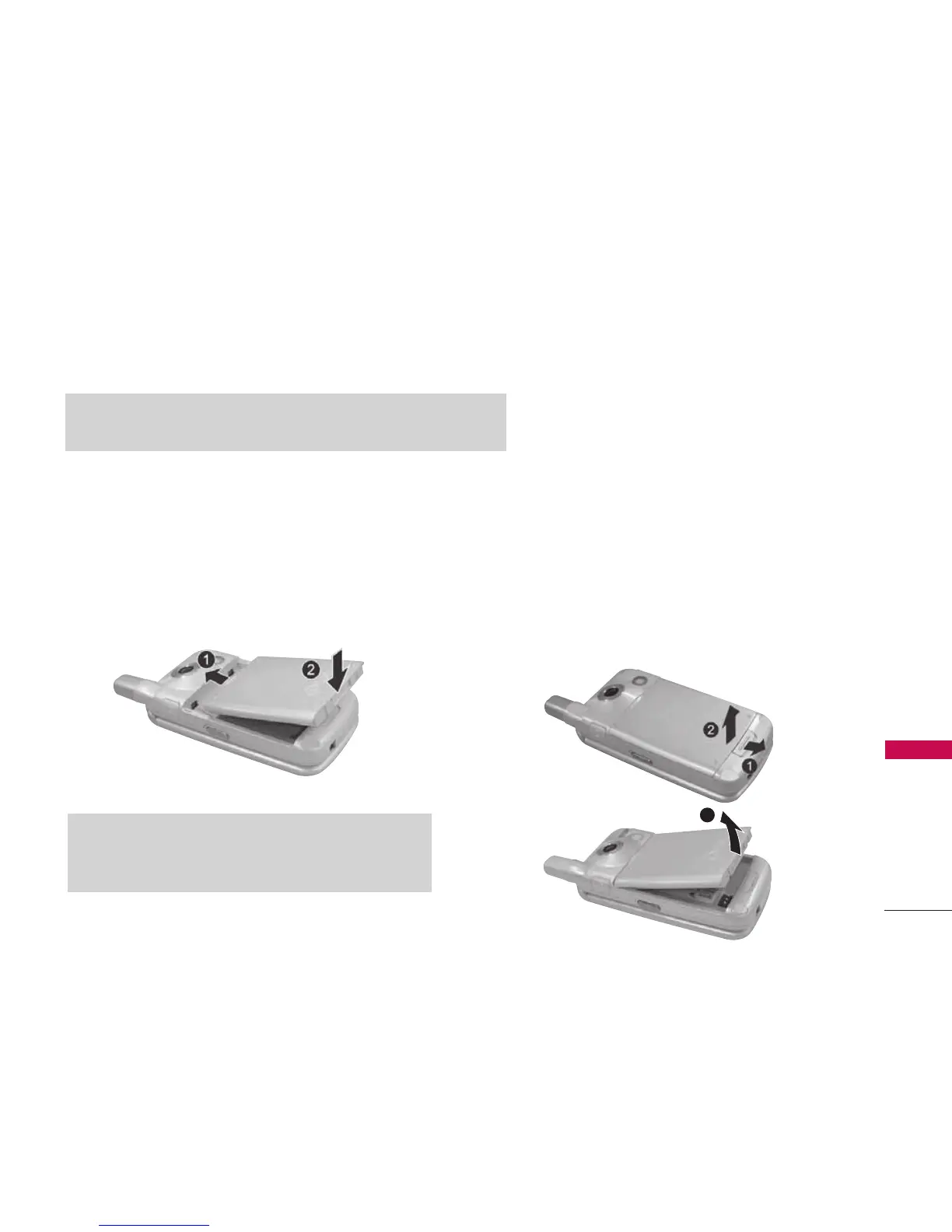
To install, insert the battery into the opening on the
back of the phone and gently press down until the
latch snaps into place.
Removing the Battery
1. Make sure the power is off so that you don’t lose
any stored numbers or messages.
2. Press the battery release latch up and remove the
battery from the phone at a 45-degree angle.
Note
It is important to fully charge the battery before initial use of the phone.
Note
Do not handle a damaged or leaking Lithium Polymer battery
as you can be burned.
3



 To Next Page