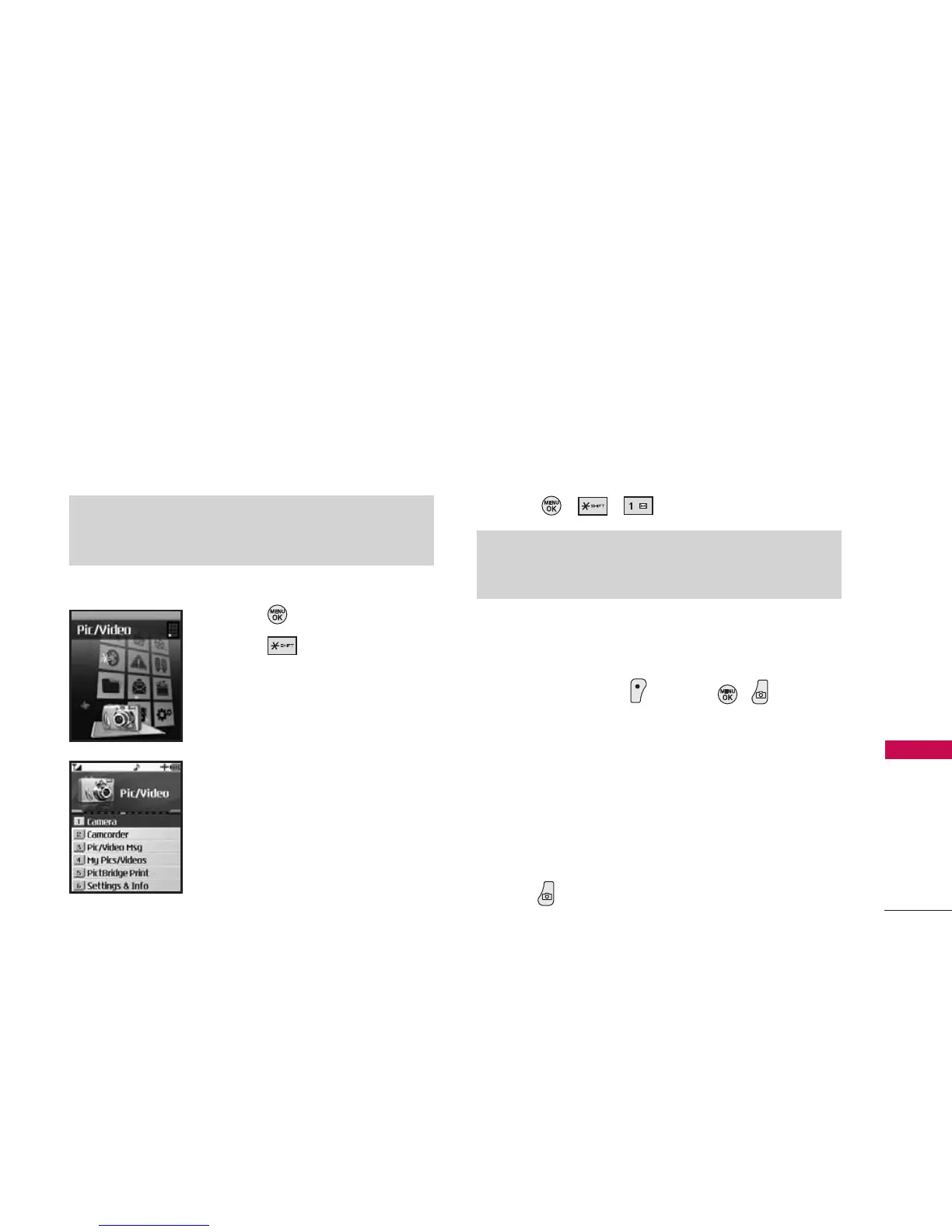
Pic/Video
Your phone’s built-in camera gives you the ability to
take full-color digital pictures, view your pictures
using the phone’s display, and instantly send them to
family and friends.
Access and Options
1. Press Menu.
2. Press Pic/Video.
3. Select a sub-menu.
1. Camera
2. Camcorder
3. Pic/Video Msg
4. My Pics/Videos
5. PictBridge Print
6. Settings & Info
1. Camera
Taking pictures with your phone’s built-in camera is
as simple as choosing a subject, pointing the lens,
and pressing a button. You can activate the phone’s
camera mode whether the phone is open or closed.
1. Press , , .
2. Using the phone’s main LCD as a viewfinder, aim
the camera lens at your subject.
3. Press Left Soft Key Capture, , , or the
side camera key until the shutter sounds. (The
picture will automatically be saved to the In Phone
Folder if you do not have a microSD card inserted.
If you have a microSD card in the phone then the
pictures will be automatically saved to your
memory card instead.
To return to camera mode to take another picture,
press .
Shortcut
Press the side camera key to access the camera. To return to
camera mode, select Options and then Take New Picture.
Note
While recording a video, do not eject your microSD card.
This may damage your phone.
Pic/Video
51
Pic/Video



 To Next Page