12
Checking the Input/Output Terminals
Exploring the Product
Checking the Input/Output Terminals
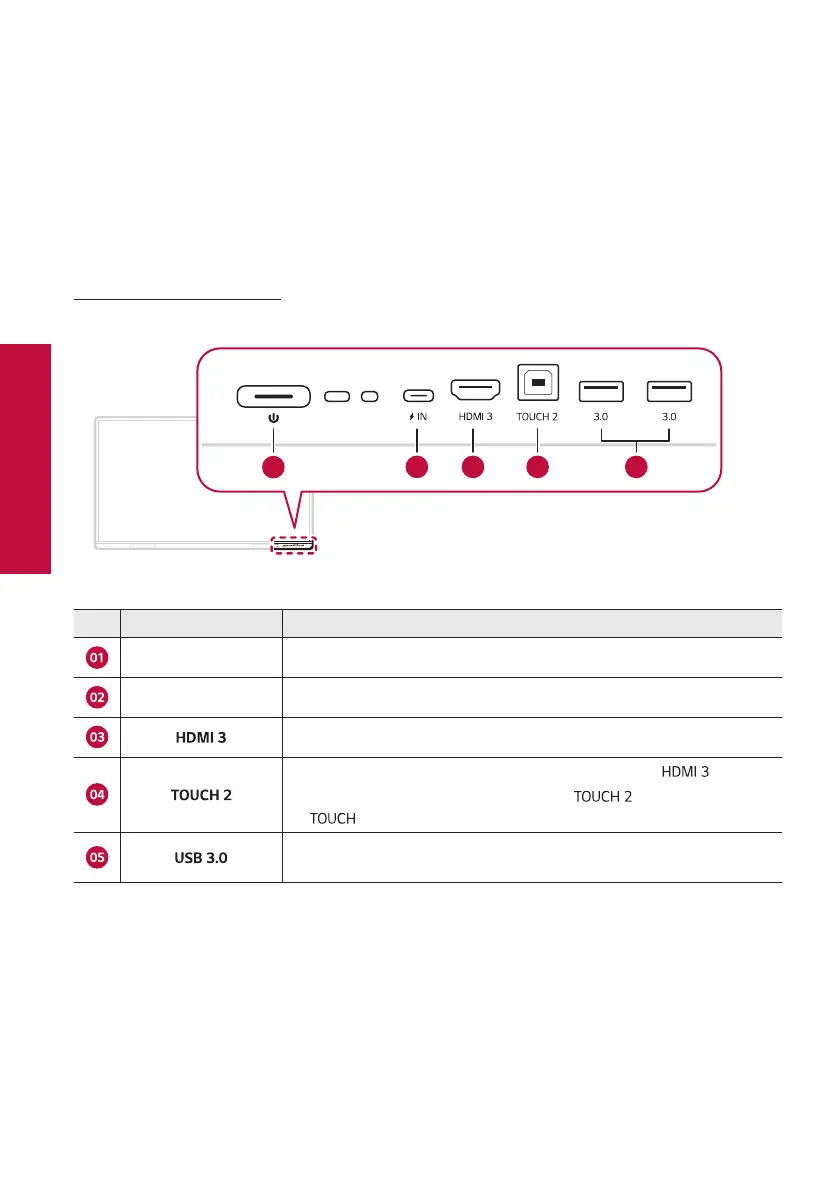
Check the location and function of the input/output terminals for connecting external devices to the electronic
blackboard.
Front Cable Terminal
02 03 04 0501
No. Name Explanation
Power Sources Turns the power on or off.
USB Type-C Used to connect external devices with a USB Type-C cable.
Used to connect external devices with an HDMI cable.
Used for touch control of the PC screen input through the terminal.
Used to connect the electronic blackboard's terminal and PC with
a cable.
Used for data transfer or connecting USB devices such as a mouse or
keyboard with a USB cable.



 To Next Page