Operating 53
Operating
4
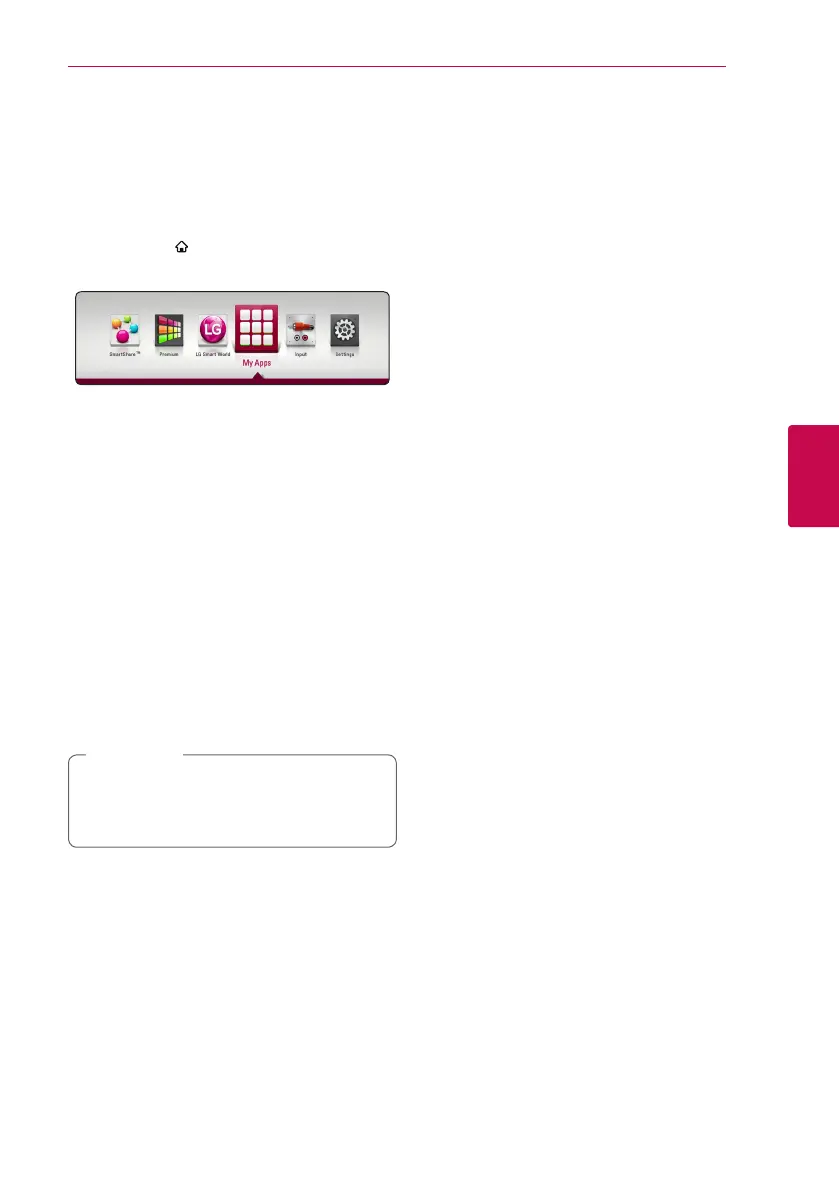
Using the My Apps
Menu
You can move or delete an installed application in
the [My Apps] menu.
1. Press HOME ( ).
2. Select the [My Apps], and press ENTER (
b
).
Move an application
1. Select an application, and press green (G)
colored button to display the options.
2. Use
W/S
to select [Move], and press ENTER
(
b
).
3. Use
W/S/A/D
to select a position you want
to move to, and press ENTER (
b
).
Delete an application
1. Select an application, and press green (G)
colored button to display the options.
2. Use
W/S
to select [Delete], and press
ENTER(
b
).
3. Use
A/D
to select [Yes], and press ENTER (
b
)
to confirm.
Depending on the region, the [LG Smart
World], [My Apps], [
4
] and [
3
] may not be
available.
,
Note


 To Next Page