-31-
Copyright © LG Electronics Inc. All rights reserved.
Only training and service purposes
How to Disassemble, Reassemble and Repair Main Parts
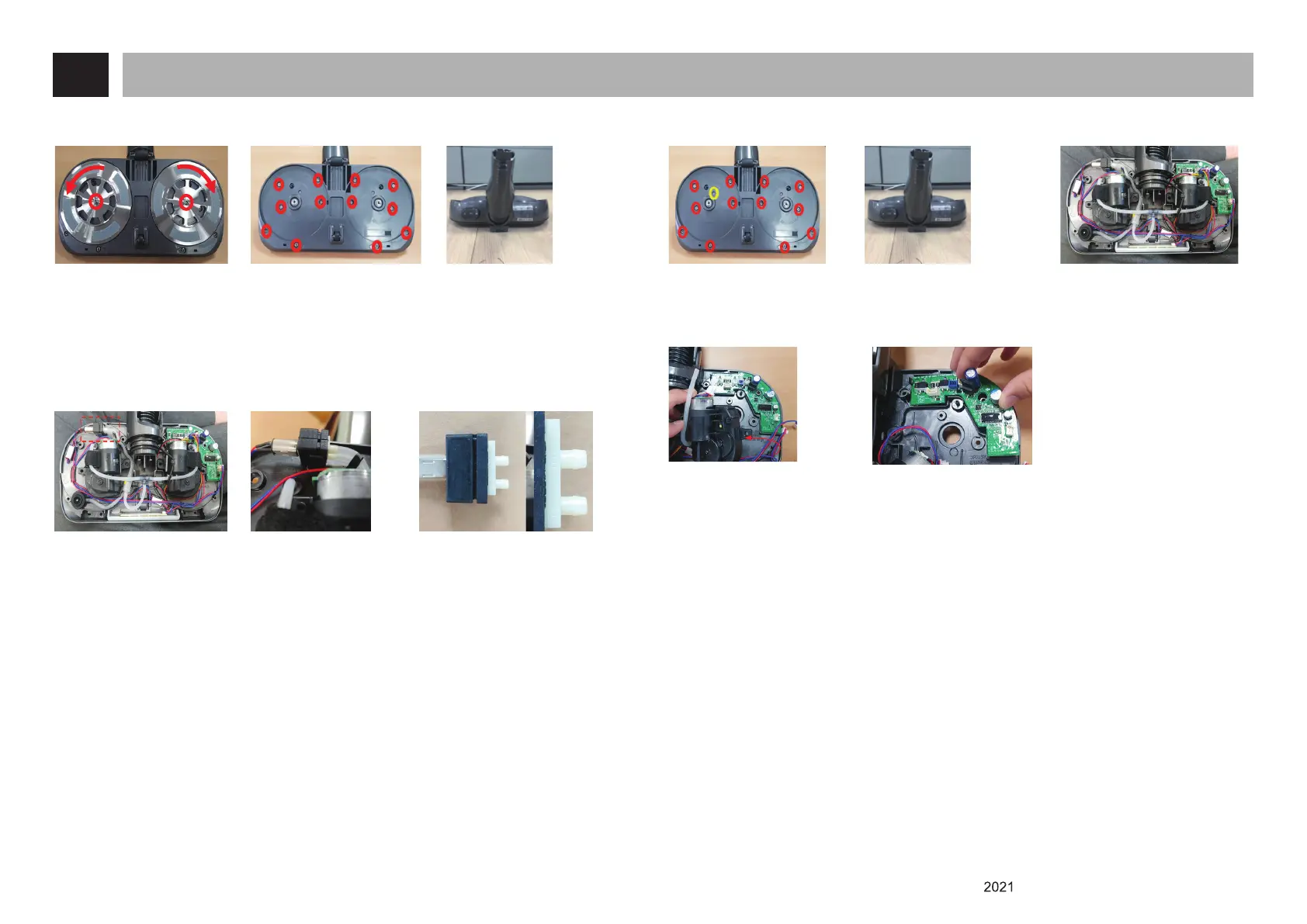
8. How to disassemble Pump (Mop Nozzle for North America)
(1) Remove 2 screws after
detach the mop Pads
Screw (Left side) :
Counterclockwise
Screw (Right side) :
Clockwise
(2) Remove 12 screws (3) Remove the top cover
OUT
IN
(4) Disconnect pump
harness and tube.
(5) Replace the pump. Make
sure that the water outlet
goes upward
(6) Reassemble in the reverse sequence.
* Be sure use the new screws when to fasten the screws on the mop plate.
* When assembly the mop plate.
- Screw (Left side) : Clockwise
- Screw (Right side) : Counterclockwise
* Do not let wire be pressed
9. How to disassemble main PCB (Mop Nozzle for North America)
(1) Remove 13 screws (2) Disassemble the mop
nozzle
(3) Disconnect the 4
harness connectors on
PCB
(4) remove motor parts (5) remove main PCB
(6) Reassemble in the reverse sequence.
* Be sure use the new screws when to fasten the screws on the mop plate.
* When assembly the mop plate.
- Screw (Left side) : Clockwise
- Screw (Right side) : Counterclockwise
* Do not let wire be pressed













 To Next Page