-44-
Copyright © LG Electronics Inc. All rights reserved.
Only training and service purposes
Failures and measures
Explanation
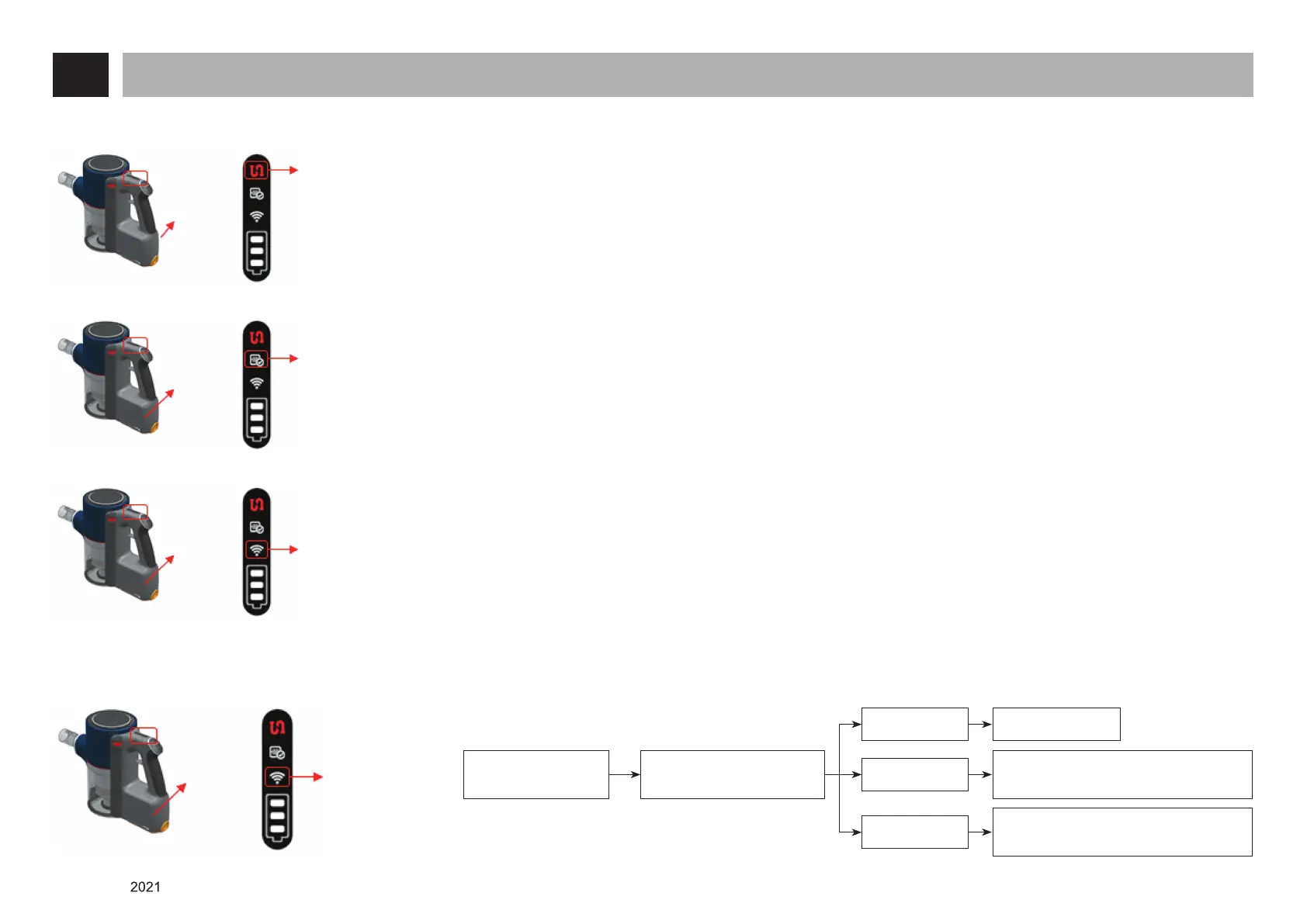
Clogging with a
foreign substance
alert icon
Main body
handle
[Main body]
Alert icon that notifies the clogging of the path where dust flows in with a foreign substance to the user
- When the rate of flow (volume of air) into the motor of the main body decreases to a certain level, the temperature
inside the product may increase, causing a bad effect on the product. In this case the protection mode will be activated
in order to prevent such a situation, turning the product off.
Filter cleaning alert
icon
Main body
handle
[Main body]
When the duration of cleaning exceeds 640 minutes, the filter cleaning alarm icon is turned on continuously.
(It disappears when you turn on and off the product)
- Remove the prefilter, exhaust filter and large dust separator from the inside of the main body, clean and re-install
them.
Wi-Fi check alert icon
Main body
handle
[Main body]
When the Wi-Fi function is turned on, the connection to ThinQ is established, enabling smart diagnosis including the
duration and number of times cleaned, suction motor battery, etc.
- Possible to check it from the ThinQ app.
Wi-Fi setting
Wi-Fi check
alert icon
Main body
handle
[Main body]
There is no Wi-Fi
connection.
Icon turned
on Wi-Fi connected
Check if the Wi-Fi icon on
the display is turned on.
Icon blinking
Icon turned off
Wait a while and check for lighting since
the Wi-Fi connection is being made
Re-connect by turning off and on the
Wi-Fi function again or replace the PCB













 To Next Page