9
Introduction
Identification of Controls (Continued)
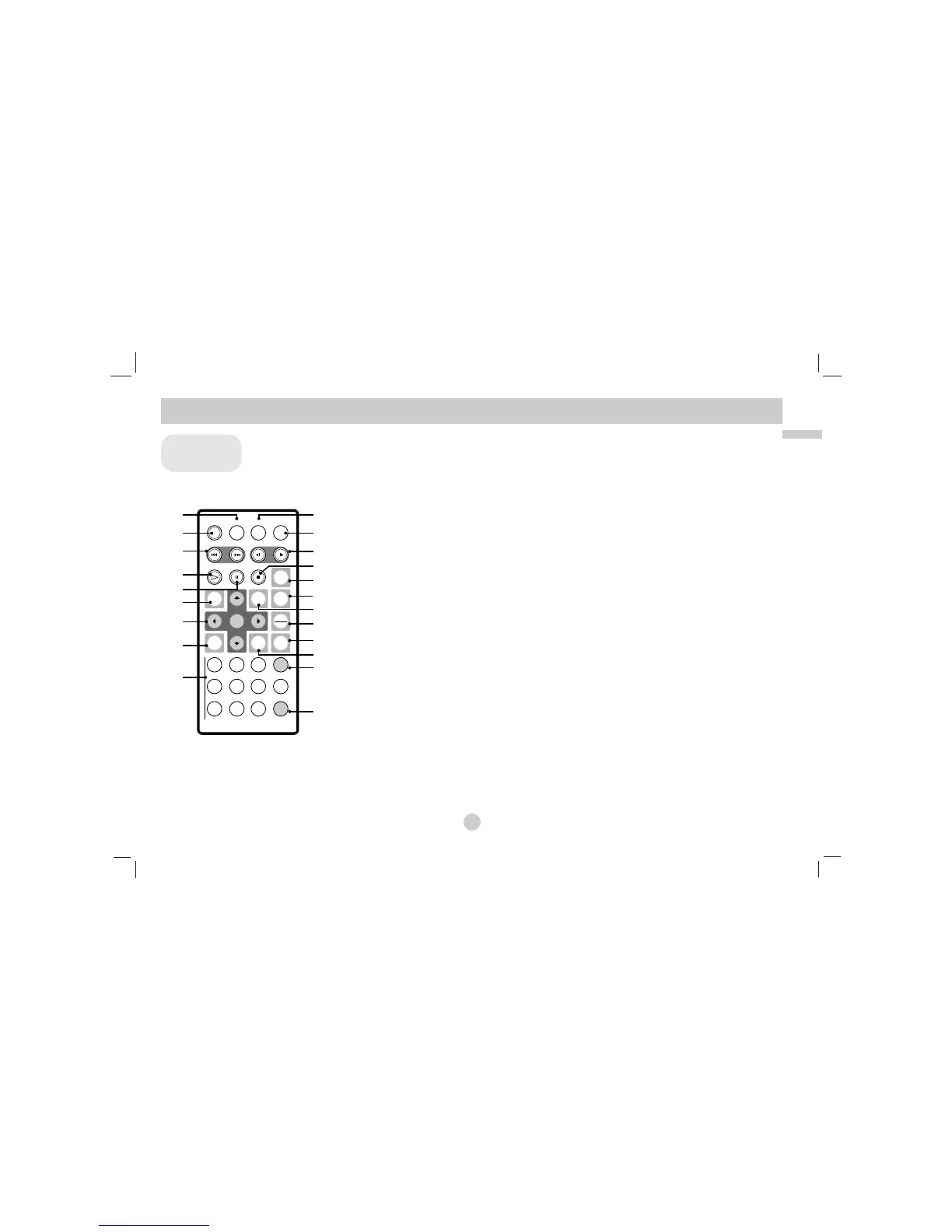
a AUDIO
Selects an audio language (DVD).
b POWER
Switches DVD Player ON and OFF.
c • Reverse SKIP/SEARCH ( . )
Search backward*/ go to beginning
of current chapter or track or go to
previous chapter or track.
• Forward SKIP/SEARCH ( >)
Search forward*/ go to next chapter
or track.
* Press and hold button for about
two seconds.
d PLAY
Starts playback.
e PAUSE
Pauses playback temporarily/ press
repeatedly for frame-by-frame playback.
f MENU
Accesses menu on a DVD disc.
g • bBvV(left/right/up/down)
Selects an item in the menu.
• ENTER
Confirms menu selection.
h SETUP
Accesses or removes setup menu.
i 0-9 number buttons
Selects numbered items in a menu.
j SUBTITLE
Selects a subtitle language.
k A-B
Repeat sequence.
l SLOW ( t/T)
Reverse/ Forward slow playback.
m STOP ( x )
Stops playback.
n ZOOM
Enlarges video image.
o TITLE
Displays title menu, if available.
p DISPLAY
Accesses On-Screen display.
q • MARKER
Marks any point during playback.
• SEARCH
Displays MARKER SEARCH menu.
r REPEAT
Repeat chapter, track, title all.
s RETURN
Removes the setup menu.
t PROG.
Places a track on the program list.
u CLEAR
Removes a track number on the
program list or a mark on the
MARKER SEARCH menu.



 To Next Page