36
Audio Connection to Optional Equipment
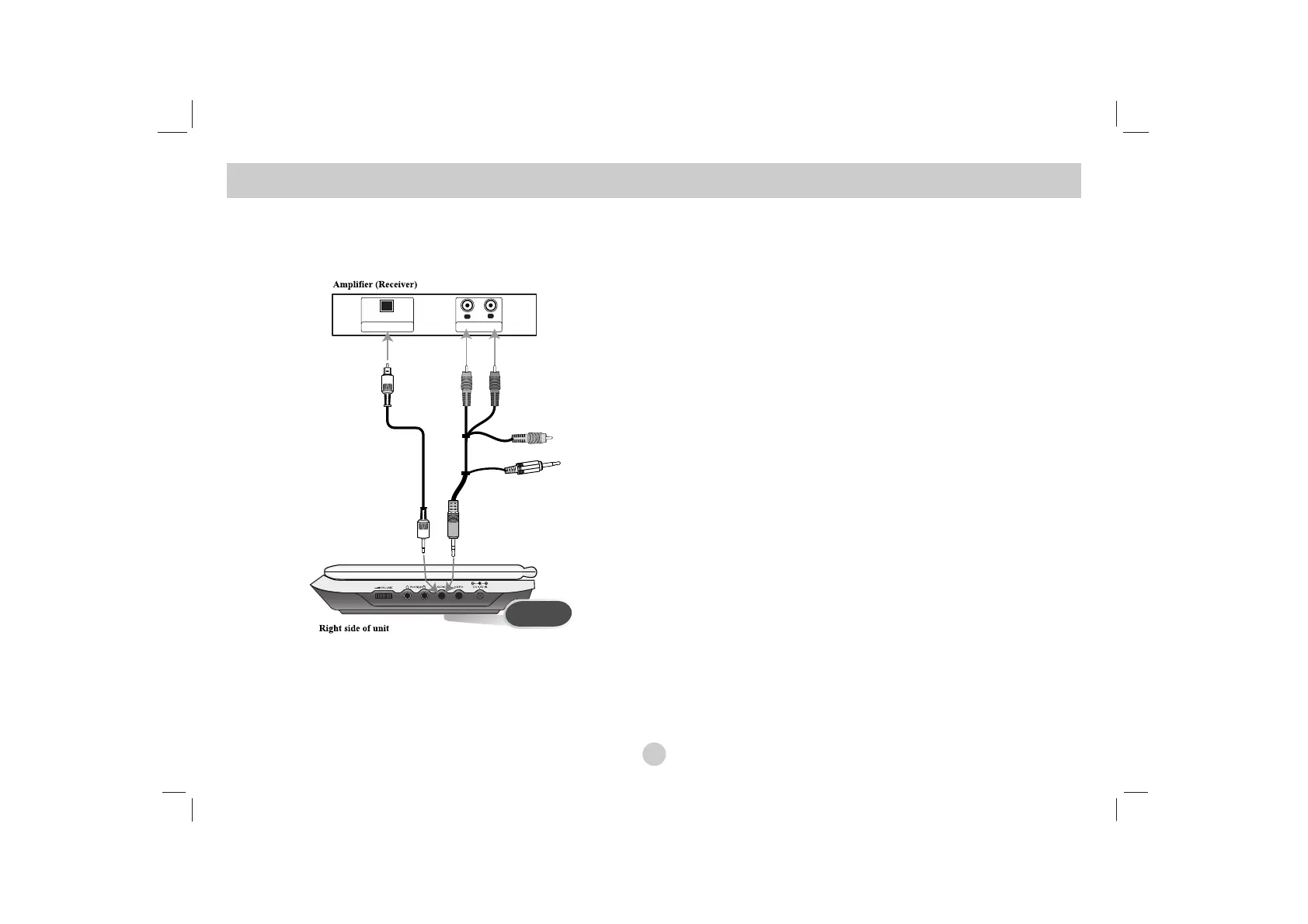
Connect the DVD player to your optional equipment for audio
output.
You must set the A/V IN/OUT switch to the “A/V OUT” mode
Amplifier equipped with 2-channel analog stereo or Dolby Pro
Logic ll / Pro Logic: Connect the AUDIO OUT jacks on the DVD
player to the audio left and right IN jacks on your amplifier, receiv-
er, or stereo system, using the audio cables.
Amplifier equipped with 2-channel digital stereo (PCM) or
audio / video receiver equipped with a multi-channel decoder
(Dolby Digital™, MPEG 2, or DTS): Connect one of the DVD
Player’s DIGITAL AUDIO OUT jack to the corresponding in jack on
youramplifier. Use an optional digital audio cable.
Digital Multi-channel sound
A digital multi-channel connection provides the best sound quality.
For this you need a multi-channel audio / video receiver that sup-
ports one or more of the audio formats supported by your DVD
player such as MPEG 2, Dolby Digital and DTS. Check the receiv-
er manual and the logos on the front of the receiver.
NOTES
•
If the audio format of the digital output does not match the capabil-
ities of your receiver, the receiver produces a strong, distorted
sound or no sound at all.
• Six Channel Digital Surround Sound via a digital connection can
only be obtained if your receiver is equipped with a Digital Multi-
channel decoder.
• To see the audio format of the current DVD in the on-screen dis-
play, press AUDIO.
Setting up the Player
(continued)


 To Next Page