23
PROGRAMMING MODE
NOTE
• Do not use , .
• It is used only in inspecting the machine.
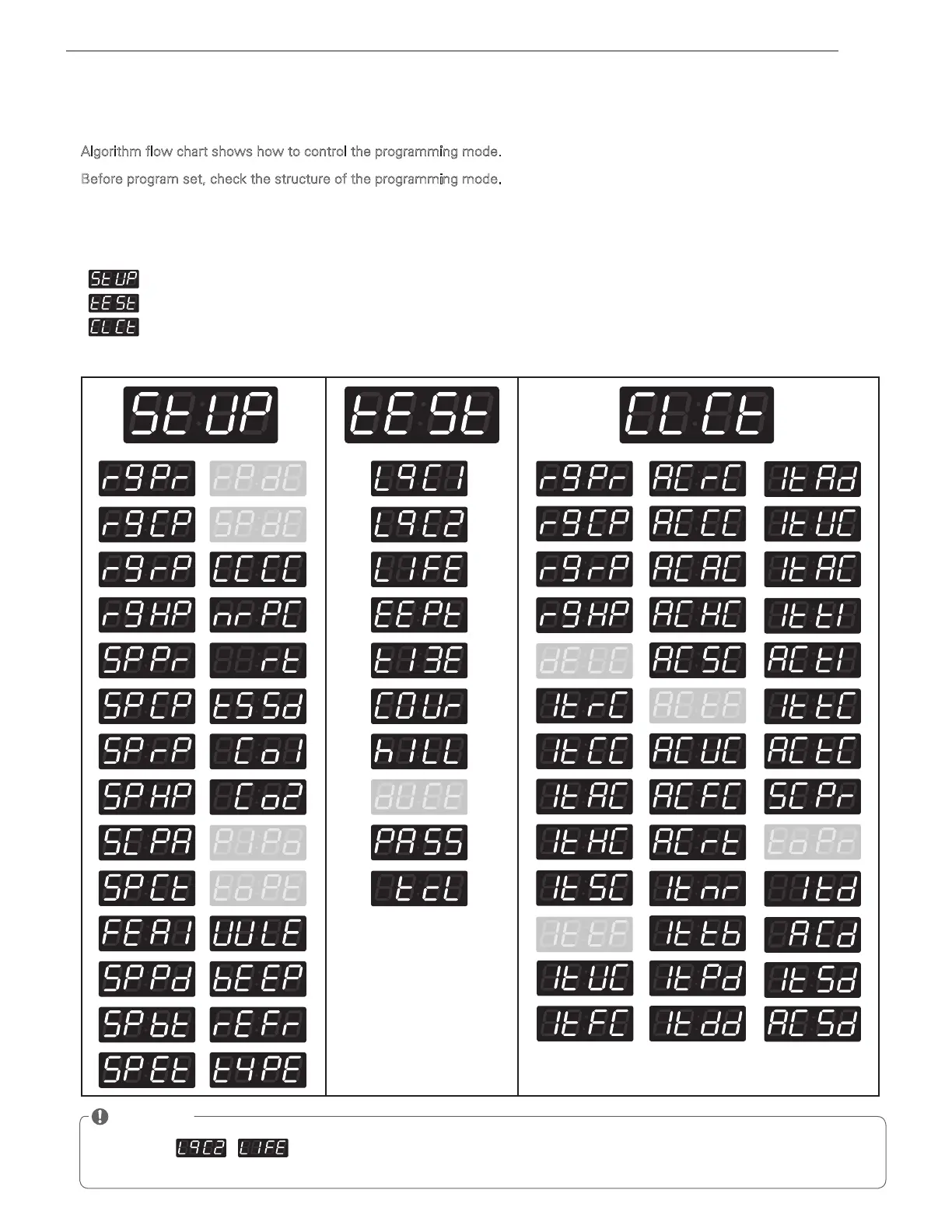
Algorithm flow chart shows how to control the programming mode.
Before program set, check the structure of the programming mode.
1. Turn on/off toggle switch or Insert service card, for entering set up mode.
2. Press Hot button to move to the upper level.
3. Press Warm (+) or Cold (-) button if you want to be at the same level.
4. Press Start button to enter the details of Set up or Diagnostic Tests.
is to set price value, time value, vend type, etc.
consists of line test, reset, free cycle, and kill cycle.
Is to collect the usage data.
Card / Coin type
Structure of Programming mode



 To Next Page