11Preparation
2
Preparation
Remote control
ylzvs|{pvu
Q
wyVjo
vwluVjsvzl
ඹ
tvUVz{U
snGlxylwlh{
yhukvt
ylwlh{
yhukvt
a
b
c
d
e
• • • • • • • • • d • • • • • • • •
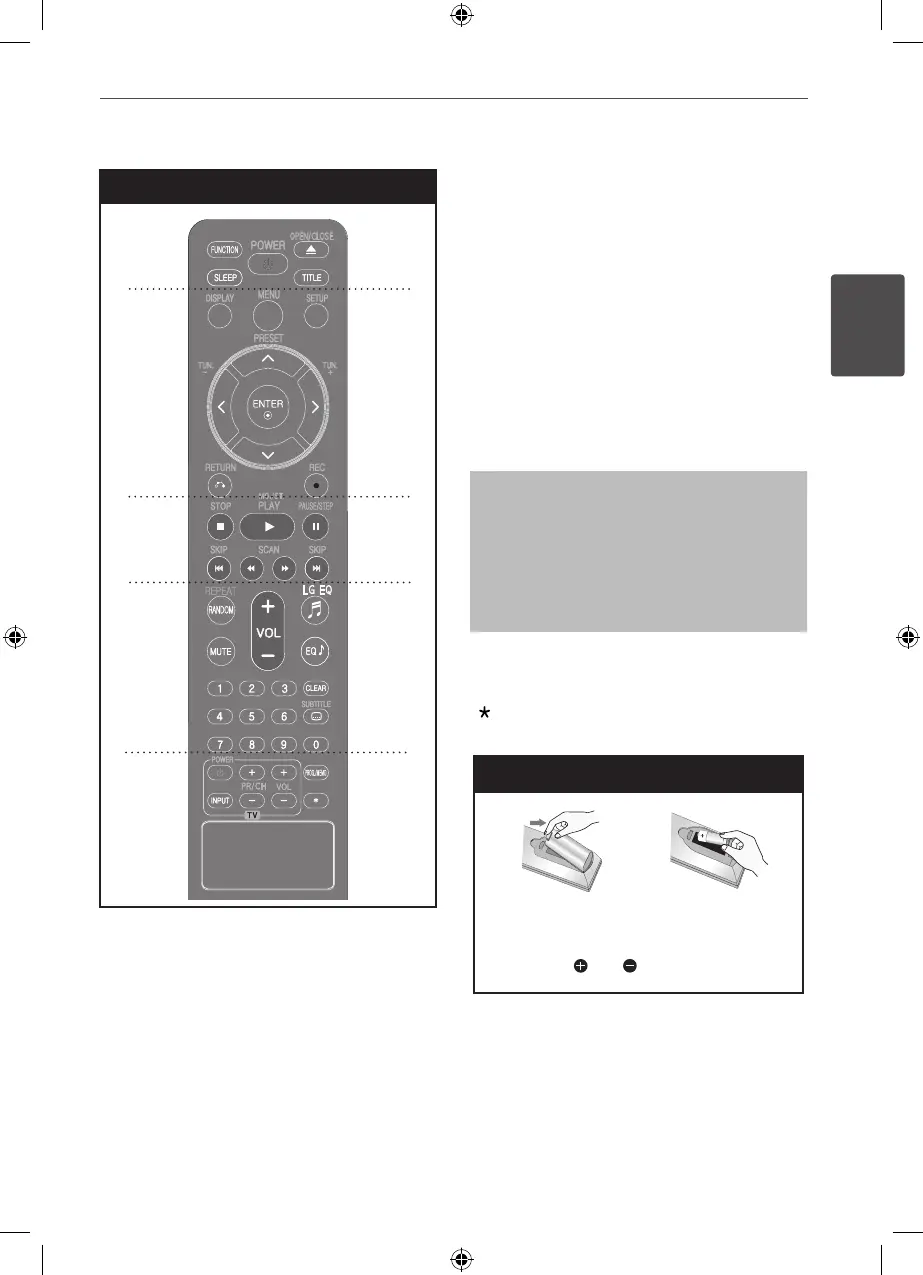
REPEAT/RANDOM : Selects a play
mode.(Random, repeat)
MUTE : Mutes the sound.
VOL (Volume) (+/-) : Adjusts speaker volume.
LG EQ : Selects a Natural or Local Specialization
equalizer eect by using LG EQ.
EQ (EQUALIZER eect) : Chooses sound
impressions.
CLEAR : Removes a track number on the
Program List.
SUBTITLE : During playback, press SUBTITLE
repeatedly to select a desired subtitle language .
0 to 9 numerical buttons : Selects numbered
options in a menu.
• • • • • • • • • e • • • • • • • •
TV Control buttons : Controls the TV. (LG TV
only)
Controlling the TV
You can control the sound level, input
source, and power switching of LG TVs as
well. Hold POWER (TV) and press PR/CH
(+/–) button repeatedly until the TV turns on
or off.
PROG./MEMO. : Accesses or removes Program
menu.
: This button is not available.
Battery Installation
Remove the battery cover on the rear of the
Remote Control, and insert one (size AAA)
battery with and matched correctly.
HT155DD-F0_DNGAFLK_ENG_4787.indd 11 2010-11-11 �� 11:41:48


 To Next Page