14 Installation
Installation
3
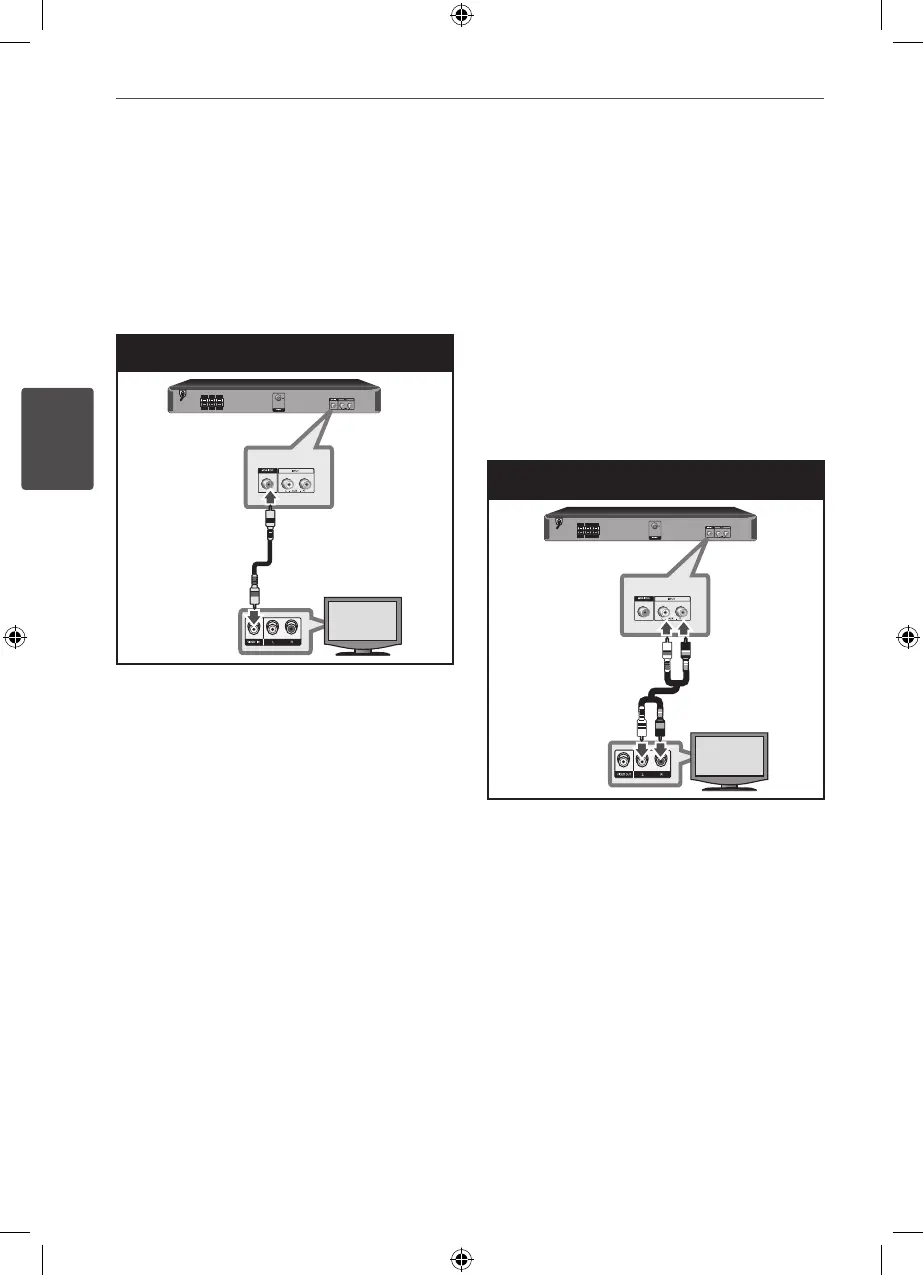
Video Connection
Connect the VIDEO OUT (MONITOR) jack on
the unit to the video in jack on the TV using a
video cable.
You can hear the sound through the system’s
speakers.
Video Connection
Optional Equipment
Connection
AUX IN Connection
Connect an Output of auxiliary device to the
AUX Input (L/R) Connector.
If your TV has only one output for audio
(mono), connect it to the left (white) audio jack
on the unit.
AUX IN Connection
HT155DD-F0_DNGAFLK_ENG_4787.indd 14 2010-11-11 �� 11:41:48


 To Next Page