15Installation
3
Installation
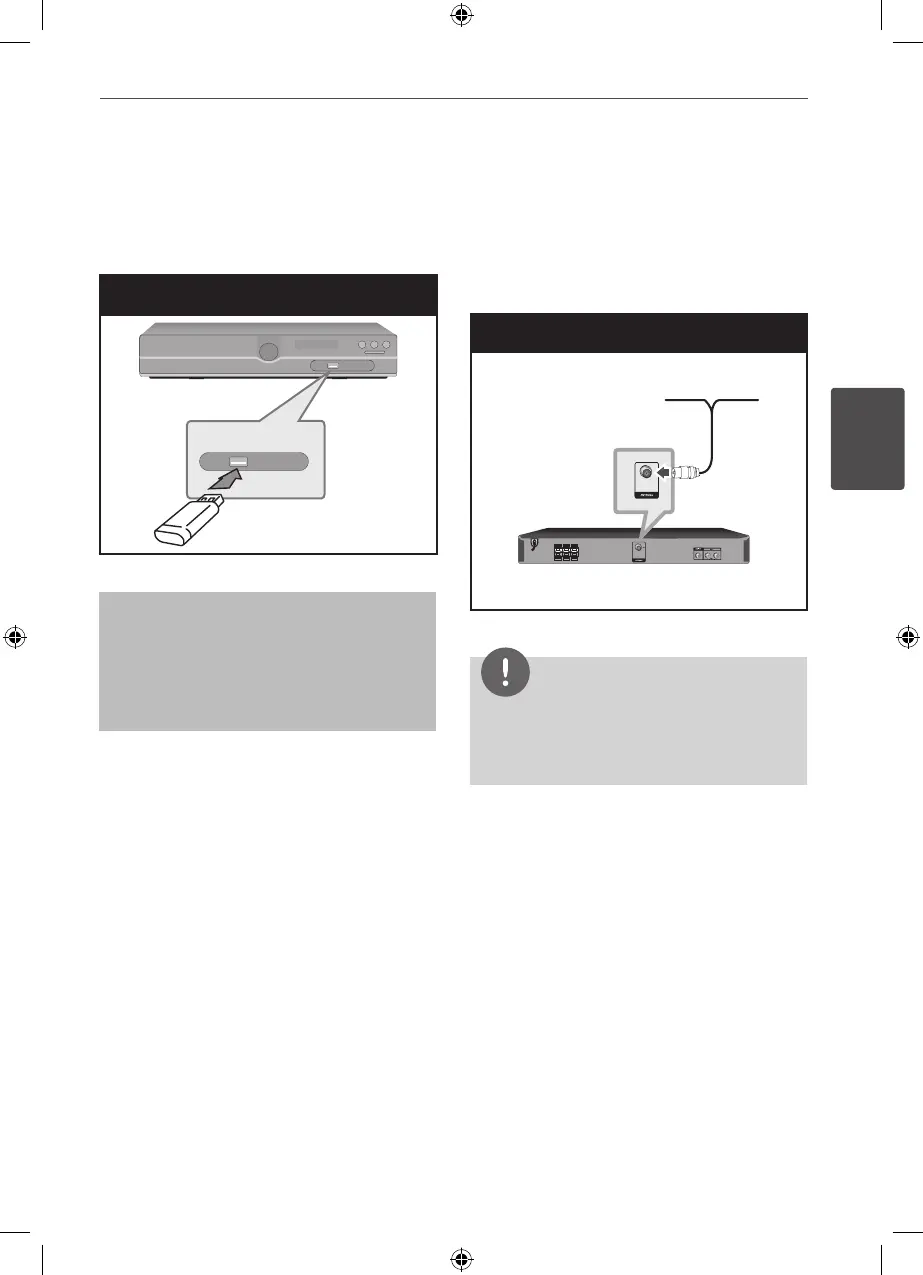
USB Connection
Connect the USB port of USB Memory (or MP3
player, etc.) to the USB port on the front of the
unit.
USB Connection
Removing the USB Device from the unit
1. Choose a dierent function mode or
press STOP (
x
) twice in a row.
2. Remove the USB device from the unit.
Antenna Connection
Connect the supplied FM antenna for listening
to the radio.
Connect the FM Wire antenna to the FM
antenna connector.
Antenna Connection
NOTE
Be sure to fully extend the FM wire antenna.
After connecting the FM wire antenna, keep it as
horizontal as possible.
HT155DD-F0_DNGAFLK_ENG_4787.indd 15 2010-11-11 �� 11:41:49


 To Next Page